To enable the Ask iManage Work add-on, it has to be deployed in M365 Admin Center by doing the following:
Browse to M365 Admin Center: https://admin.microsoft.com/#/homepage.
Go to Settings > Integrated apps.
Figure: Settings > Integrated apps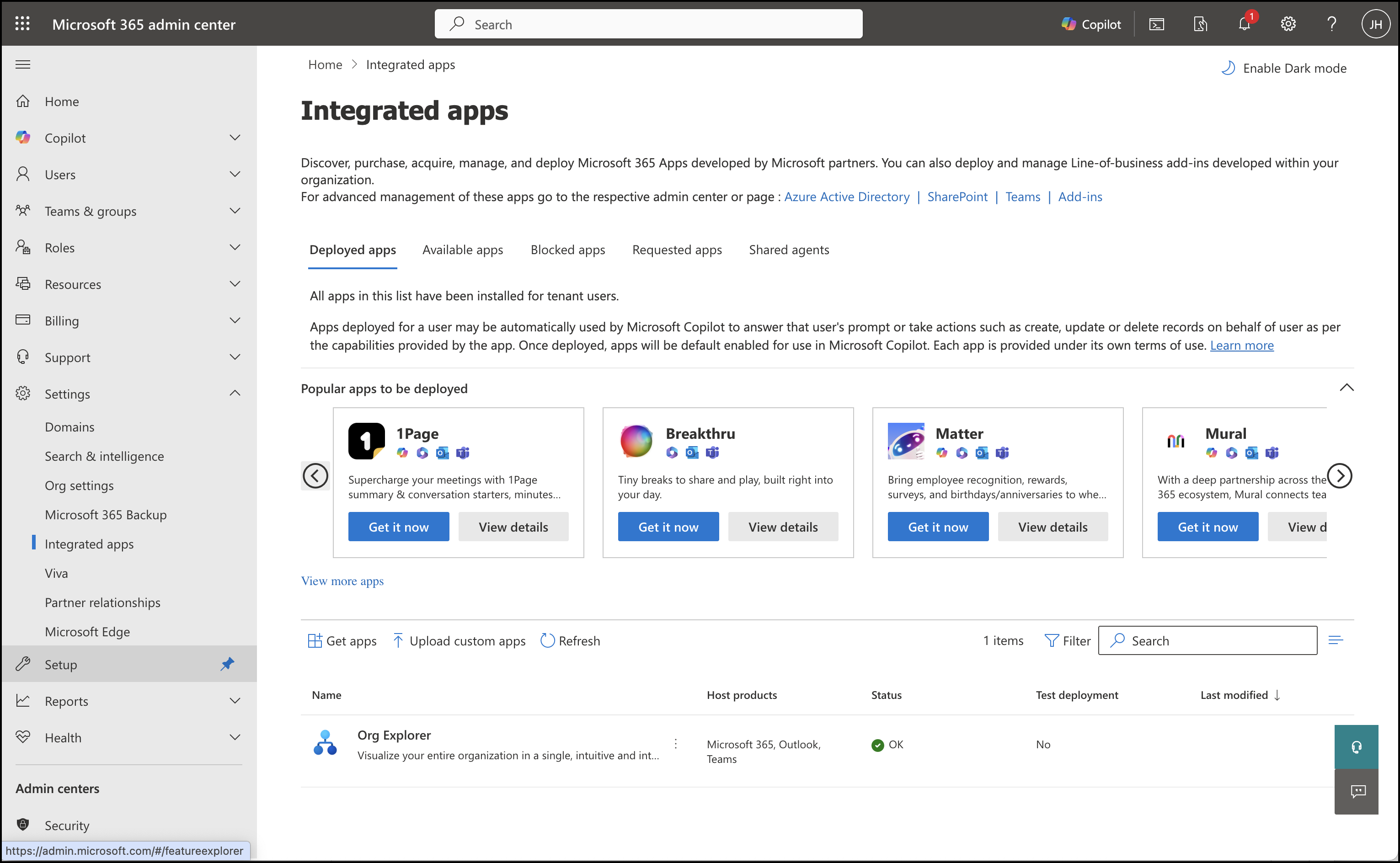
Select Upload custom apps.
Select Add type as Office Add-in.
Select Provide link to manifest file and paste the following: https://cloudimanage.com/ai/ask/manifest/manifest.xml, and then select Validate to validate to manifest file.
Figure: Upload apps to deploy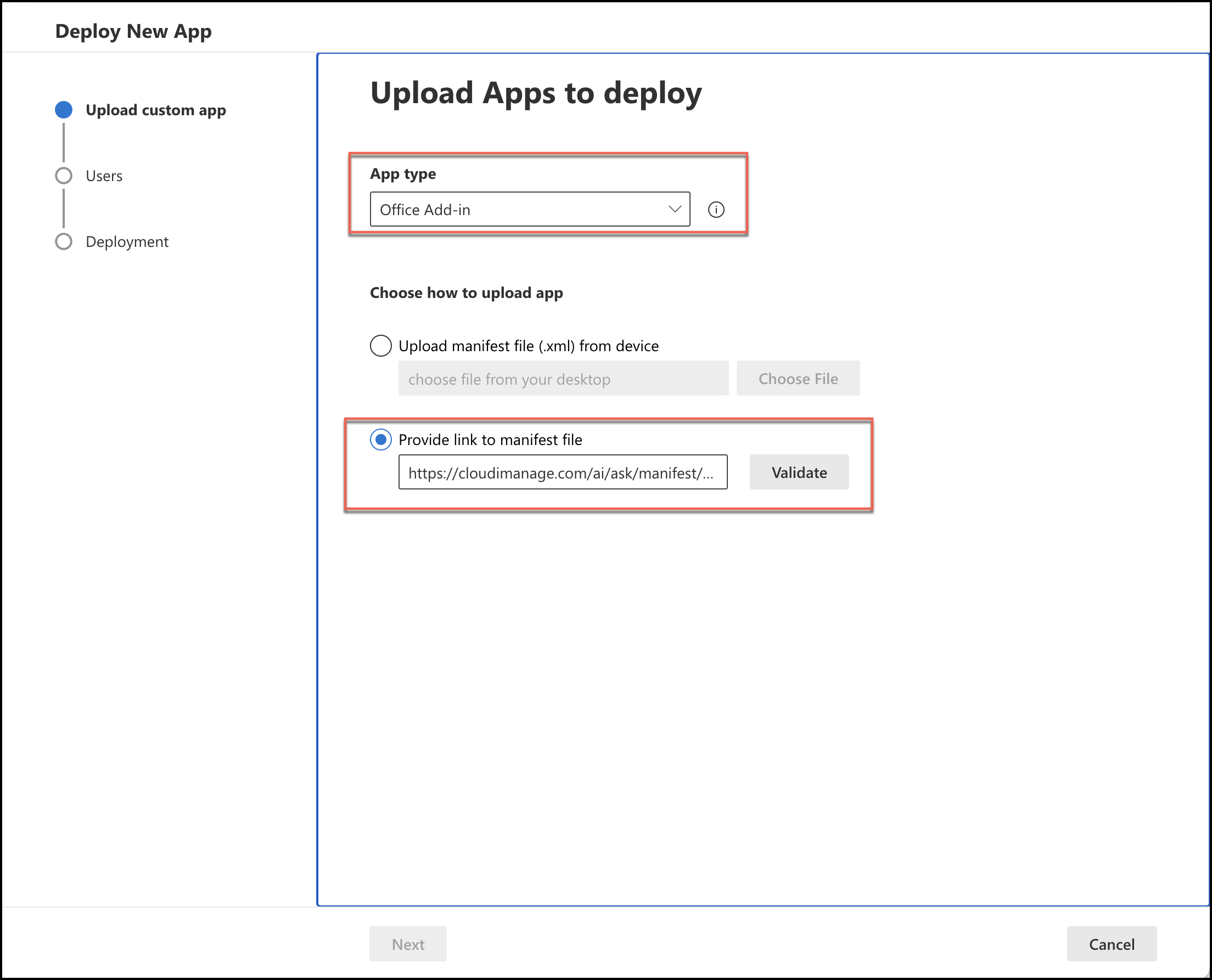
Select Next.
Select the users for whom the plug-in has to be enabled and then select Next.
Review the Accept permission requests and then select Next.
Review the information and then select Finish deployment.