It’s possible that Ask iManage Word add-in receives updates to the manifest file. To deploy the updated Ask iManage Word add-on, it needs to be updated in M365 Admin Center by doing the following:
Browse to M365 Admin Center: https://admin.microsoft.com/#/homepage
Go to Settings > Integrated apps.
Figure: Settings > Integrated apps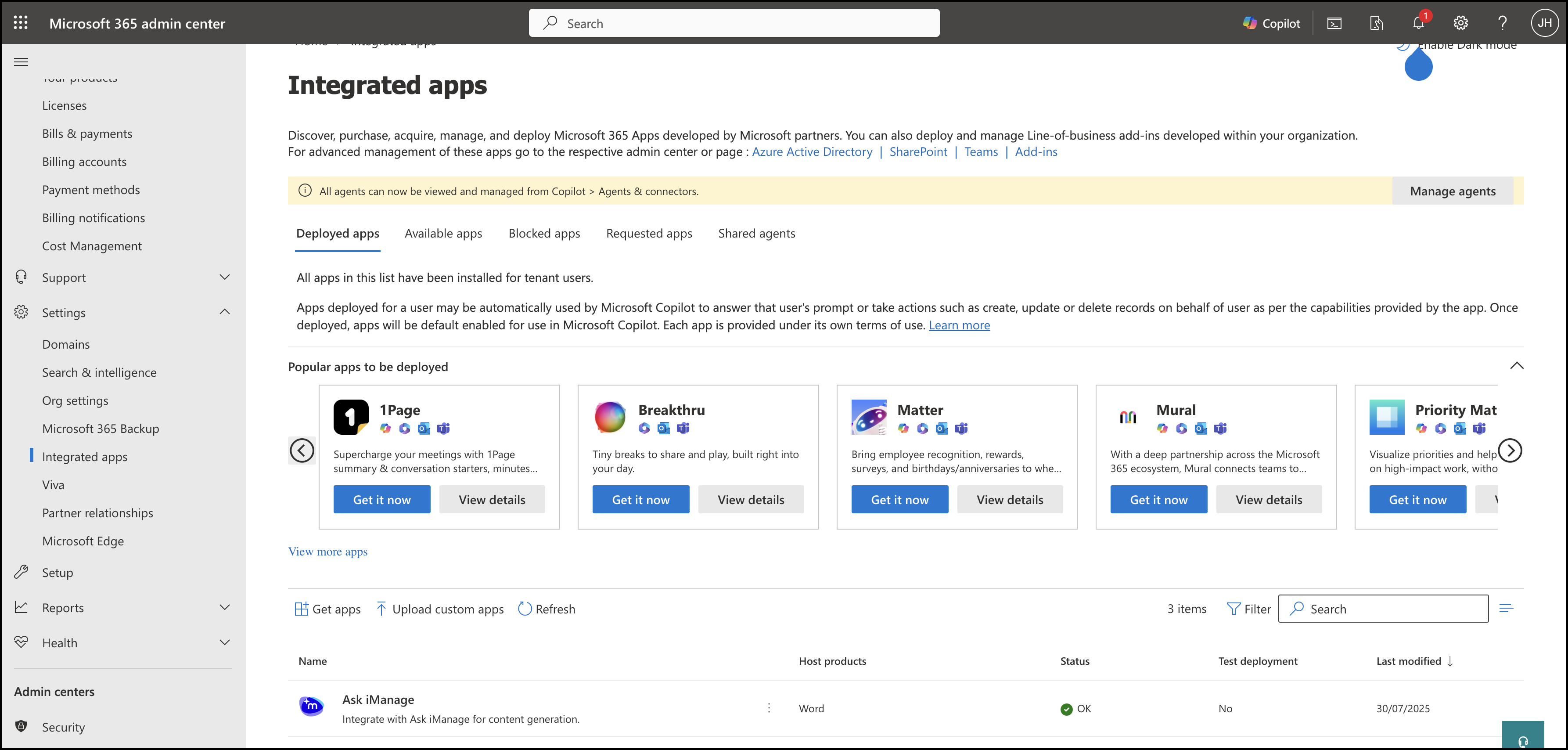
Select Ask iManage to the display the application details.
Figure: Select Ask iManage application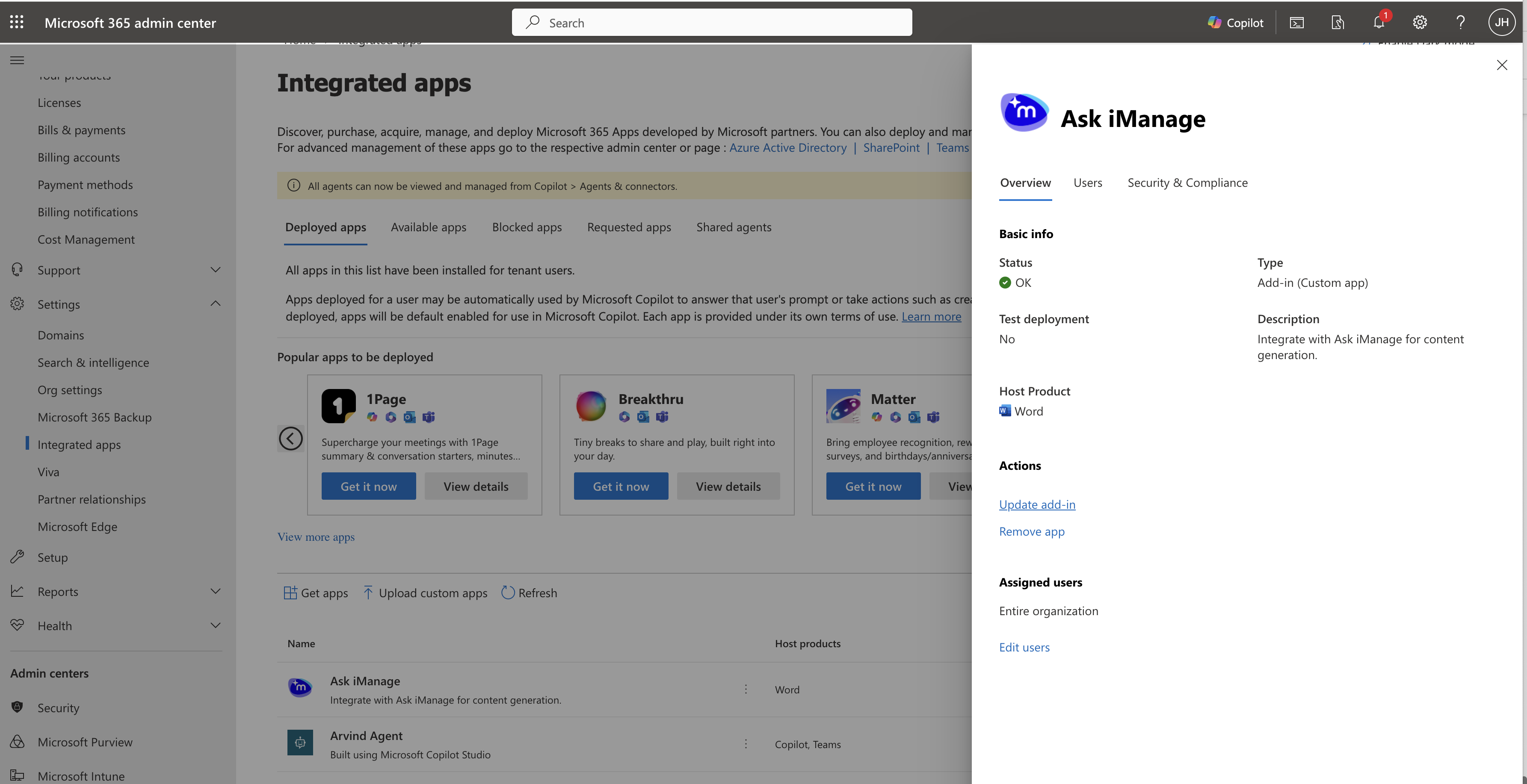
Select Update add-in.
Figure: Select Update add-in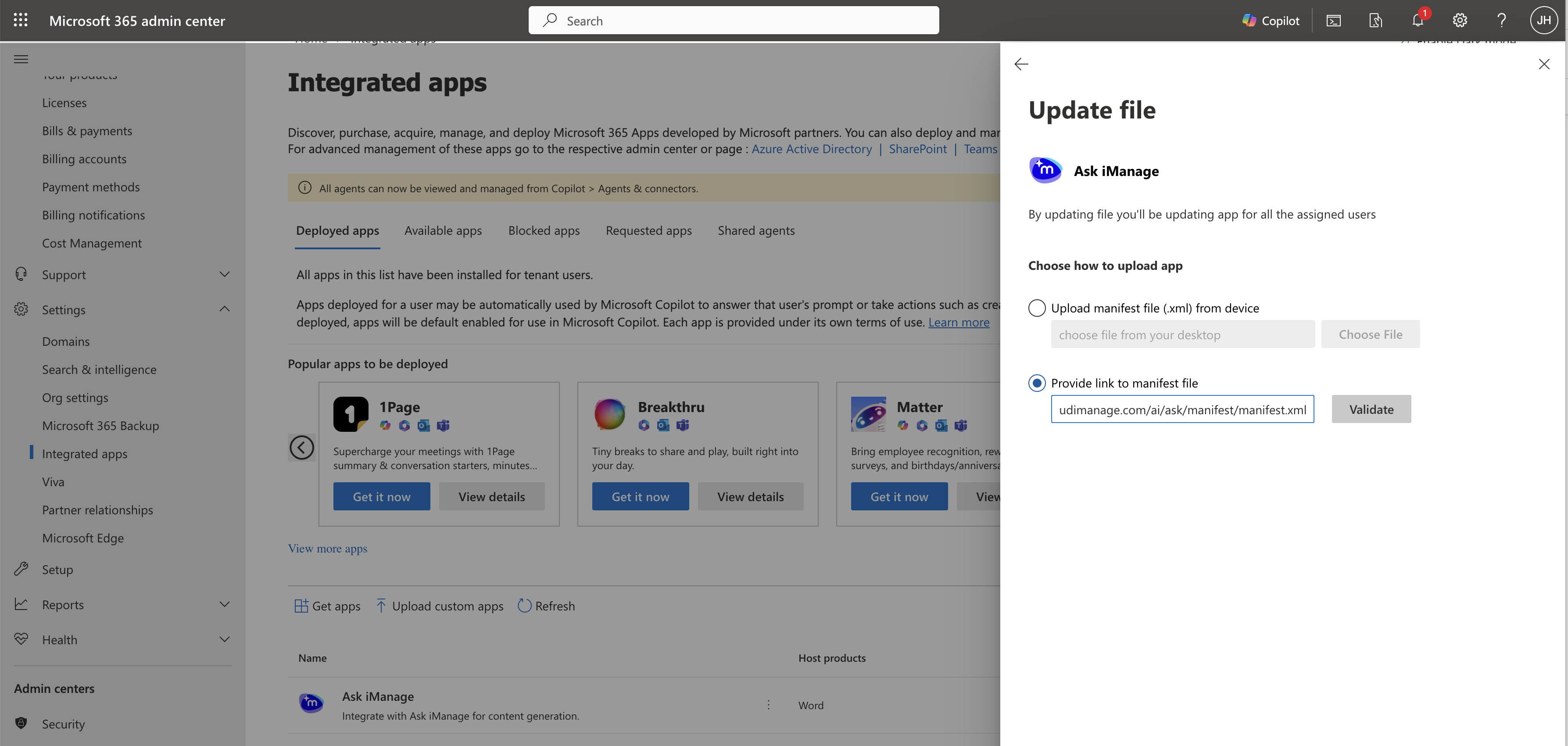
Select Provide link to manifest file and paste the following: https://cloudimanage.com/ai/ask/manifest/manifest.xml, and then select Validate to validate to manifest file.
Select Next after the manifest file is uploaded and validated.
Select Accept and Update.
Figure: Select Accept and Update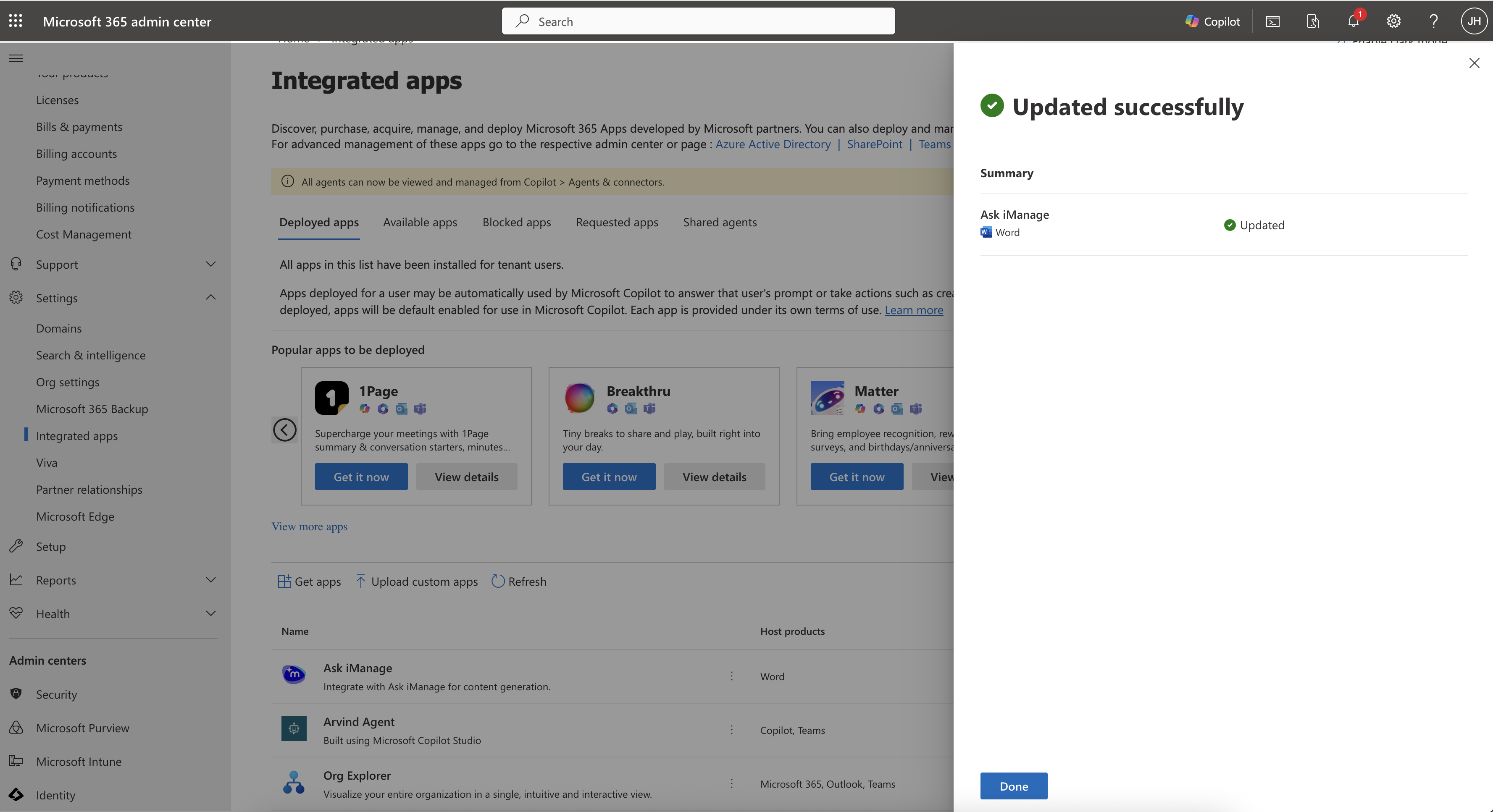
The Ask iManage Work add-on is now successfully updated.