To access the Ask iManage side panel in iManage Work at cloudimanage.com:
In iManage Work at cloudimanage.com, browse to the document or email of your interest and highlight it.
Figure: Selecting a document in iManage Work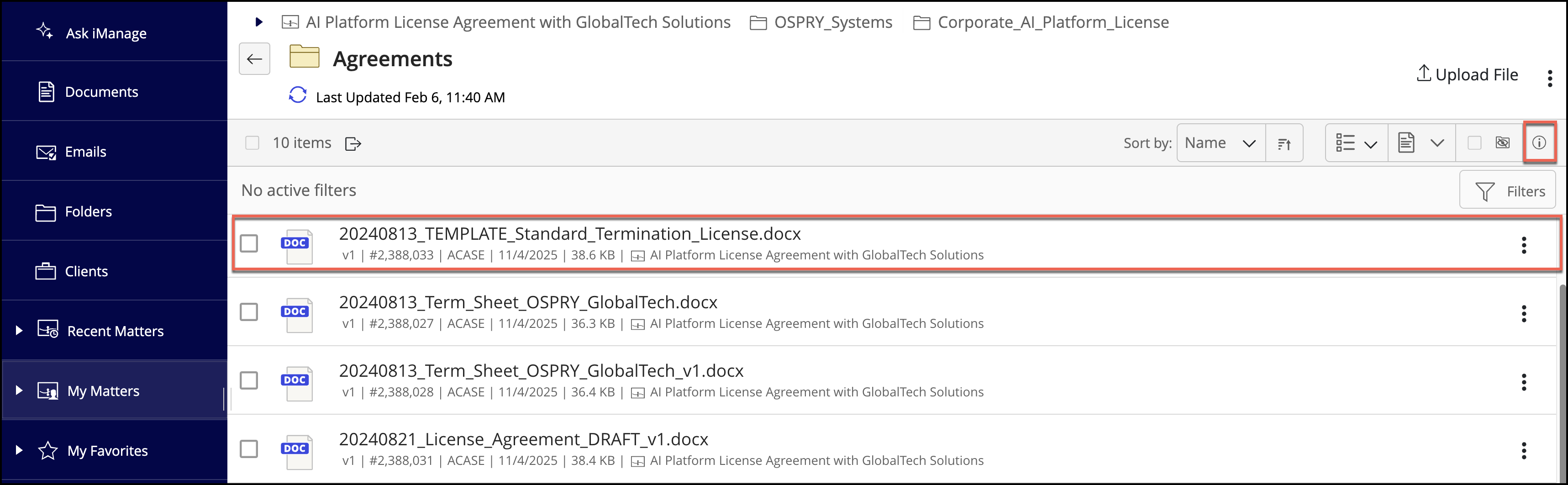
To display the Properties side panel, select the Show Details
 icon and then select the Ask iManage tab. Figure: Ask iManage tab in the side panel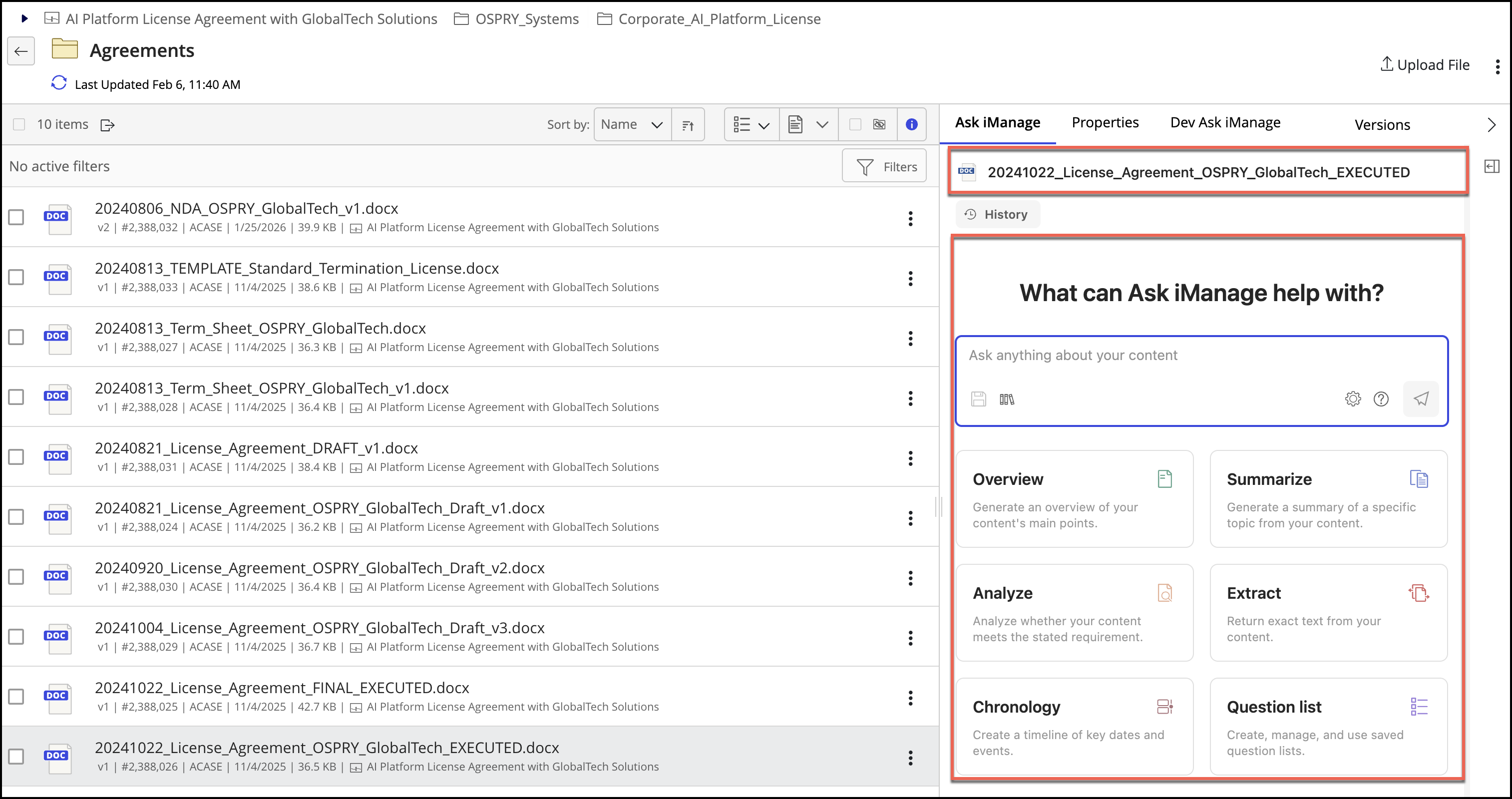
The Ask iManage side panel, along with the name of the selected document appears as shown in the above figure.