Deleting projects from iManage Work sidebar
In iManage Work at cloudimanage.com, select Ask iManage from the left navigation pane.
Select
icon to view all the projects. Alternatively, hover over the Ask iManage icon and then select Expand sidebar to view all the projects.
Figure: Viewing all the projects available in Ask iManage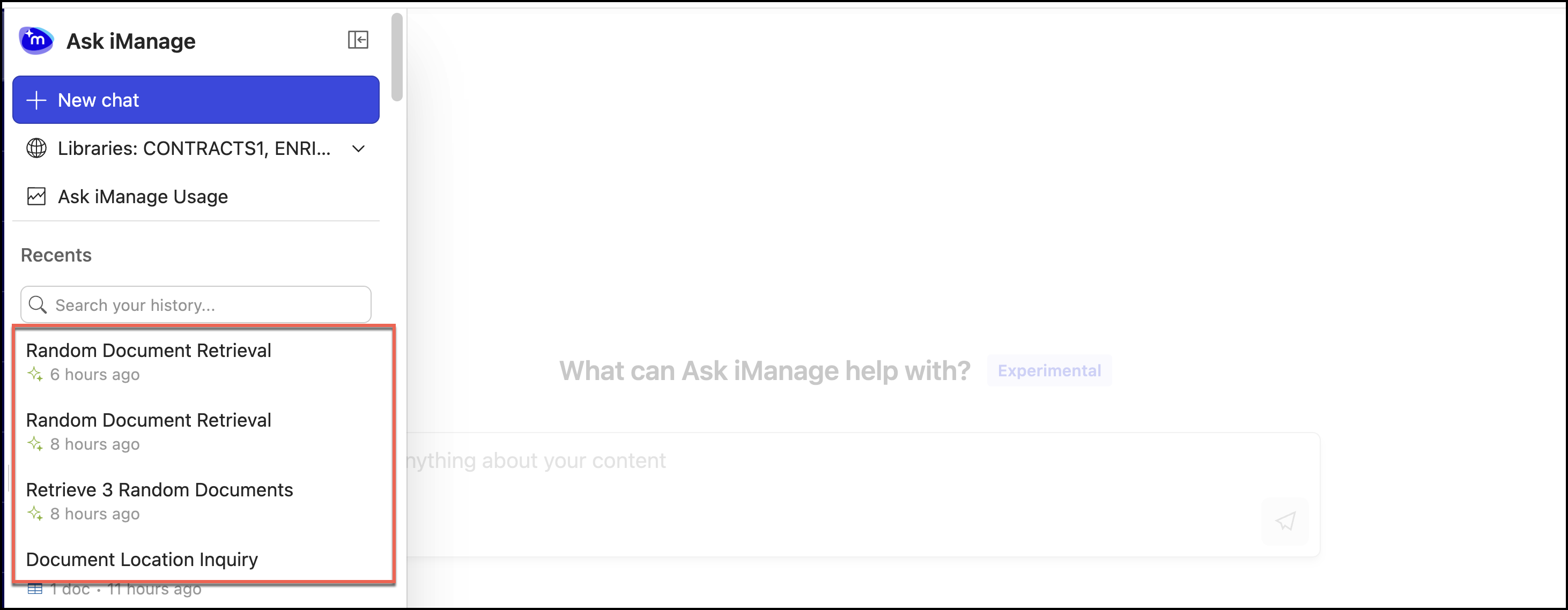
Select
next to the project you want to delete and select Delete.
Figure: Selecting Delete project to delete the project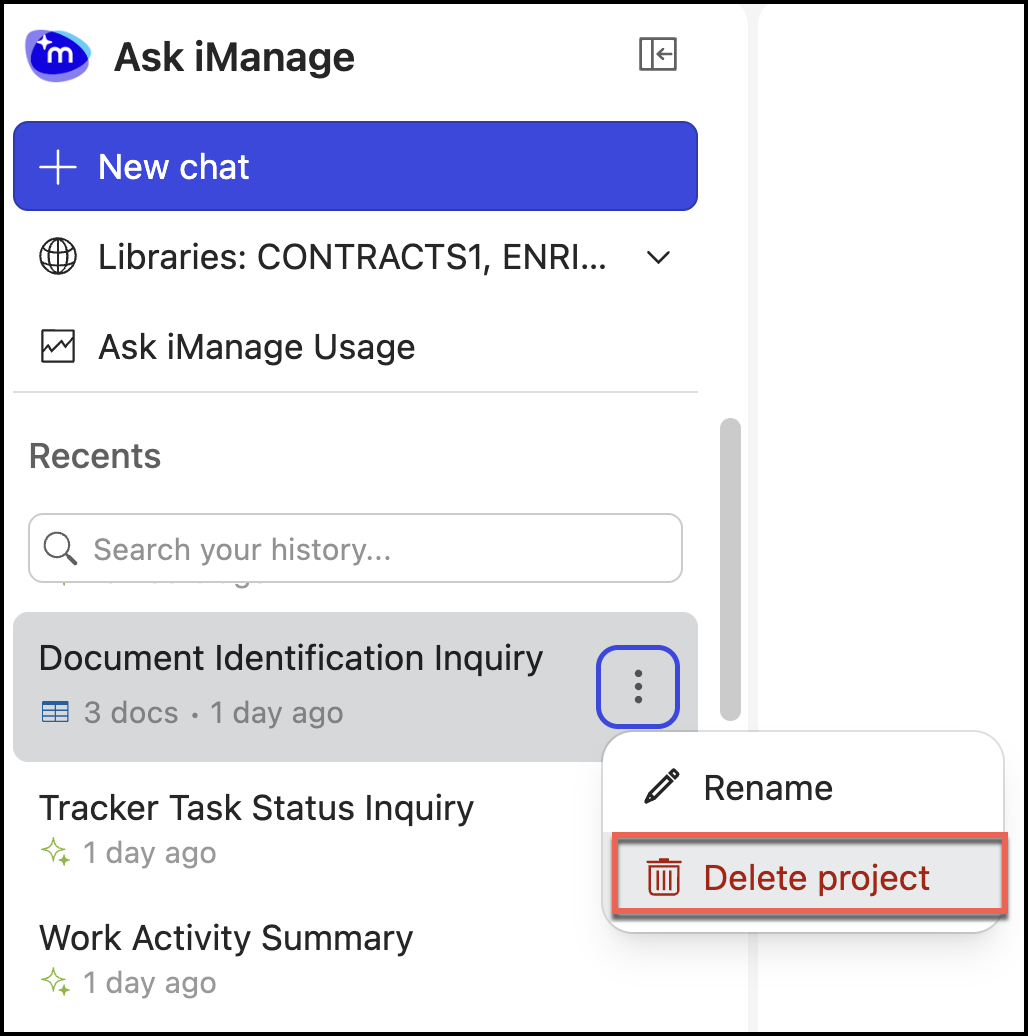
In the confirmation dialog that appears, select Delete to confirm the deletion.
Figure: Delete project confirmation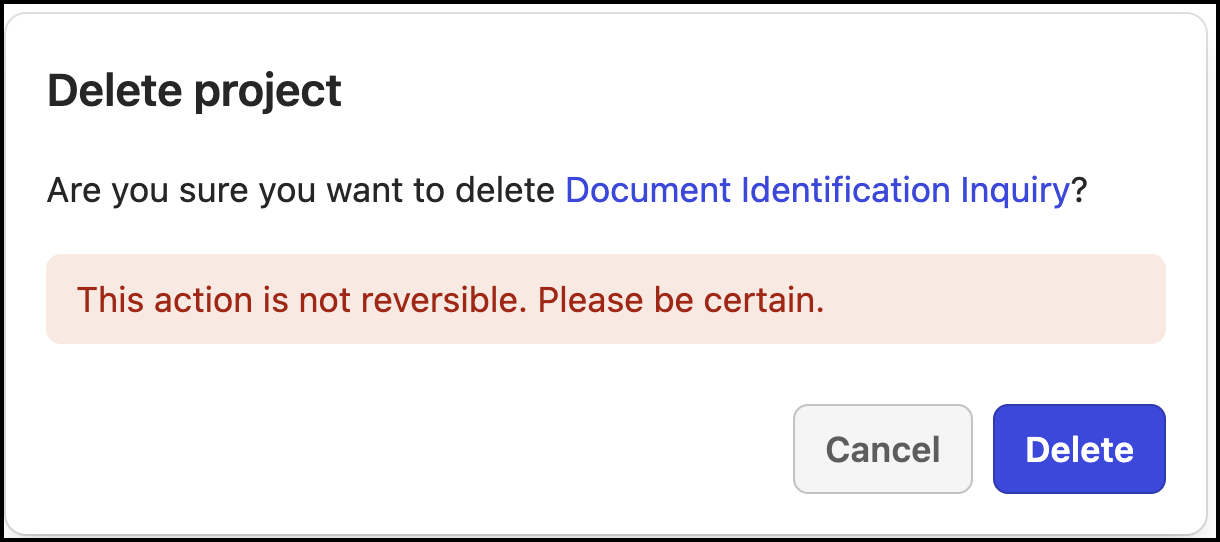
Deleting projects from Ask iManage page
In iManage Work at cloudimanage.com, select a document and then select one or more documents to open Ask iManage page.
Select icon to view all the projects. Alternatively, hover over the Ask iManage icon and then select Expand sidebar to view all the projects.
Figure: Viewing all the projects available in Ask iManage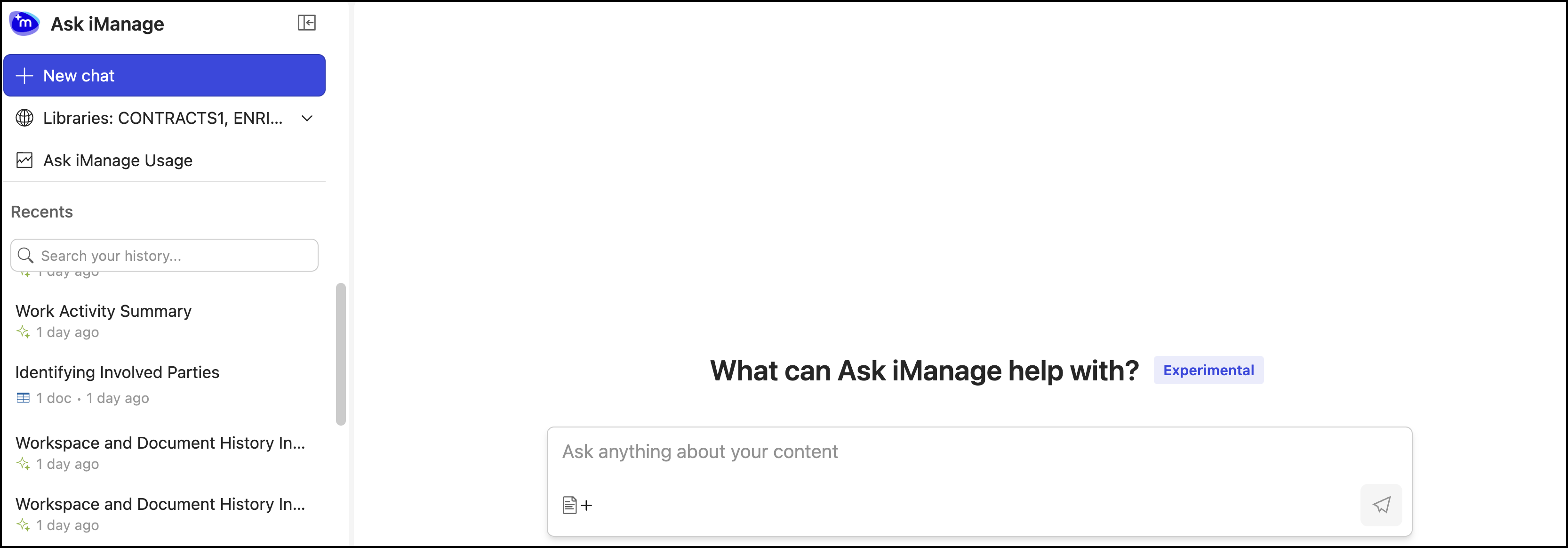
Select
Figure: Selecting Delete project to delete the projectIn the confirmation dialog that appears, select Delete to confirm the deletion.
Figure: Delete project confirmation