Ask iManage now automatically names the project based on the first action taken within it. You can however, rename a project by doing the following:
In iManage Work at cloudimanage.com, select Ask iManage from the left navigation pane.
Hover over the Ask iManage icon and then select
 Expand sidebar to view all the projects.Figure: Viewing all the projects available in Ask iManage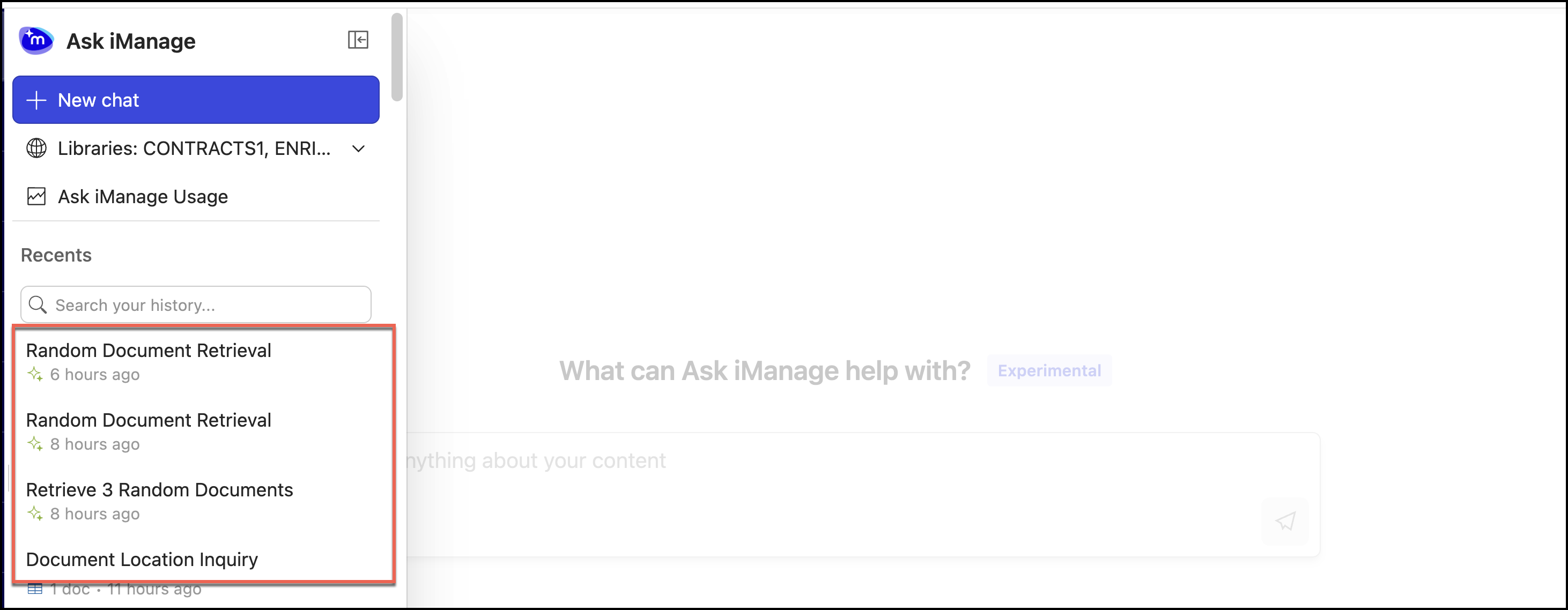
Select
 next to the project you want to rename and select Rename.Figure: Selecting Rename to rename the project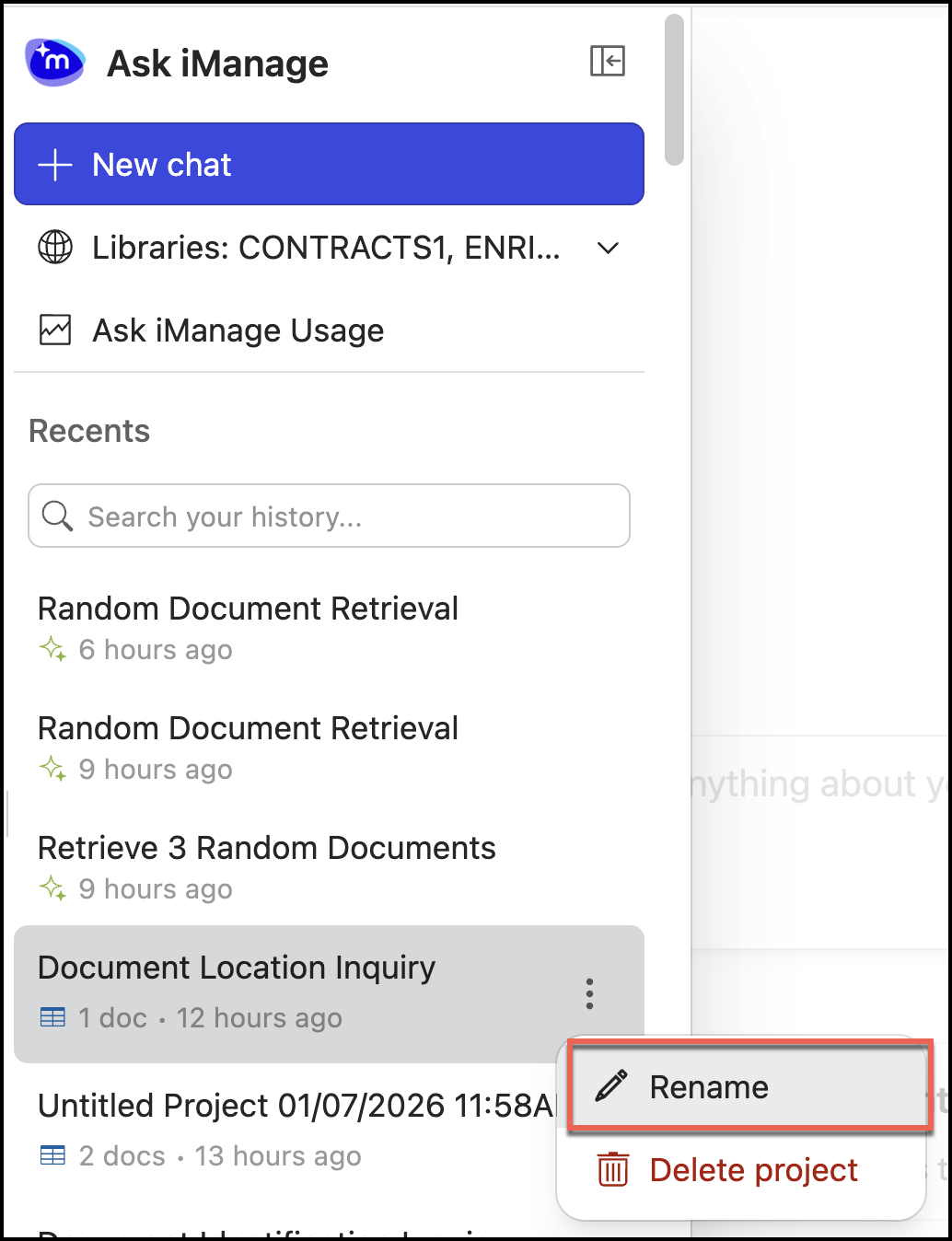
Enter the name of your choice. The project is renamed as shown in the following figure.
Figure: Renamed project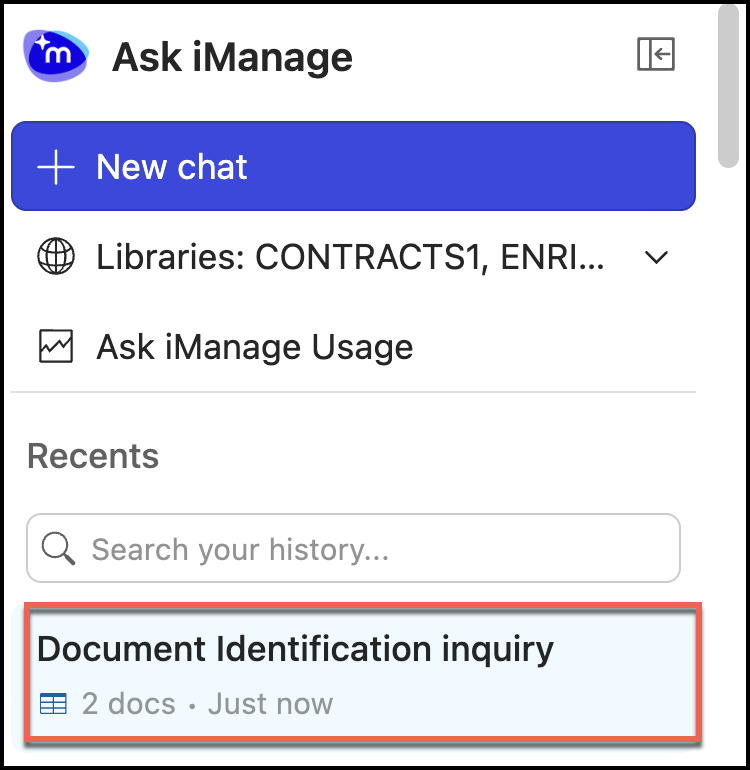
Alternatively, you can also select the project to open it in Ask iManage as shown in the figure.
Figure: Renaming project name from Ask iManage page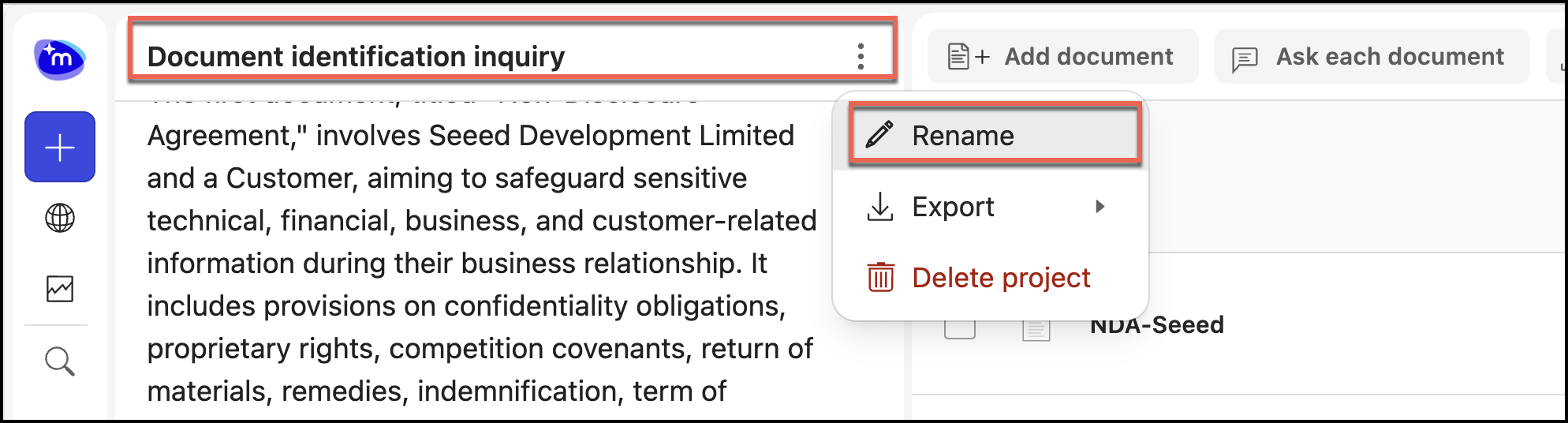
The project is renamed.