Browse to the Ask iManage option in the sidebar. For instructions about how to access Ask iManage home page, refer to Accessing Ask iManage home page.
In the Ask anything about your content field, enter the question you want to ask.
Figure: Asking questions in iManage Work repository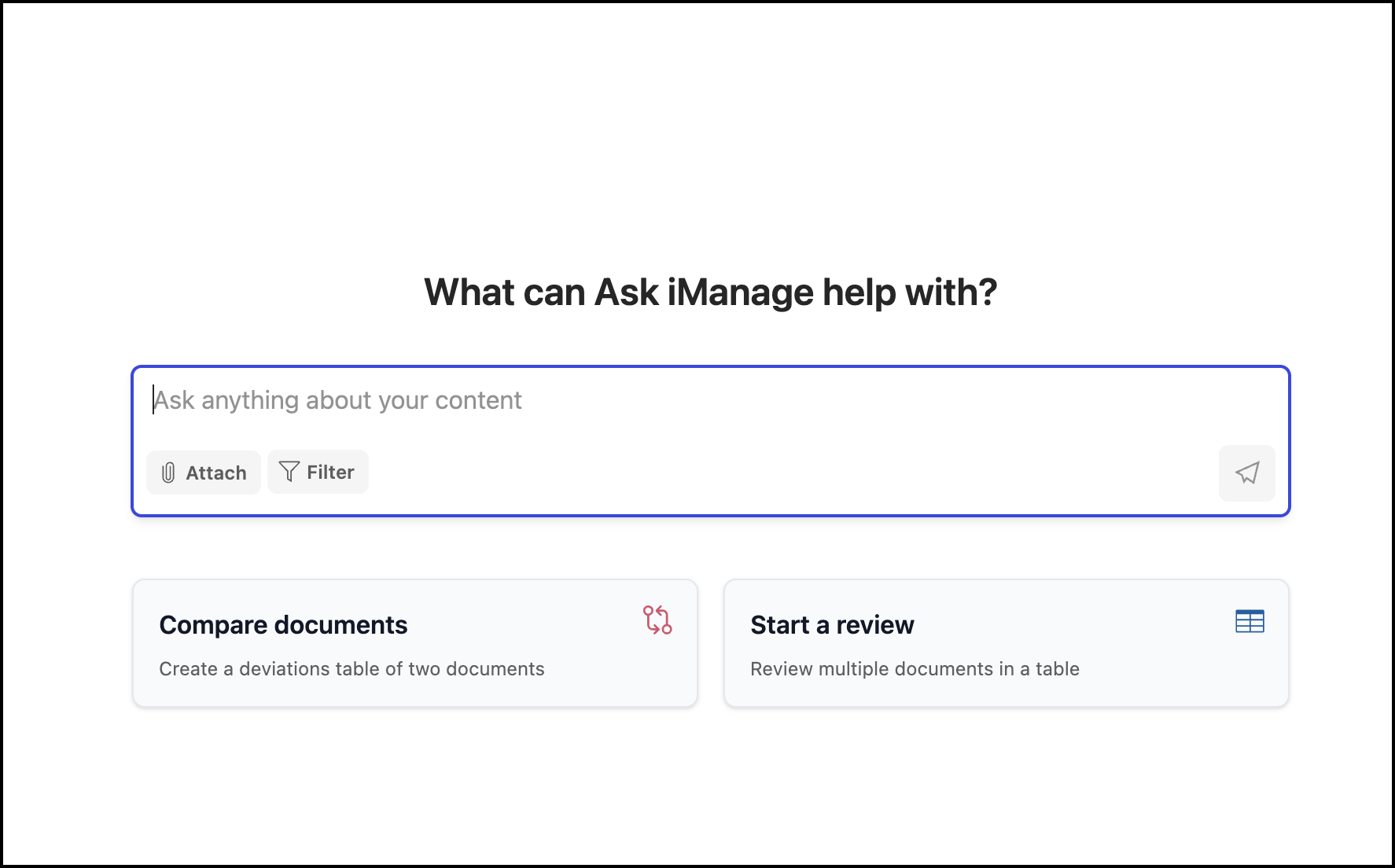
The answers are displayed as shown in the following figure.
Figure: Answers displayed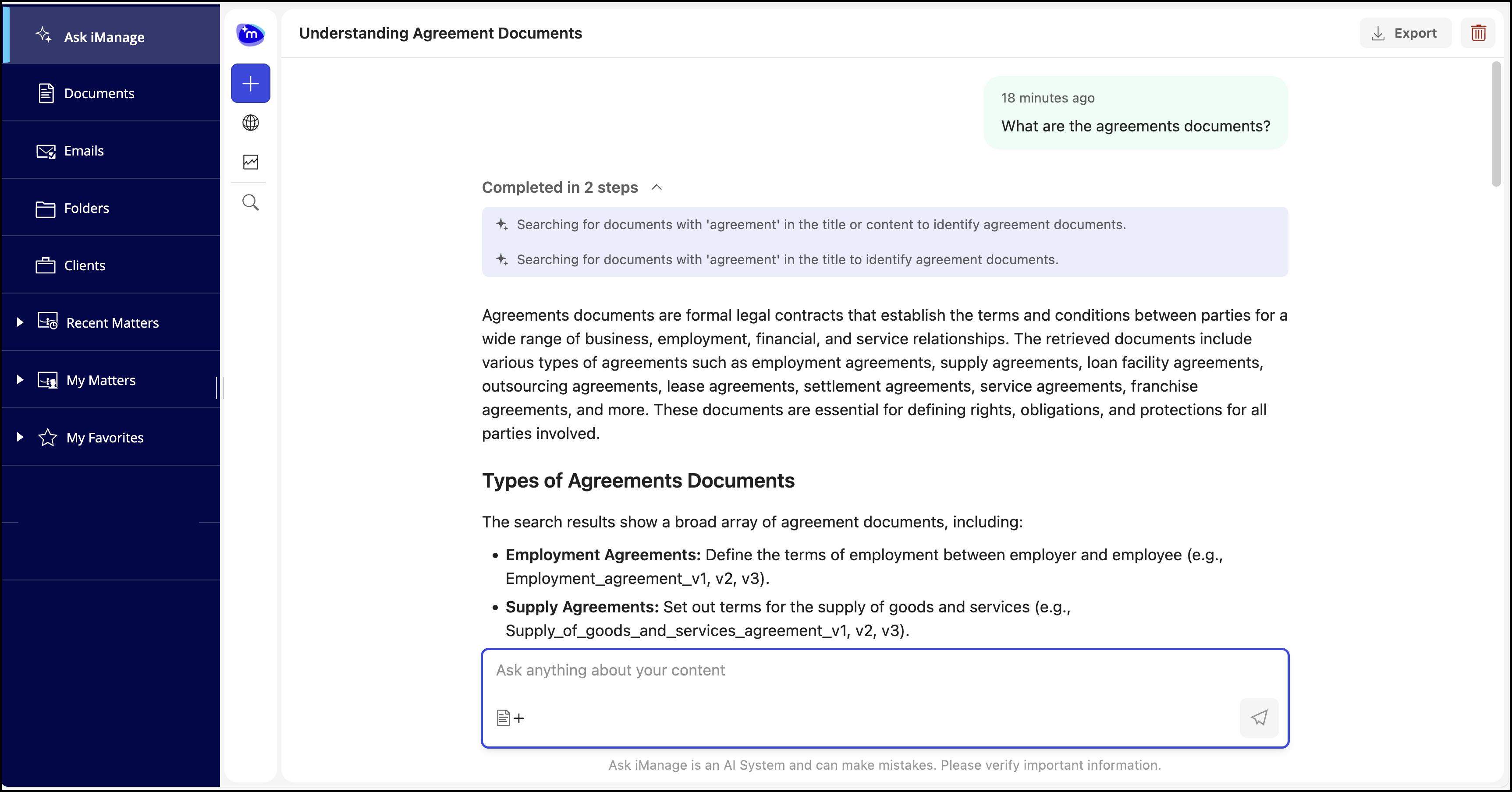
Ask iManage automatically saves your questions based on the first question asked. You can access this question for future use and ask additional questions.
If you ask an incomplete question, Ask iManage prompts you with further questions based on it. You can either select one or multiple questions and Ask iManage will provide answers based on the questions selected. Alternatively, you can also use the Something else… field to ask question of your own. Selecting Submit will make Ask iManage display answers based on the questions selected or asked.
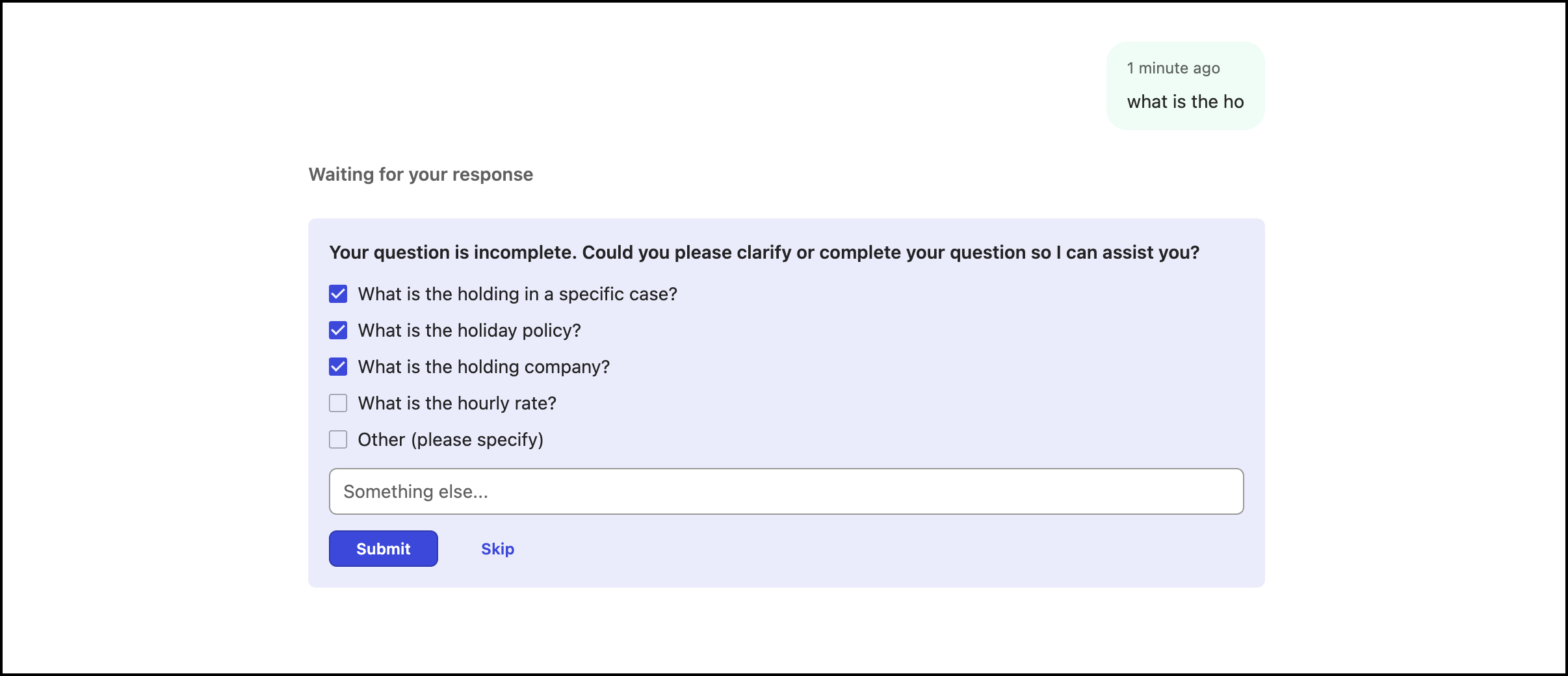
If you select Skip, then Ask iManage resumes the search based on your initial question and displays answers both evidences available in iManage Work or ungrounded indicator.
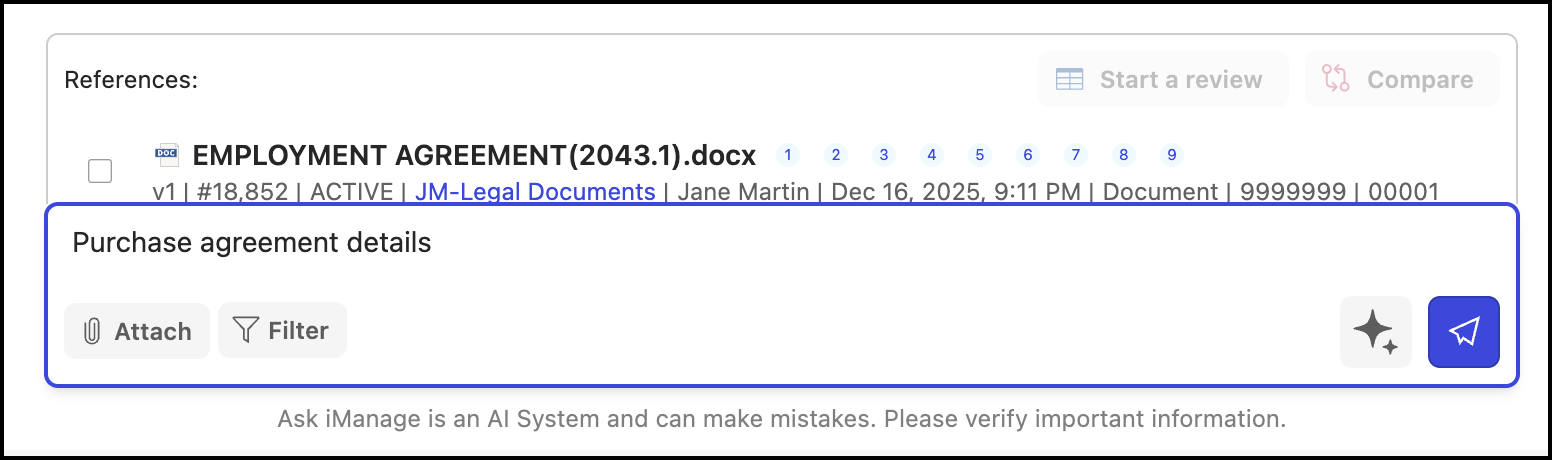
When you want to ask a question and want Ask iManage to improve the question, select the Improve my question option that is displayed when you enter the question. Ask iManage then automatically improves the question which you have entered.
For example, if you enter, What is the asset purchase agreement? and then select Improve my question, Ask iManage improves the question to Provide a summary of the asset purchase agreement, including its key terms, parties involved, and main obligations.
You can also perform the following actions in the Ask iManage home page.
Search for folders by name or topic and list their contents, making it easier to navigate your repository conversationally. For example:
"Find the due diligence folder for Project Atlas"
"What's in the closing documents folder for the Acme acquisition?"
"Show me the folders related to the Smith employment matter"
See the names of the attached files when searching across emails. This means you can find emails based on what was attached to them. For example:
"Find emails with an NDA attached"
"Which emails have a draft purchase agreement as an attachment?"
"Look for emails from opposing counsel with an attached term sheet"
Compare two documents. For example:
Compare Sales purchase agreement version with Sales purchase agreement version 2
Generate overview or chronology of a document. For example:
“Provide the overview of the Sales purchase agreement document”
Extract clauses from a document. For example:
“Extract the agreement clauses from Sales purchase agreement”
Run a Playbook analysis for a document. For example:
“Run a playbook analysis of the Sales purchase agreement”
Start Ask across tasks. For example:
Please provide a summary of the key points, decisions, and any notable actions or outcomes documented in these two versions. Highlight any differences or updates between them if present for the following documents:
Minutes Alabama Real Estate Appraisers Board-3
Minutes Alabama Real Estate Appraisers Board-3
Government_Compliance_Report