In iManage Work at cloudimanage.com, select Ask iManage from the left navigation pane or select a document, and then select one or more documents to open the Ask iManage home page.
Hover over the Ask iManage icon and then select
 Expand sidebar to view all the projects.Figure: Viewing all the projects available in Ask iManage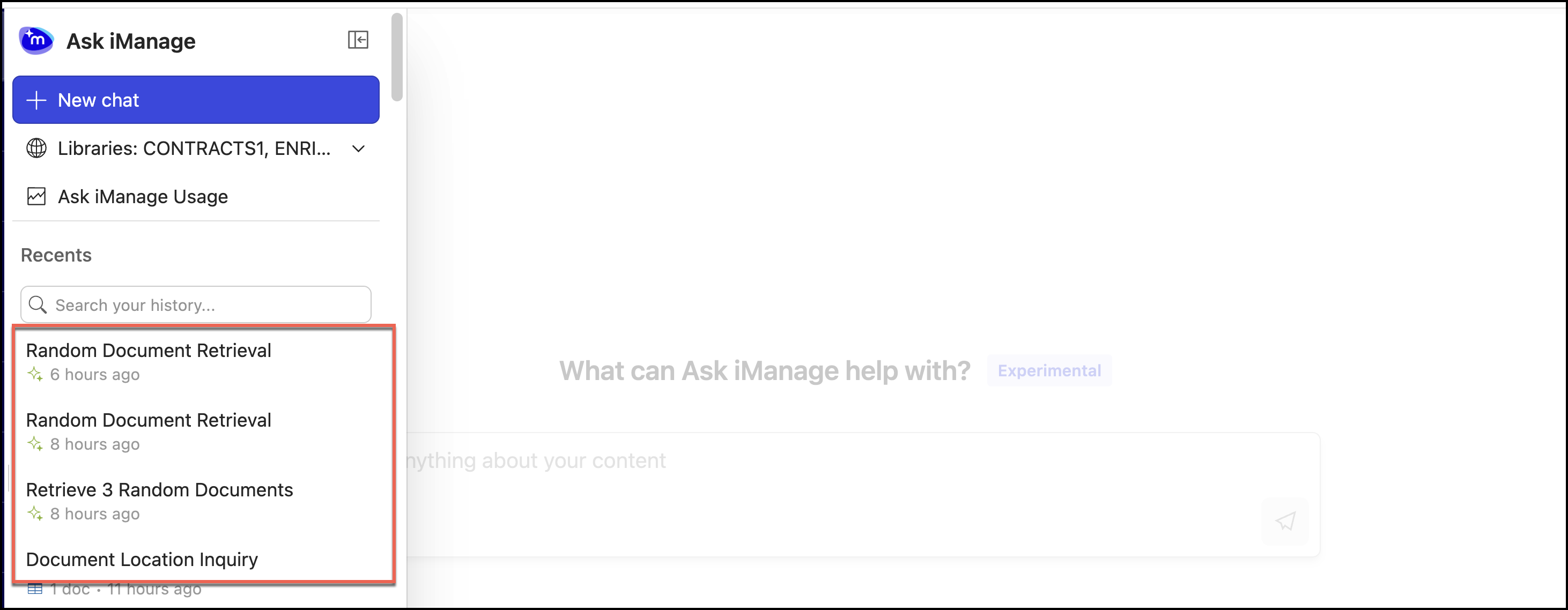
Select the comparison result, which you want to export and open it.
Do one of the following:
To download the results, in the results page, select
 next to the page name and then select Save or download. Select one of the following options:
Save as Word to iManage
Save as Excel to iManage
Download as Word
Download as Excel
Figure: Export your questions and answers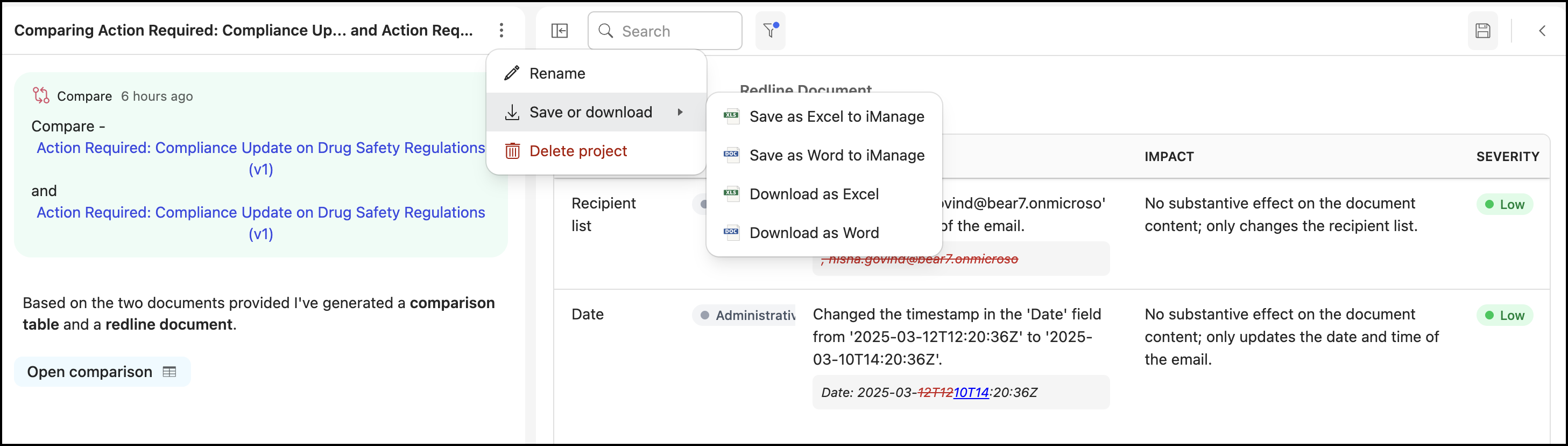
If you select Save as Word to iManage or Save as Excel to iManage, the Save to iManage Work dialog opens. Browse through the dialog and select the folder to save your questions and answers. The file is saved to iManage Work as either Word file or Excel file.
If you select Download as Word or Download as Excel, the questions and answers are downloaded to your selected location automatically in the selected format.
To download the redline document, select
 and then select one of the following:
 Redline (Word)
Redline (PDF)
Figure: Exporting redline document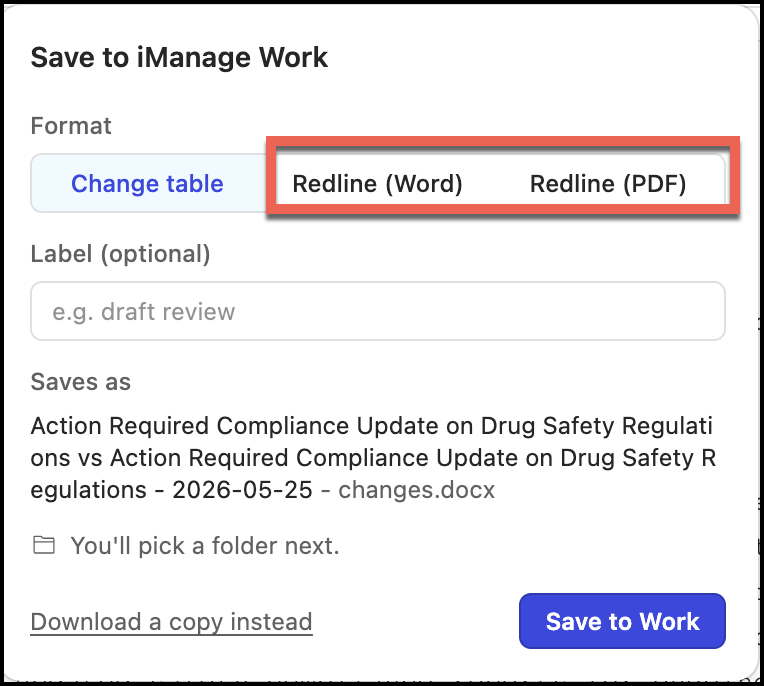
Select Save to Work to save the document to iManage Work or Download a copy instead to download the document to your device. The file is either saved to iManage Work or downloaded in the selected format.
To download the change table, select
and then select Change table. Figure: Exporting change table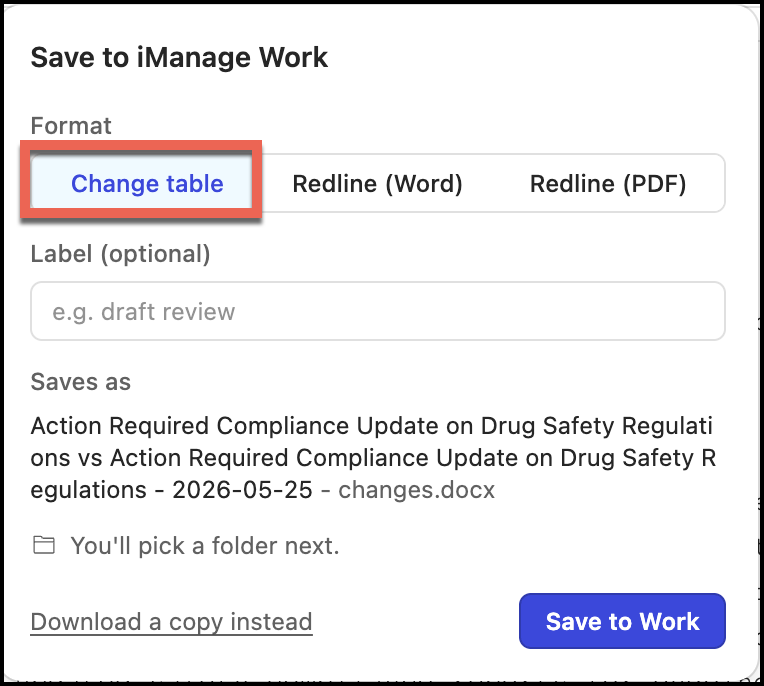
Select Save to Work to save the document to iManage Work or Download a copy instead to download the document to your device. The file is either saved to iManage Work or downloaded in Microsoft Word format.