You can import a set of rules saved as a JSON file and use them to build a Playbook in Ask iManage. Importing is a quick way to reuse an existing rule set rather than creating each rule by hand.
Importing a rules file
To import a rules file into a Playbook, do the following:
Browse to the Ask iManage side panel or the Ask iManage page. For instructions on how to browse to either of these, refer to Accessing Ask iManage in iManage Work at cloudimanage.com. If you've opened the document in Microsoft Word, open the Ask iManage panel in Word. For instructions, refer to Asking questions in a document.
Select Playbook to display the Playbooks dialog.
Figure: Select playbook drop-down menu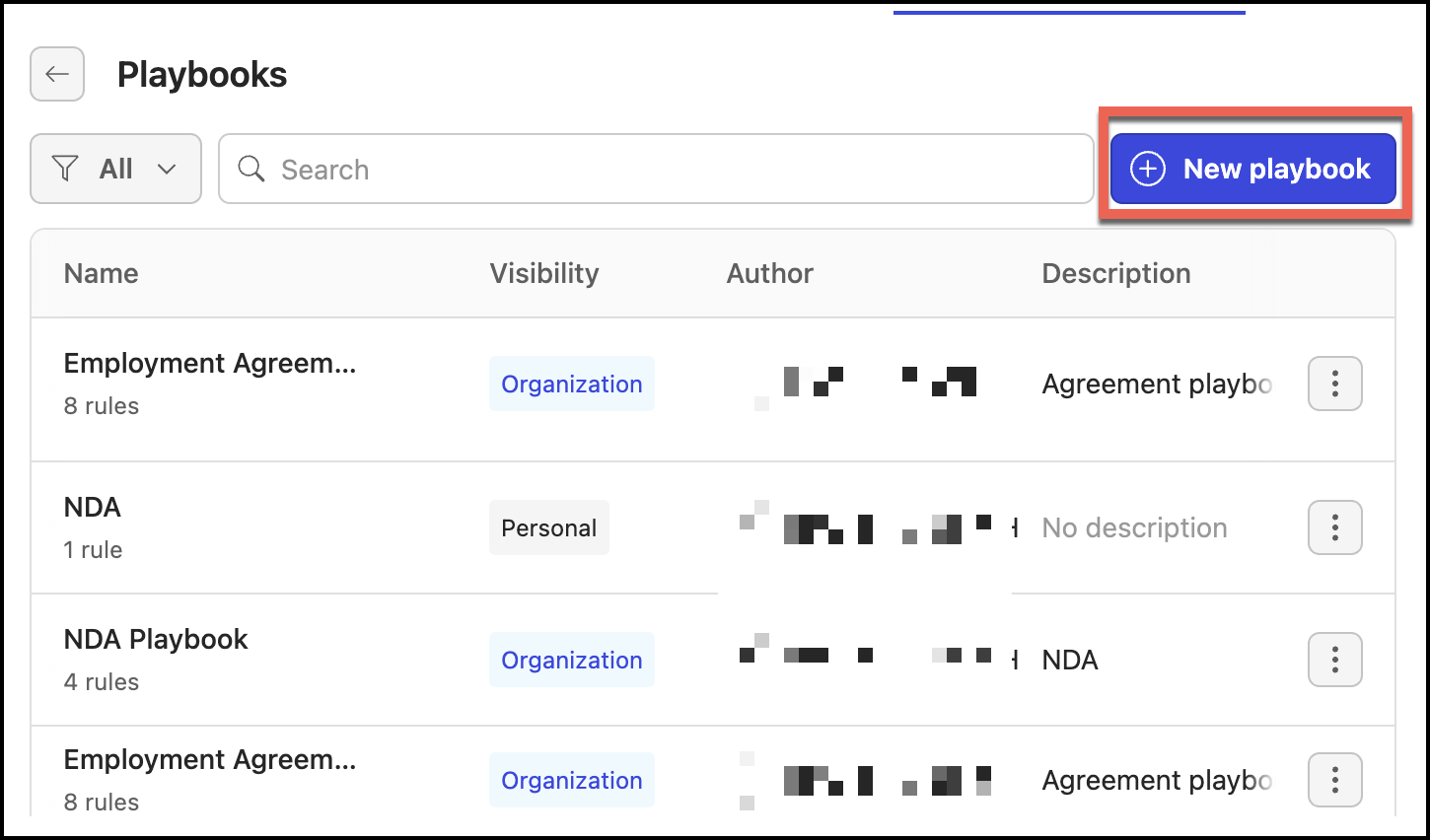
Select New playbook.
In the Create new playbook dialog, do the following:
Figure: Create new playbook dialog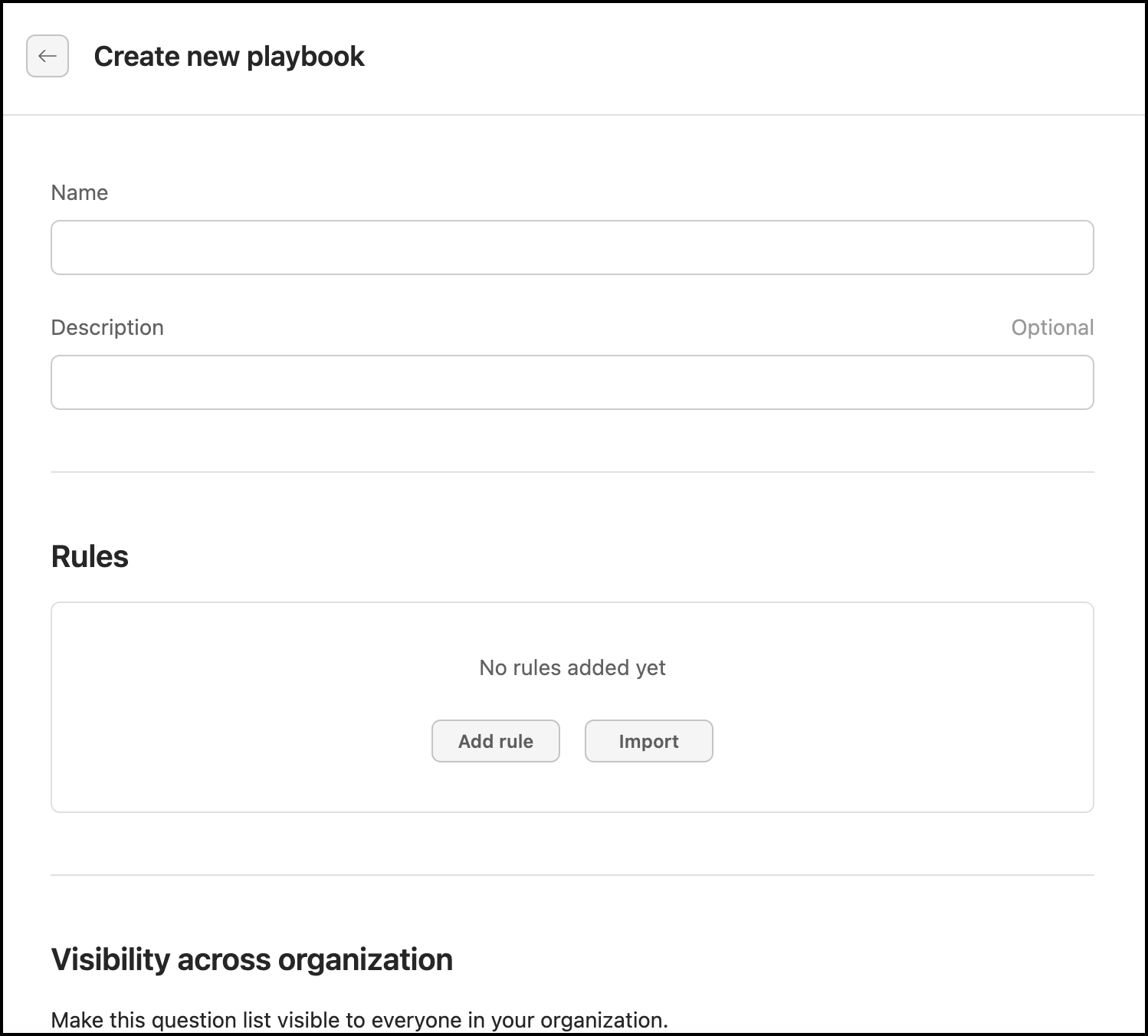
In Name, enter a name that's easily identifiable when you apply the playbook to a document.
In Description, enter any information that helps explain the playbook — for example, its purpose and what it contains.
Under Visibility across organization, move the slider to the right to make the playbook visible to your organization.
Select Import, then browse to and select your saved rules file (JSON).
Select Done. The rules are saved to the playbook.
(Optional) Add more rules to the playbook, or import another rules file. The playbook is now available to apply to a selected document.
Understanding the playbook rules
Each rule in an imported file describes a single check Ask iManage performs against a document, together with your preferred and fallback positions. A rules file contains a version and a list of rules, where each rule has the following fields:
Field | Required | Description |
|---|---|---|
| Yes | A short, identifiable name for the rule. This is what you'll see when reviewing the playbook. |
| Yes | Explains what the rule checks for in the document. |
| Yes | How the rule is treated when applied. |
| Yes | How the rule is evaluated. |
| No | Your default position for the rule (see below). |
| No | One or more acceptable alternatives to fall back on if the standard position isn't accepted (see below). |
Both standard_position and each entry in fallback_positions contain the same three fields:
Field | Required | Description |
|---|---|---|
| Yes | The position itself, what the agreement should say. |
| No | Guidance on how to revise the document to meet the position. |
| No | Optional context or rationale for the position. |
Rules file example
The following is a minimal rules file containing a single rule. A real file can contain as many rules as you need inside the rules array, and as many fallback positions as you need in the fallback_positions array.
{ "rules": [ { "name": "Liability cap is based on fees paid in the prior 12 months", "description": "Check whether the draft uses the preferred fees-paid cap rather than a fixed dollar cap.", "rule_classification": "required", "rule_type": "boolean", "standard_position": { "text": "The limitation of liability cap should be tied to fees paid or payable in the prior 12 months.", "drafting_note": "Replace fixed-dollar caps with the fees-paid formulation unless approved.", "comment": "Fixed caps can be under-protective as account value changes." }, "fallback_positions": [ { "text": "A fixed cap may be acceptable only with business approval and a cap amount sized to the deal.", "drafting_note": "Escalate fixed caps below expected annual fees.", "comment": null } ] } ]}