The following figure displays how the main components interact with one another when iManage MCP services are used for connecting MCP-enabled clients with iManage.
NOTE: The ChatGPT logo is used for representational purpose only, to indicate any MCP-enabled client that supports the Model Context Protocol (MCP).
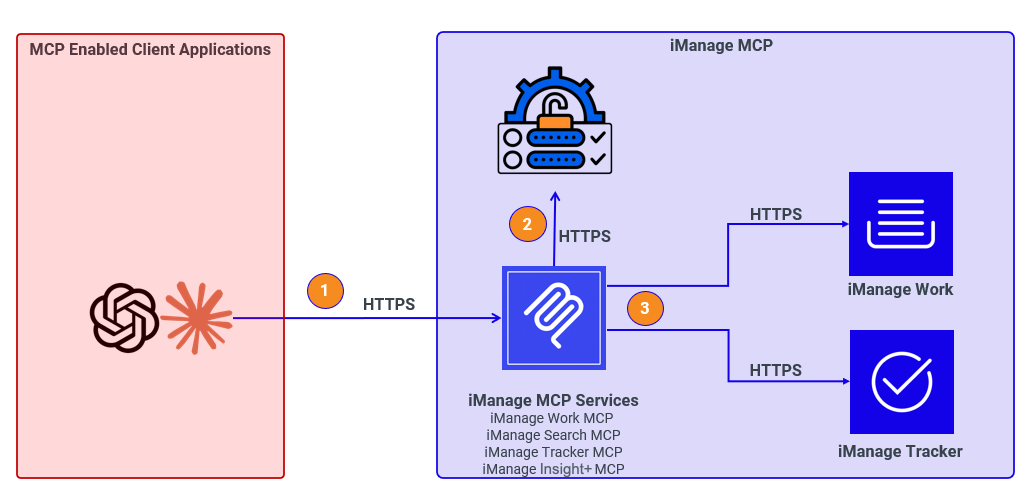
This is the workflow:
The client application sends a request to an iManage MCP service, such as iManage Work, iManage Search, or iManage Tracker.
The iManage MCP service introspects the incoming token, enforces access control, allowing or restricting the use of specific tools or operations.
After authentication and authorization are verified, the iManage MCP service invokes the appropriate API (iManage Work, iManage Search, iManage Tracker, or iManage Insight+) and returns the results to the MCP-enabled client from which the request originated.