Sign in to https://cloudimanage.com/mcp/web/ using your iManage credentials.
All the sessions during which you connected to iManage using iManage MCP Server are listed.To view the details of a session, select the three dots
 icon for it and then select Details.
The MCP-enabled client that was used for the session is displayed along with the session start time, IP address, and scope of the interaction with iManage.Figure: session details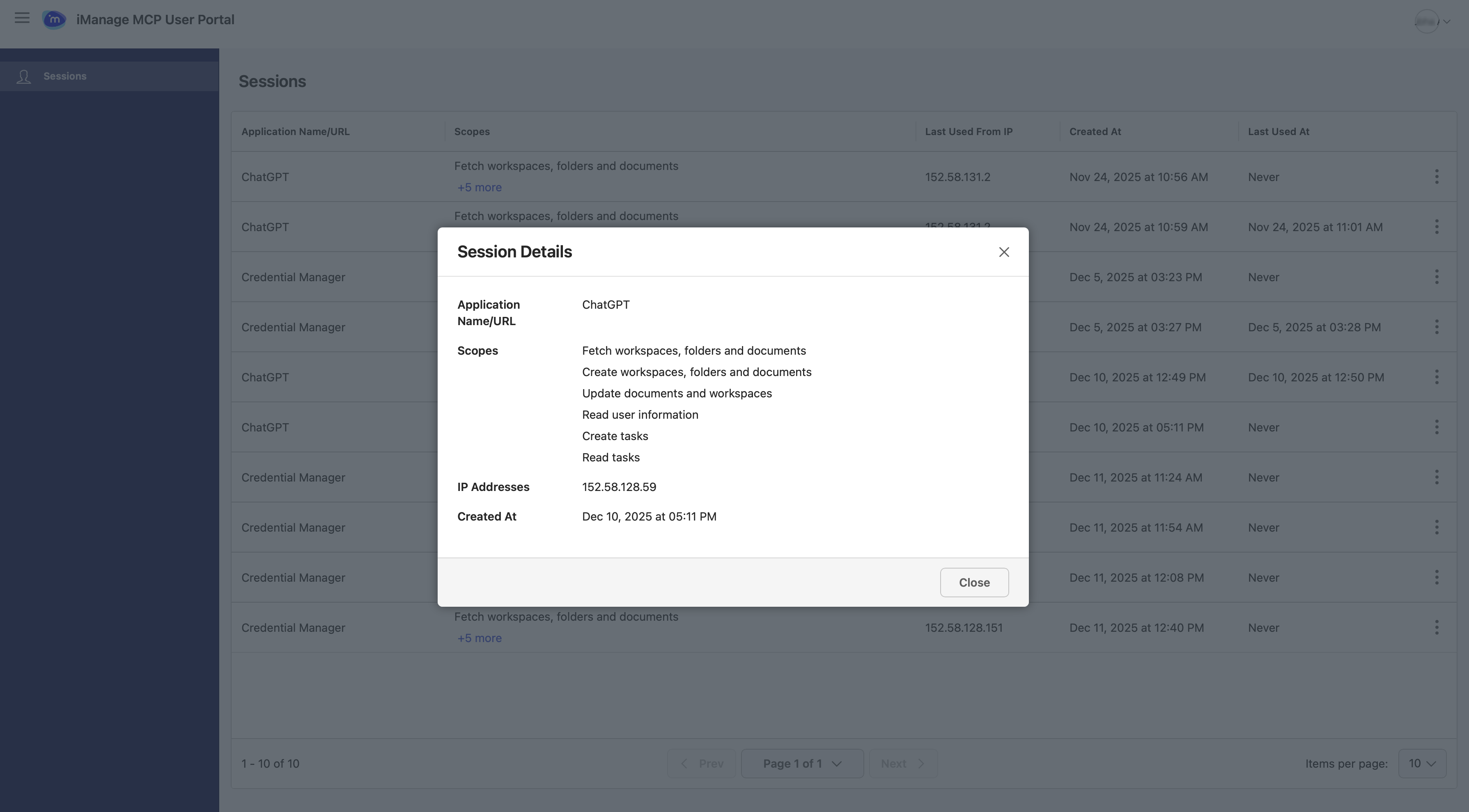
(Optional) If you suspect unauthorized access to your device (for example, in case of theft) or want to withdraw access for some reason, delete the session:
Select the three dots
icon for the session and then select Delete. In the confirmation dialog, select Delete.
The MCP-enabled client will be prevented from accessing iManage MCP Server. A message will be displayed informing the user that the admin has restricted their access.