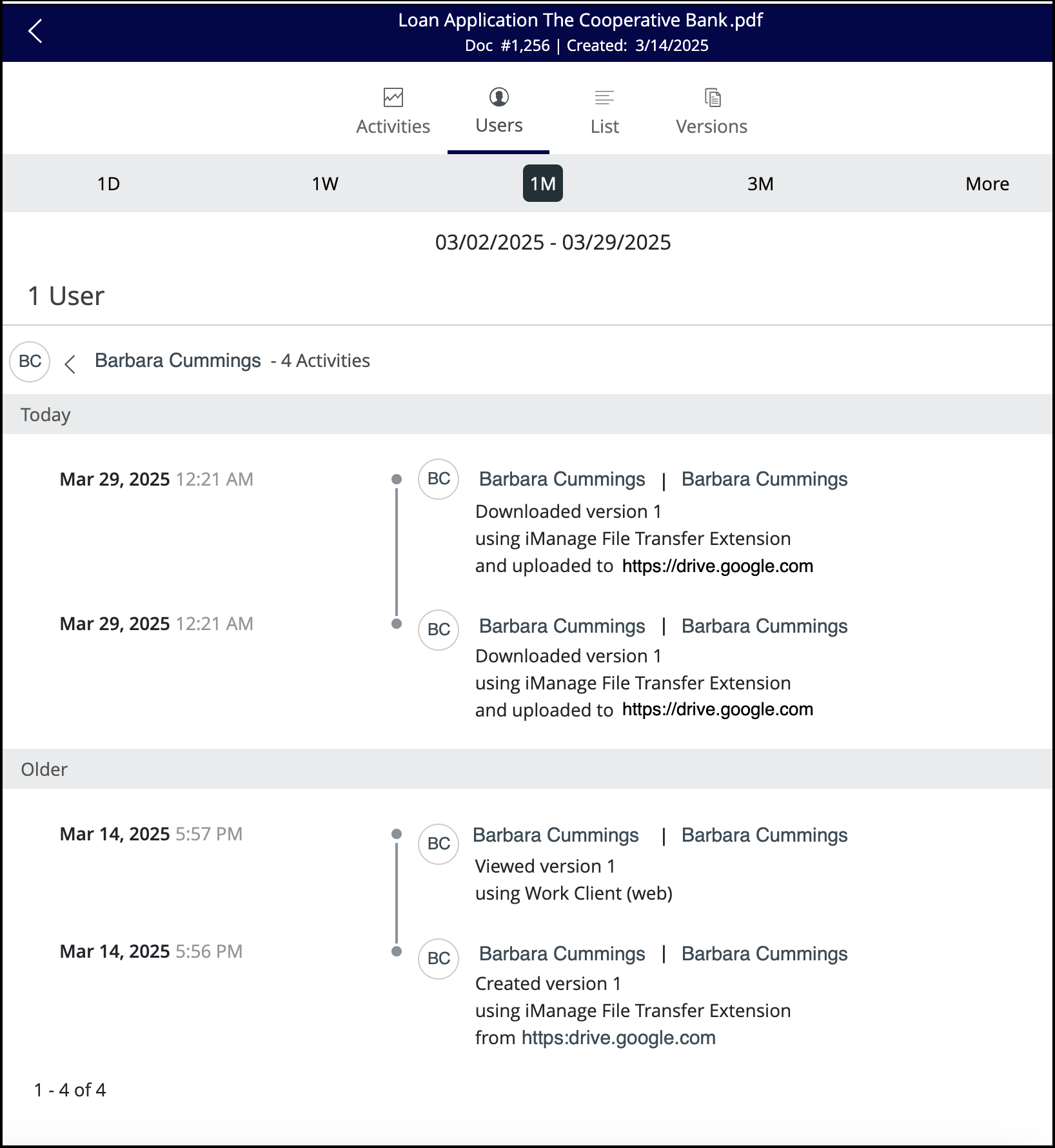
When you save a file to iManage Work from a third-party website or upload a file from iManage Work, all these activities are reflected in Timeline in iManage Work.
When you save a file to iManage Work, the timeline displays the Created version 1 using iManage File Transfer Extension from <website name> entry as shown in the following figure—for example, “Created version 1 using iManage File Extension from https://drive.google.com.”
Similarly, when you upload a file from iManage Work, the timeline shows Downloaded version # using iManage File Transfer Extension and uploaded to <website name> as shown in the following figure—for example, “Downloaded version 1 using iManage File Extension and uploaded to https://drive.google.com.”
Figure: Timelines for the iManage File Transfer