iManage Disposition Manager actively checks if the reviewer’s email ID (in case of single reviewer) or at least one email ID (in case of multiple reviewers) is valid when sending reminder emails and monthly digest emails.
If the email ID (single reviewer) or all email IDs (multiple reviewers) are no longer active, then the status of the record to be destroyed is changed to Denied. Additionally, when the task requires approval and the mapped reviewer field doesn’t contain any value, the status is changed to Denied.
Then, you can add additional reviewers to the application by doing the following:
Browse to Disposition Review page.
Select the task that is denied due to disabled reviewers and then select Add Reviewer.
Figure: Select the task that is denied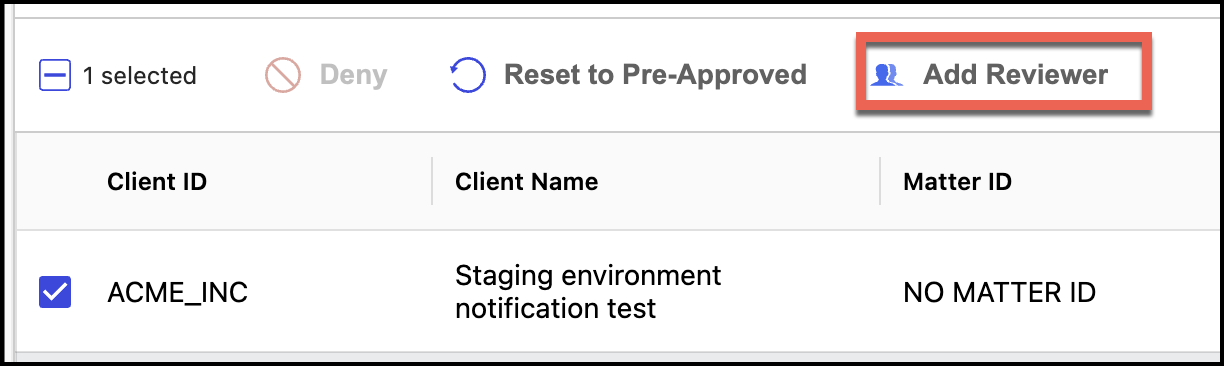
In the Add Reviewer dialog that is displayed, search and select the additional reviewer.
Figure: Selecting and adding additional reviewer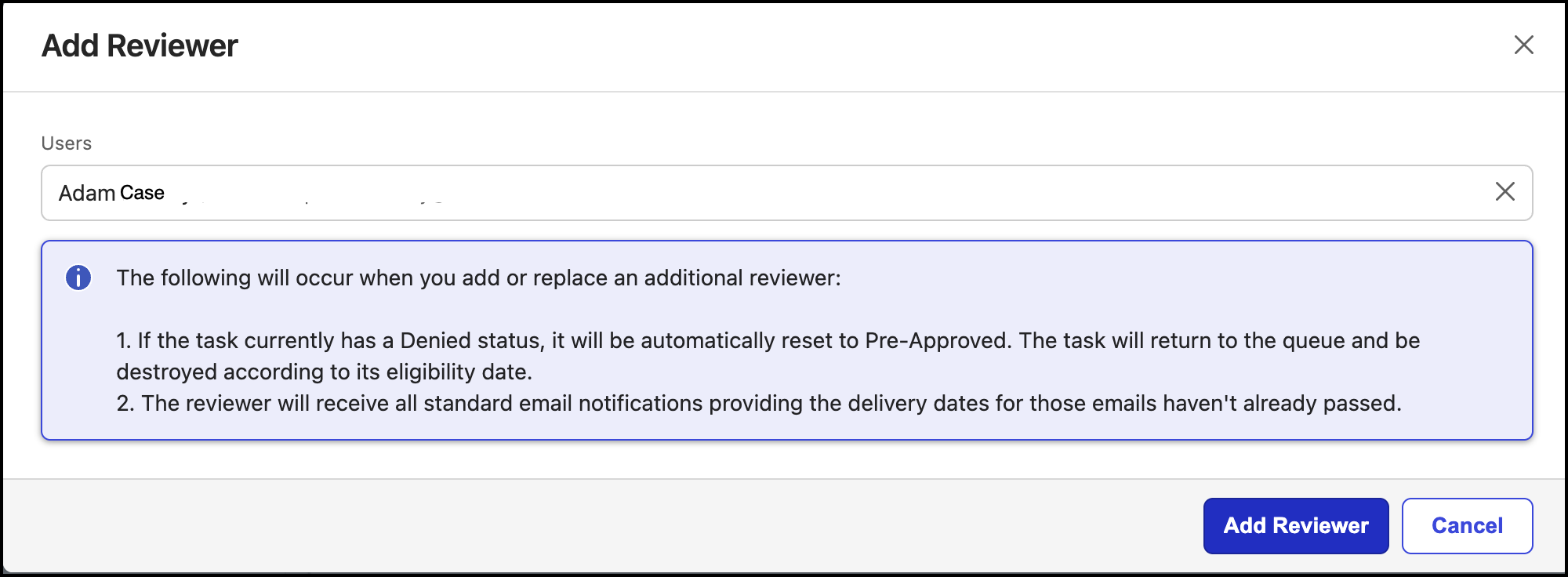
Select Add Reviewer. The reviewer is now added.
When additional reviewers are added, based on the review mode selected, the status of the record changes to:
Pre-approved, if the review mode is Item destruction is pre-approved unless denied by an authorized reviewer.
Pending, if the review mode is Items are not destroyed until approval is received by an authorized reviewer.
If you reset the task without adding any additional reviewers, the task is still denied. This is to ensure that at least one review is performed.
Additionally:
If the task contains an event in which the Requires Review option is selected and has only disabled reviewers, then the task is moved to Denied immediately.
If the task contains an event in which the Requires Review option isn’t selected and has only disabled reviewers, then the task status is either Pre-approved or Pending based on the review mode selected.
NOTE: If the reviewer information is updated in iManage Work, iManage Disposition Manager reflects the updated reviewer details in the application. However, this update doesn't change the status of the record from Denied to Pre‑approved or Pending.
In this case, you or reviewers then have to reset the status to either Pending or Pre-approved based on the review mode selected.
Standard email notifications are sent to the new reviewers and they can sign in to iManage Disposition Manager to change the status of the record.
NOTE: Emails are sent based on the lead time configured in the application. If the lead time has already elapsed, then emails aren't sent to the additional reviewers, but additional reviewers can see the items for approval in their Disposition Review list, if the date filters are removed.
Additionally, we've added the following to the Disposition Review page for the additional reviewers feature:
The Disabled Reviewers filter option has been added to the Reason for Denial section. This filter, when selected, displays records that have been denied because reviewers of those records are no longer active in the organization.
The Reason for Denial column is added and displays the following options:
Disabled Reviewers: Displays tasks that are denied for processing because the reviewer’s email address is disabled.
Denied by User: Displays tasks that were denied for processing because the reviewers denied the task.