This is the main block that runs the complete workflow logic, including moving the document to draft state and then setting curation properties to it.
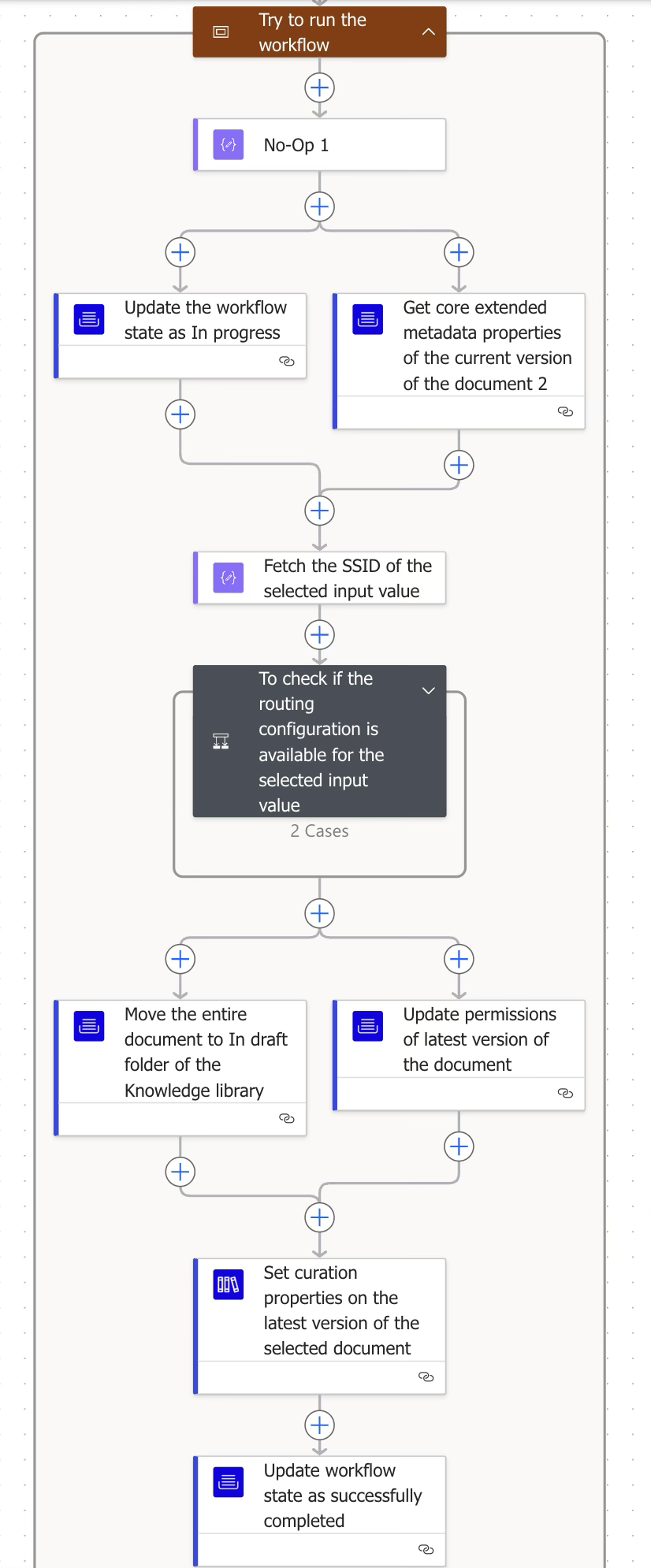
Step | Figure | Description |
|---|
3.1 | 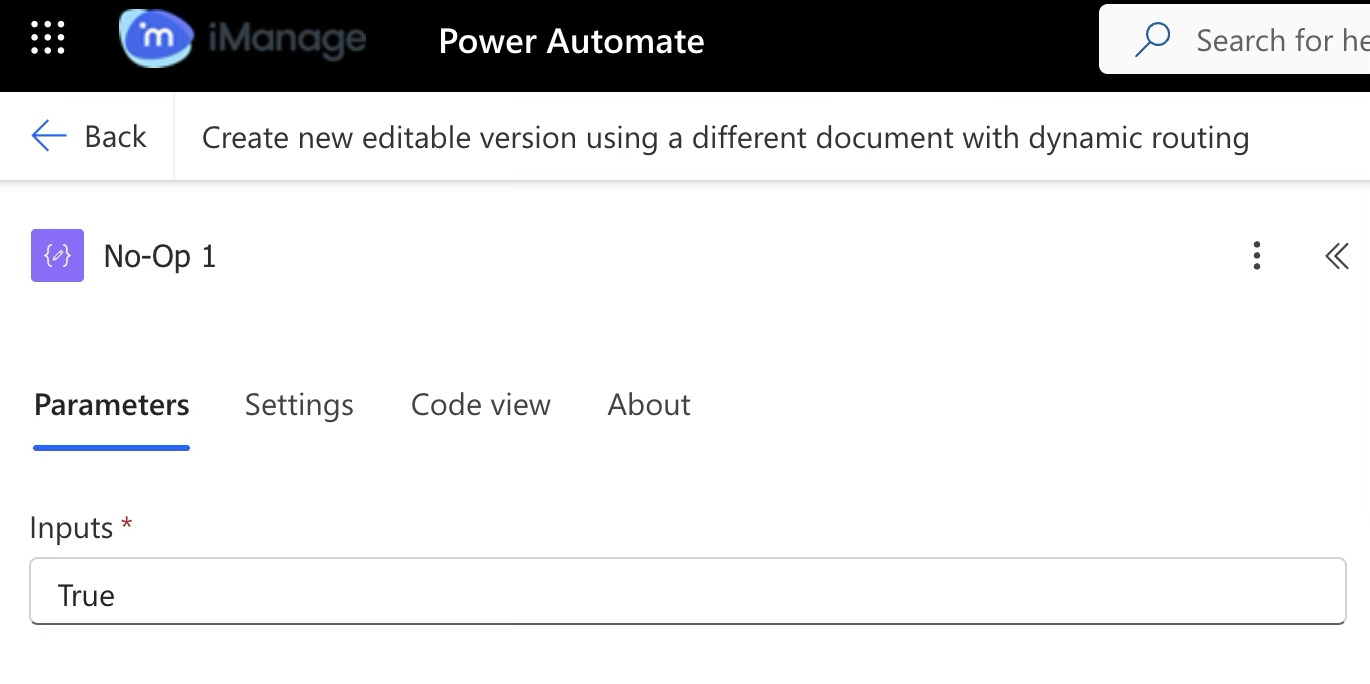 | No Operation block (Data operation)
This data operation is a No-Op block, essentially a placeholder or starting point in a workflow, which is useful when you’re structuring multiple blocks in parallel. It doesn’t run any logic, transform data, or trigger events—it simply exists to provide structure. |
3.2.1 | 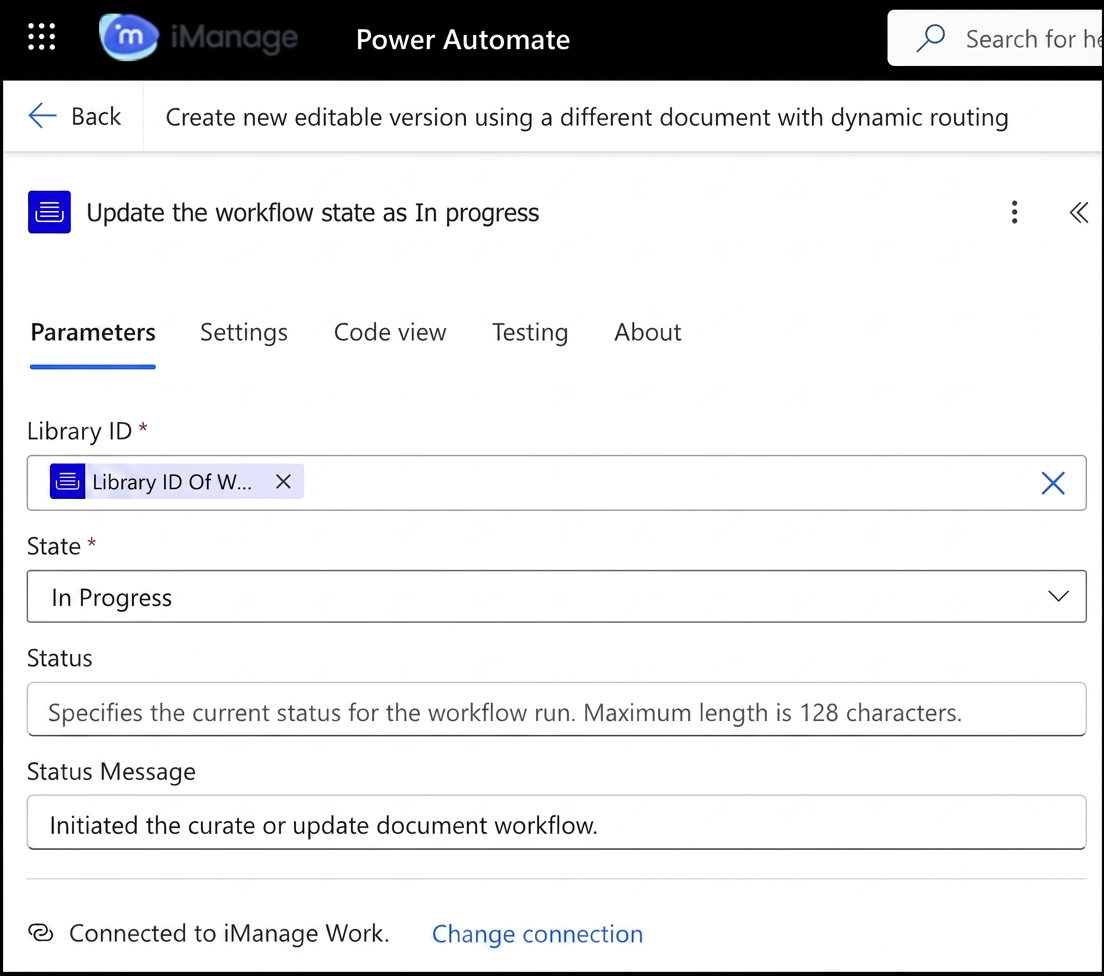 | iManage Work Connector
Updates the workflow state as In progress. |
3.2.2 | 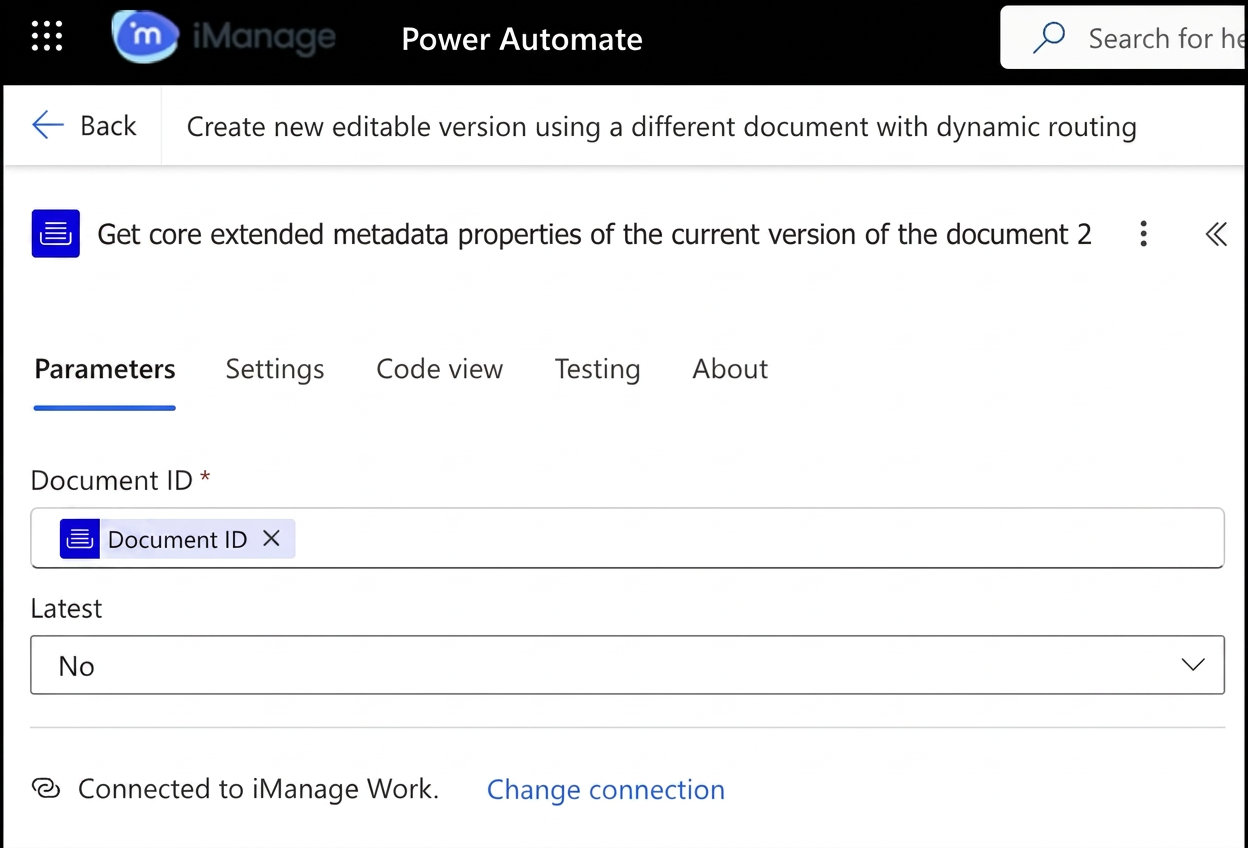 | iManage Work Connector
Fetches the core extended metadata properties, which are used in the next step. |
3.3 | 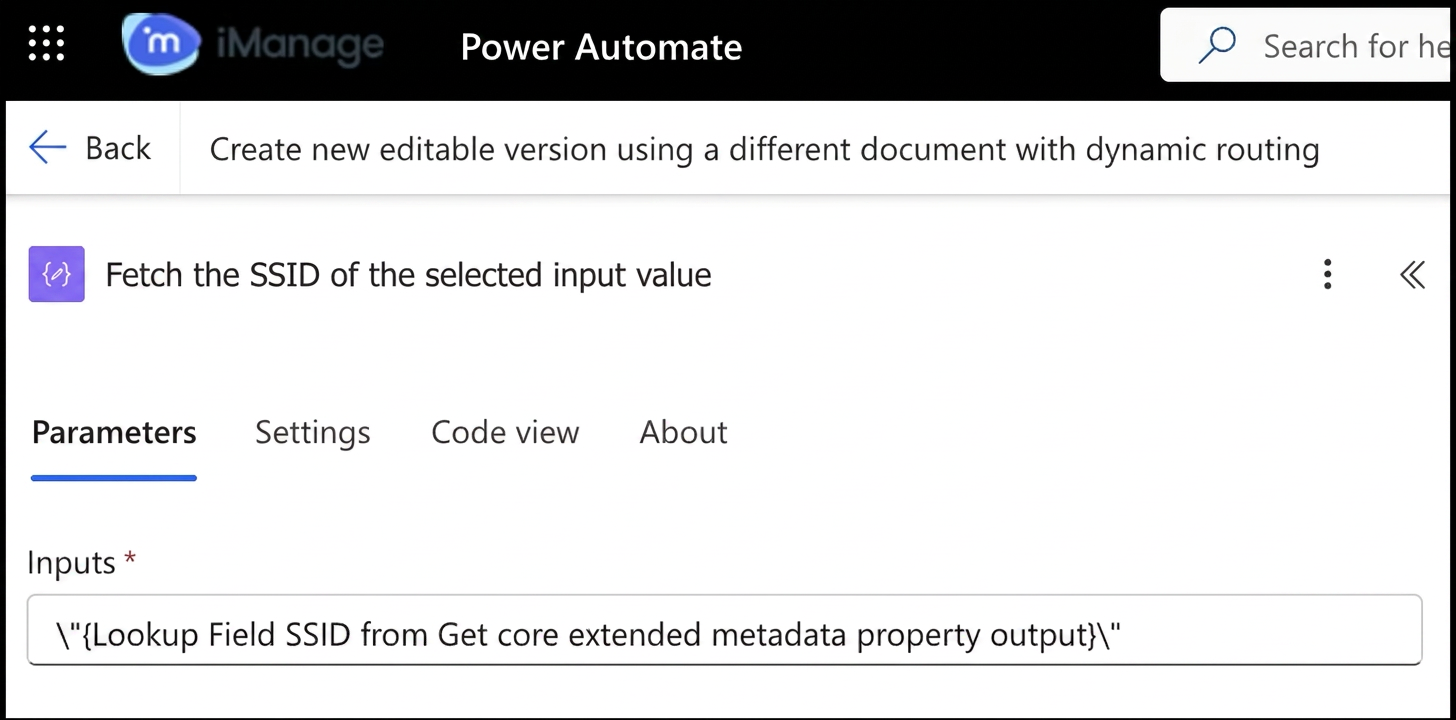 | Compose variable (Data operator)
Stores the lookup SSID value based on which the folder routing configuration is set. |
3.4 | 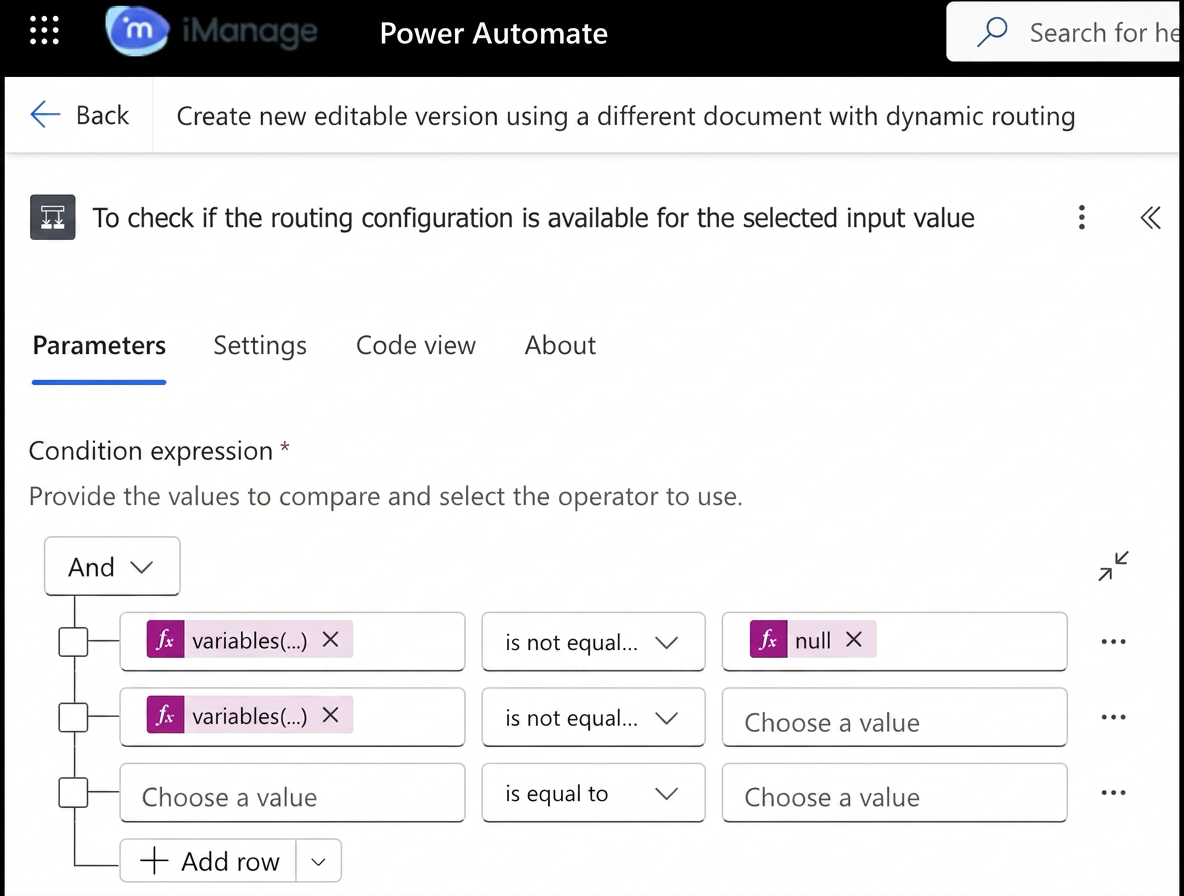 | If-Else block (Control connector)
Using the fetched SSID on the selected input value, the block checks whether the folder routing configuration has a valid folder ID configured for the specified lookup SSID.
If the folder routing configuration has a valid folder ID, this connector runs the True block. Else, it runs the False block. |
3.5.1 | 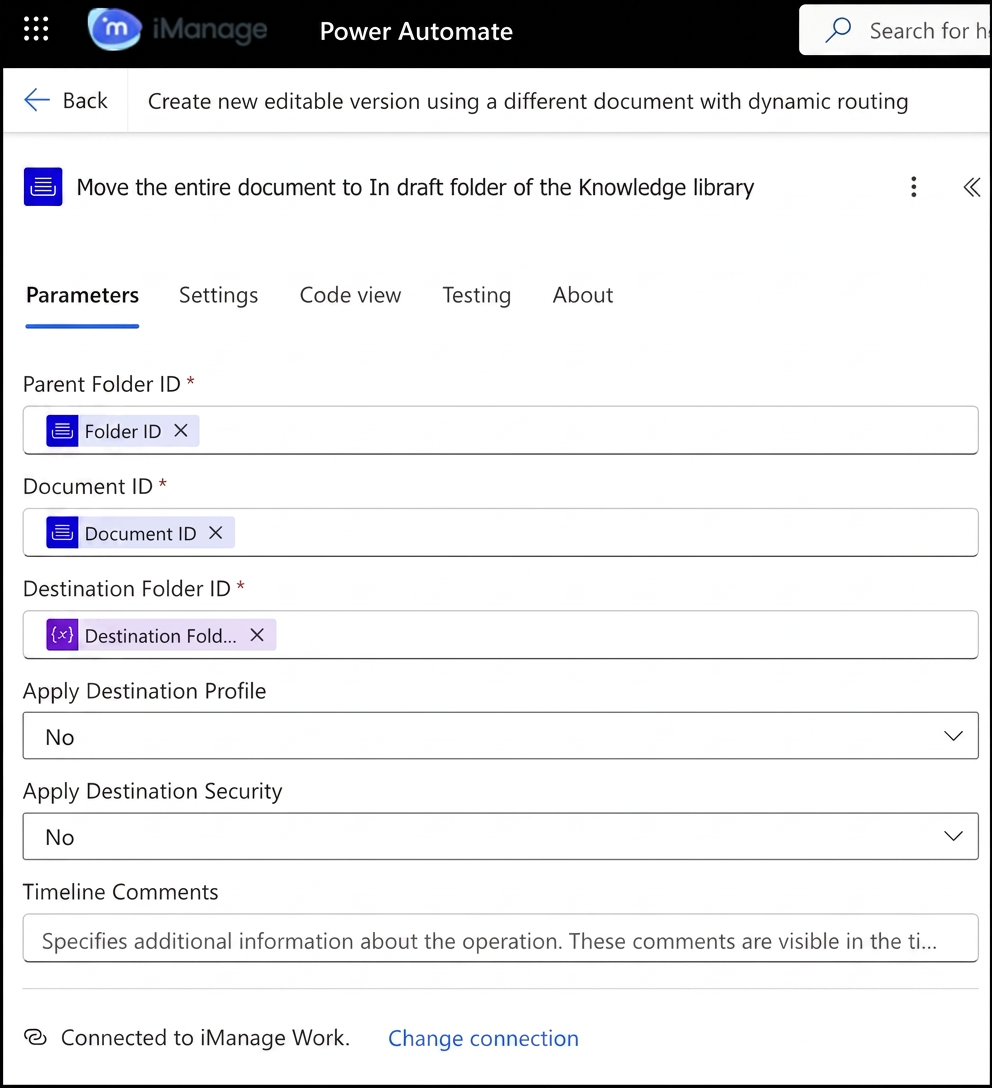 | iManage Work Connector
Moves the entire document to the In draft folder of the Knowledge library. |
3.5.2 | 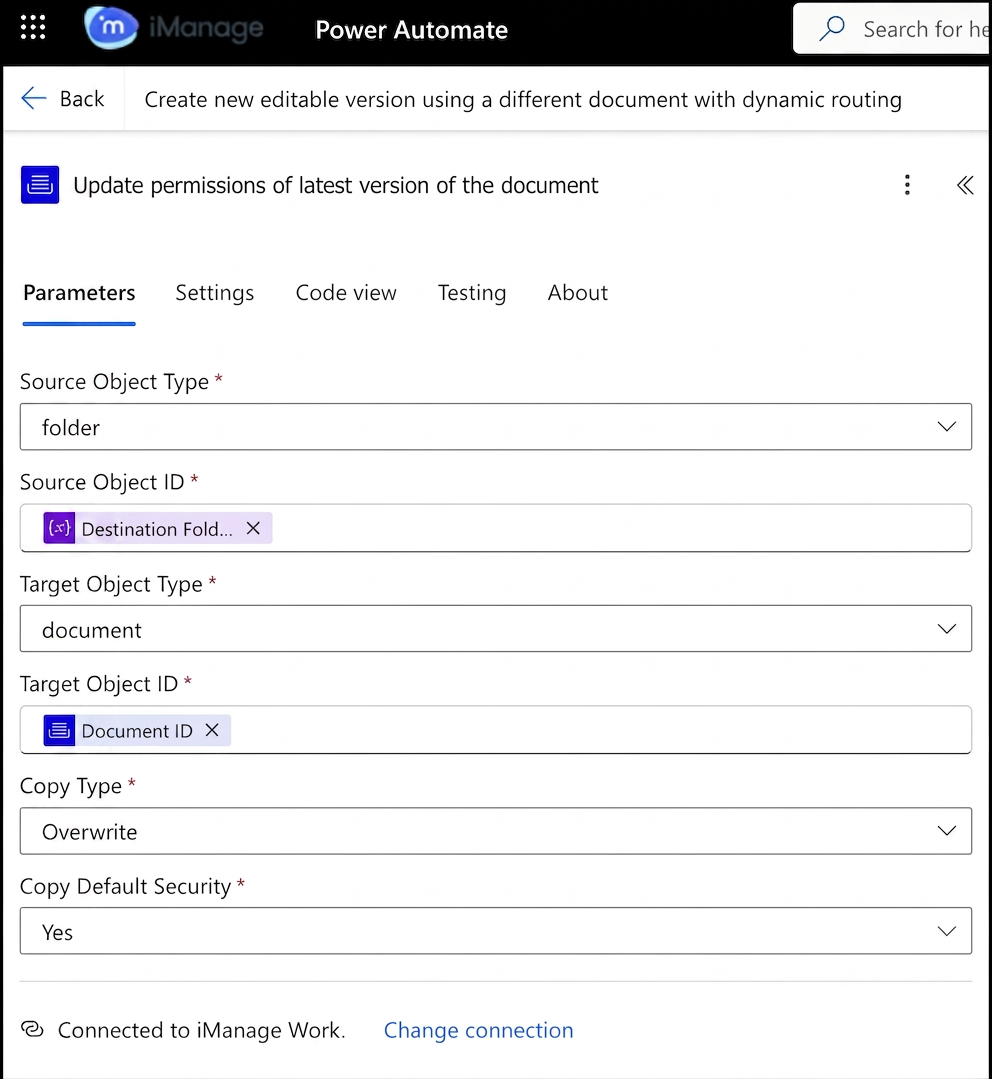 | iManage Work Connector
Updates the permissions on the latest in-draftversion of the document to match the security of the destination folder. |
3.6 | 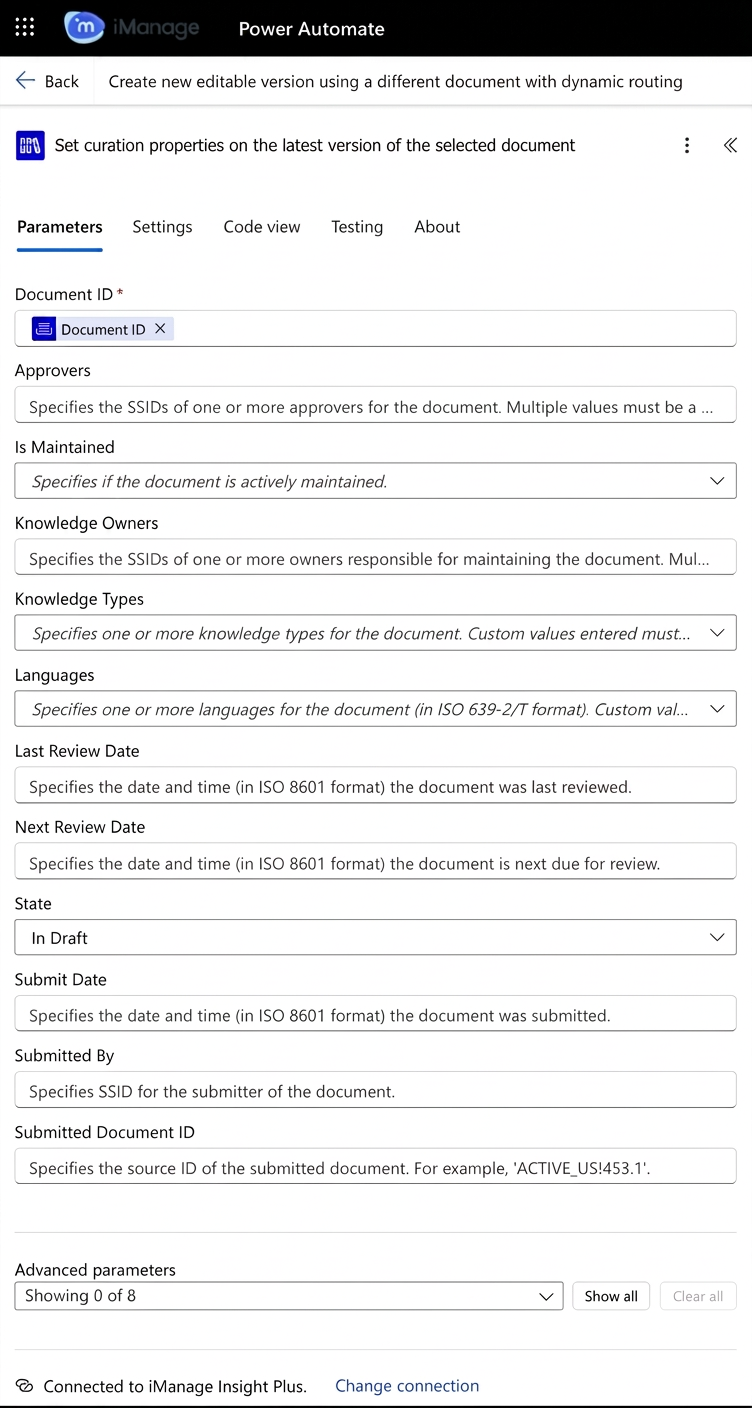 | iManage Insight Plus Connector
|
3.7 | 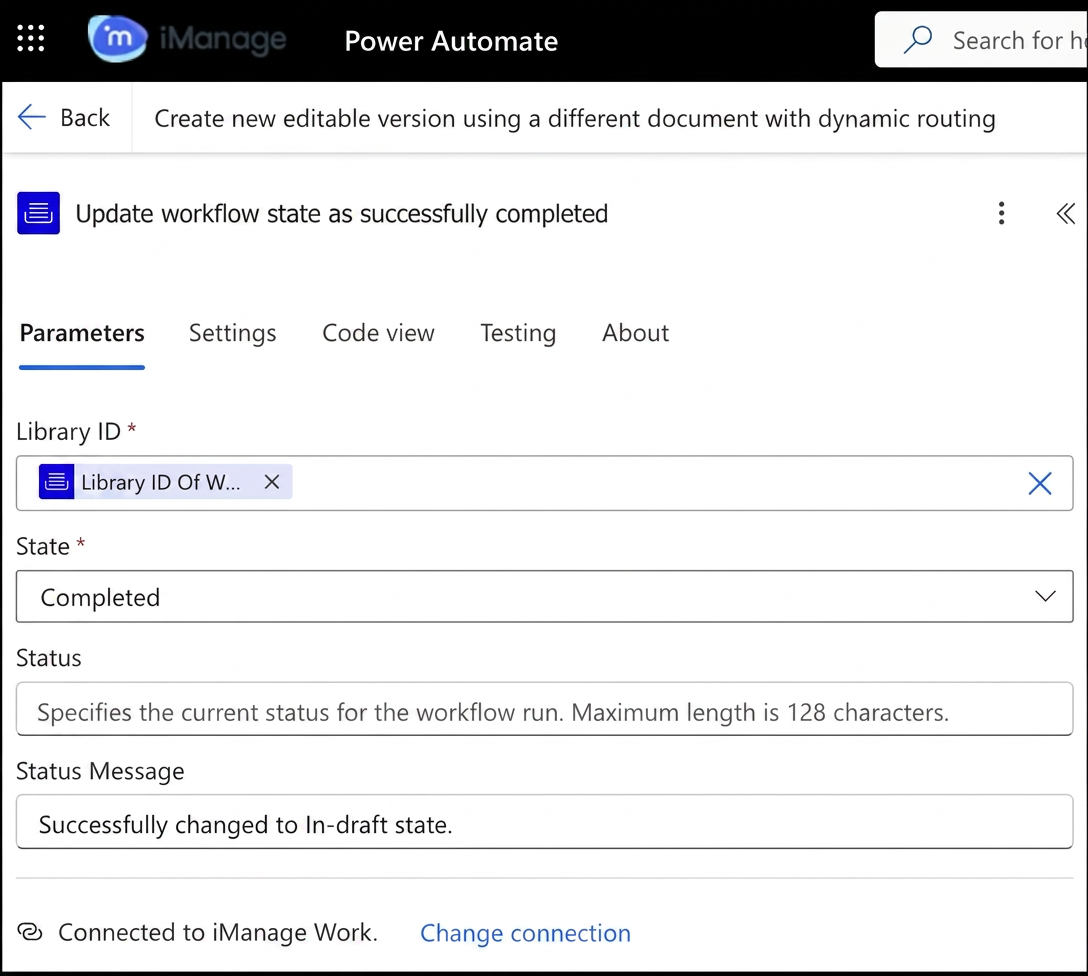 | iManage Work Connector
Updates the workflow state as completed. |