This feature enables users to send upload requests on all iManage Share folders to named users within your organization or external users.
Select the
 icon next to your name at the top.
Select Settings.
On the Company Profile tab, select Edit next to Settings at the bottom.
Select the Enable check box, under the Upload Request tab.
The feature is initiated and enables the User Initiated Upload request.
Additional Configurations:You can alter the time using the Enable Link Expiration check box to set a default time before the shared link expires. In addition to the available options of 1 to 5 days, you can also set a custom value for the share link's expiration date while making sure the value does not exceed 90 days.
Figure: Setting the Upload Request Link Expiration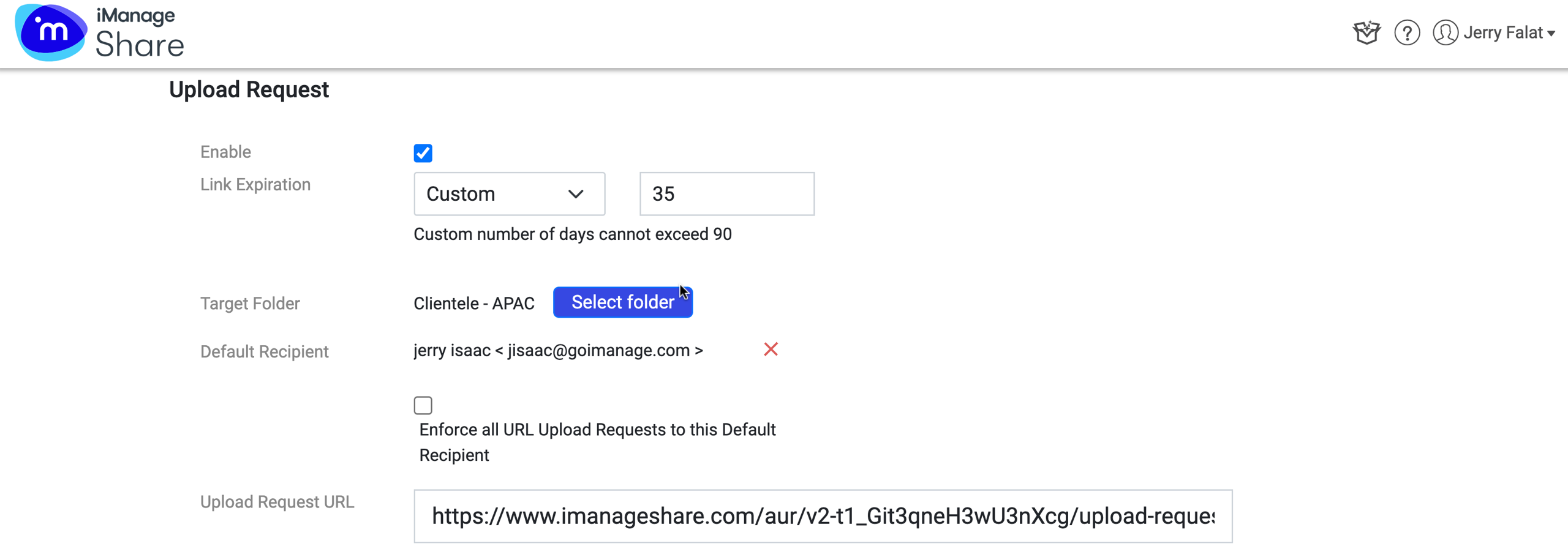
When the Target Folder and a Default Recipient are selected, a URL is displayed that can be posted on the company website.
This URL enables an external user to make a request to upload files, which are stored in the target folder.
NOTE:
If the Enforce check box is selected, only the Default Recipient receives the uploads.