You can detach yourself from a domain with which you've been erroneously associated and moved to Other Companies.
Select the
 icon next to your name at the top.
Select Settings.
On the My Profile tab, select Detach.
In the Detach User dialog, select Reassign & Detach.
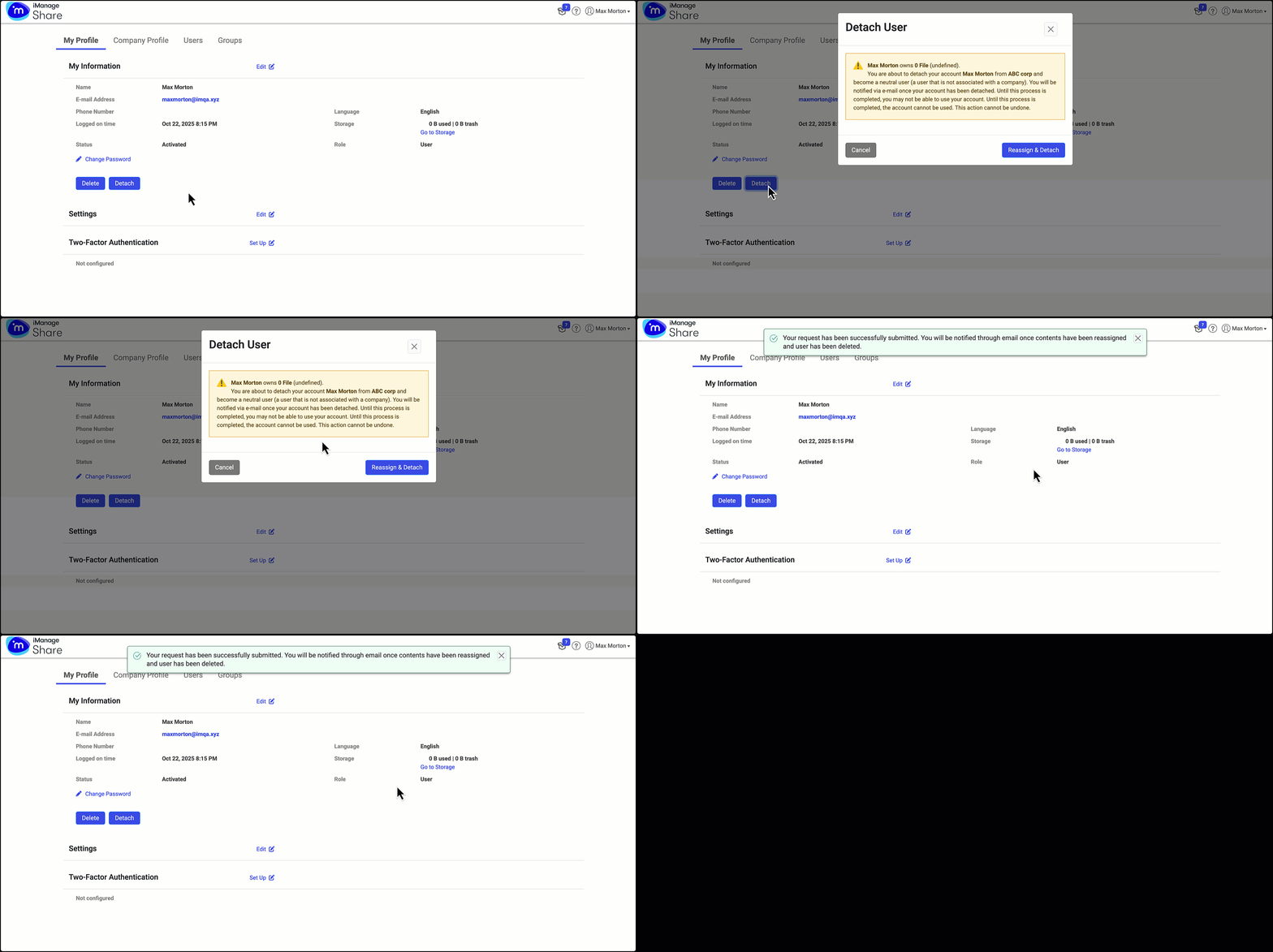
The option to move between Owned Domains and Other Companies designations lets you retain all of your shares from other third parties.
NOTE: Your Admin can also detach your iManage Share account if your email domain doesn't match with the company-owned domain.
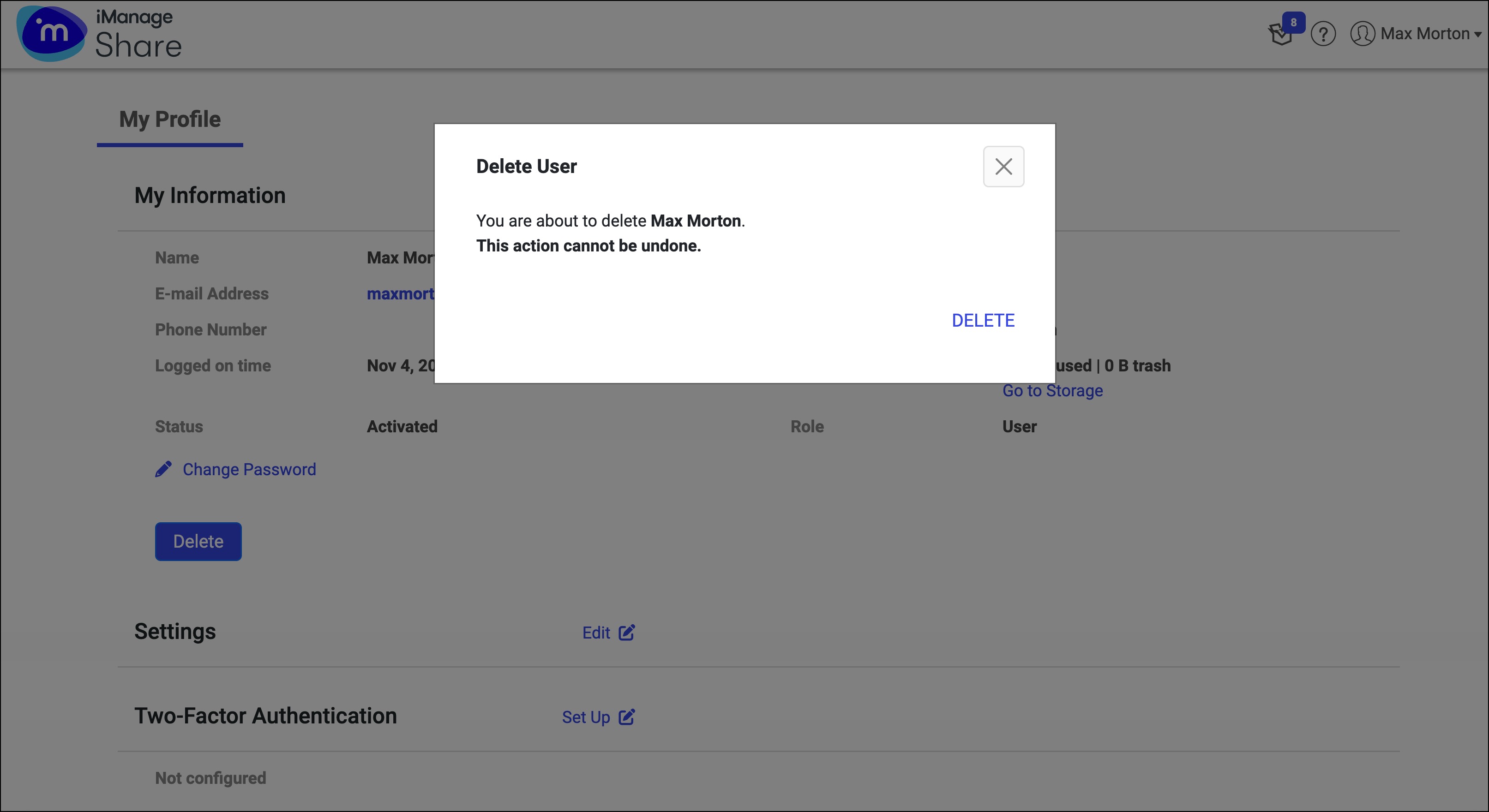
At any given time, you as a user can also delete your iManage Share account.
Select the
icon next to your name at the top.Select Settings.
On the My Profile tab, select Delete. The Delete User dialog opens cautioning you that this action can’t be undone.
If your account has data, select Reassign & Delete to continue. All your data is reassigned to a designated user as configured by the Admin of your company.
Figure: Deleting an iManage Share account with data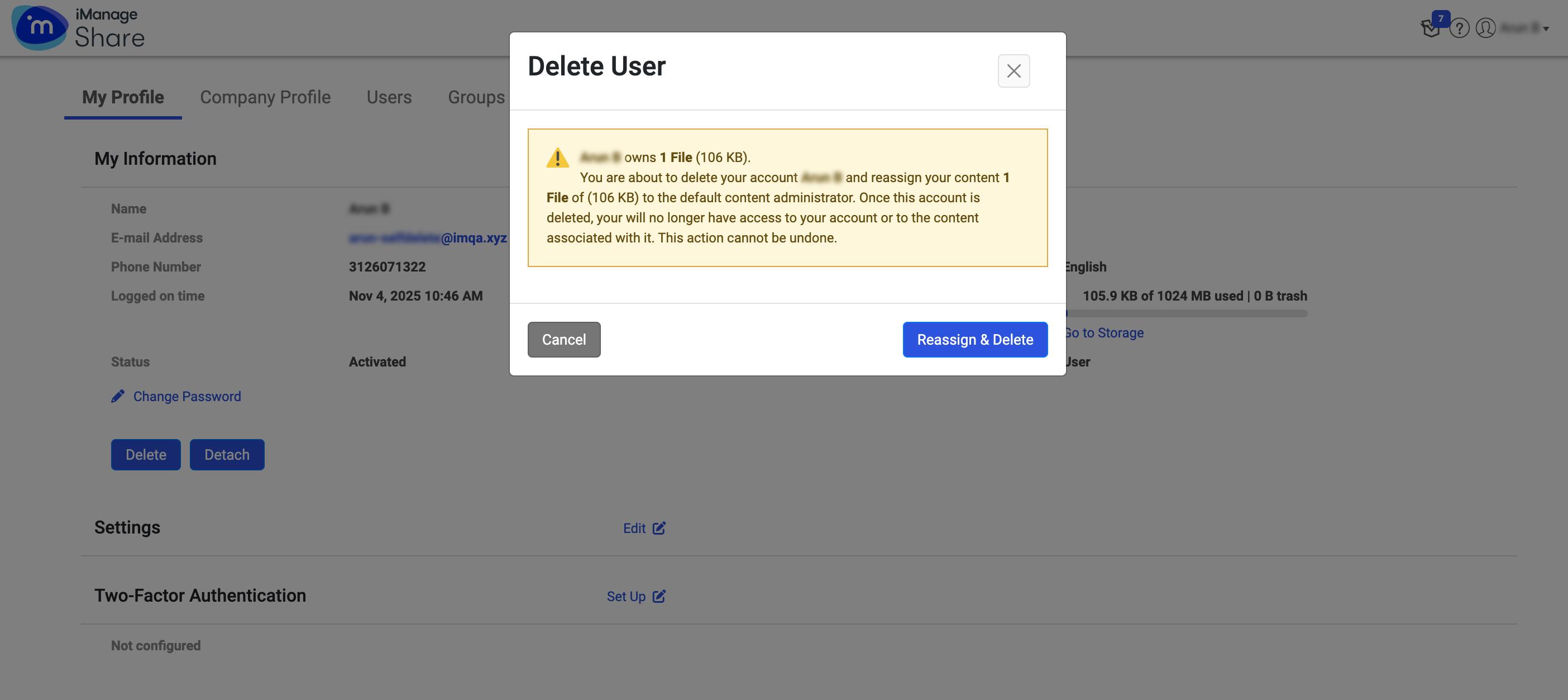
If your account doesn’t have any data, select Delete to proceed.Figure: Deleting an iManage Share account without data