The Acknowledgments page provides you with a list of all items that you are required to acknowledge. You can view the details of, and acknowledge, pending acknowledgments from the page.
You may be required, for example, to acknowledge:
Membership on the side of an opposing team set, for example as part of an ethical wall.
Addition to the staffing list of a client or matter with policy restrictions.
Conflicted user status on a client or matter, for example as a result of a conflict of interest.
Custodianship of a hold.
When you have acknowledged an asset—that is a client, matter, client group, or case—it'll then be available on the My Security Policies page. Refer to Viewing assets and their access periods.
Viewing pending acknowledgments
To view the list of items with pending acknowledgments, select Acknowledgments on the left navigation bar. The Acknowledgments page displays.
Here you can see:
The ID of each asset, opposing team set or hold that you have a pending acknowledgment of.
The name of each asset, opposing team set or hold that you have a pending acknowledgment of.
Relevant memo text for that item.
All pending acknowledgments are displayed with 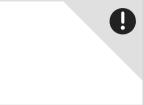 on the row of the item.
Acknowledging outstanding items
To acknowledge outstanding acknowledgments:
Select Acknowledgments on the left navigation bar
Select anywhere on the row of the required asset or opposing team set.
Alternatively, where applicable, select View full memo >>.The acknowledgment page opens showing the memo and any other information, as applicable.