When an iManage Work user shares a document with you in a chat or channel, you can open that document in the live editing mode from the adaptive card in a Microsoft Teams chat. This means you don't have to leave Microsoft Teams to start or join a co-authoring session.
To co-author an iManage Work document from Teams:
Browse to the adaptive card, which contains the document metadata.
Select More options :MoreActions: and then select one of the following options:
Edit (Co-author): Opens the document in the desktop Microsoft Office Application and starts a new co-authoring session or joins an existing session.
Figure: Co-authoring from the desktop application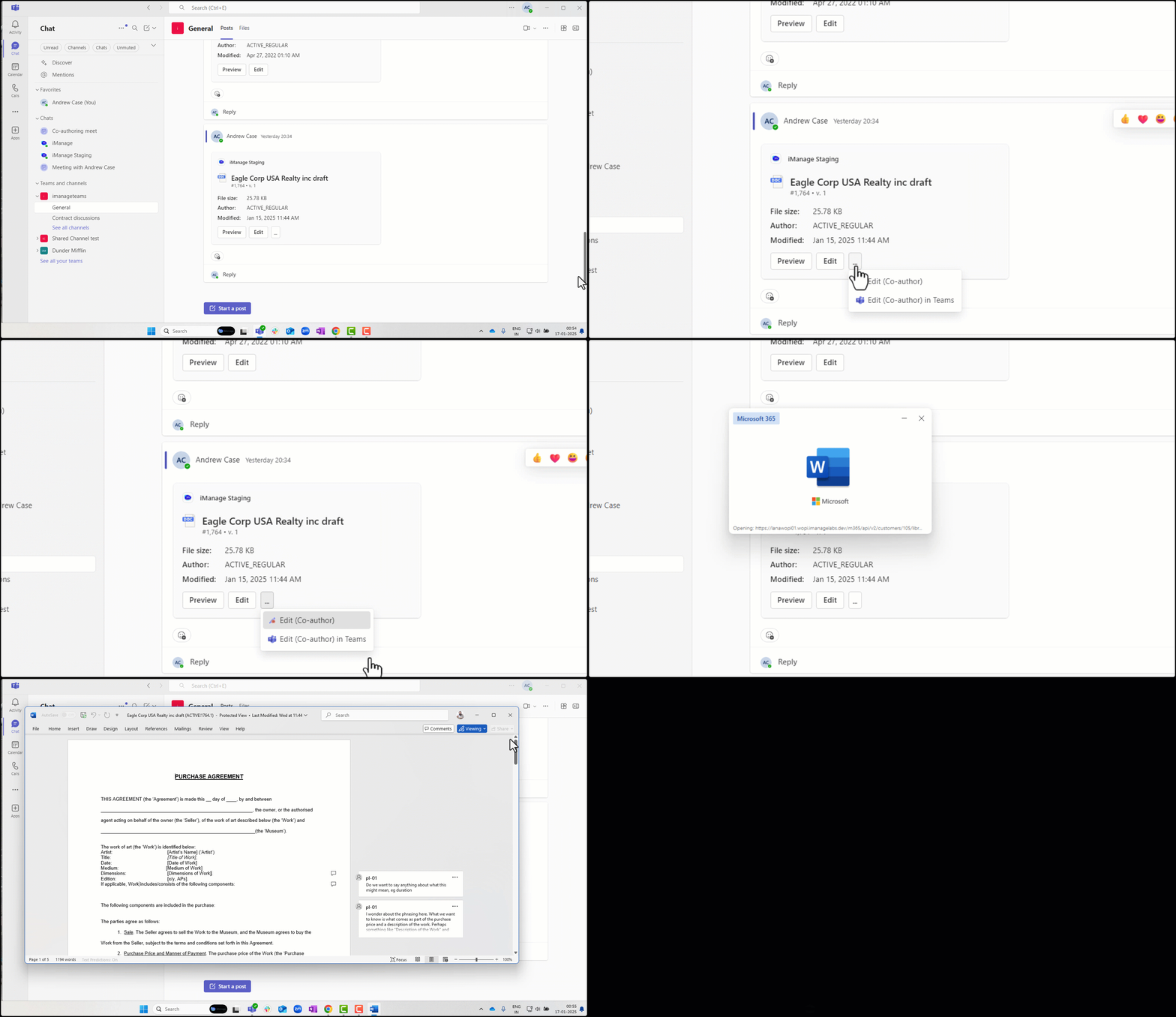
Edit (Co-author) in Teams: Opens the document in the Microsoft Office Editor within Teams and starts a new co-authoring session or joins an existing session.
Figure: Co-authoring from Microsoft Teams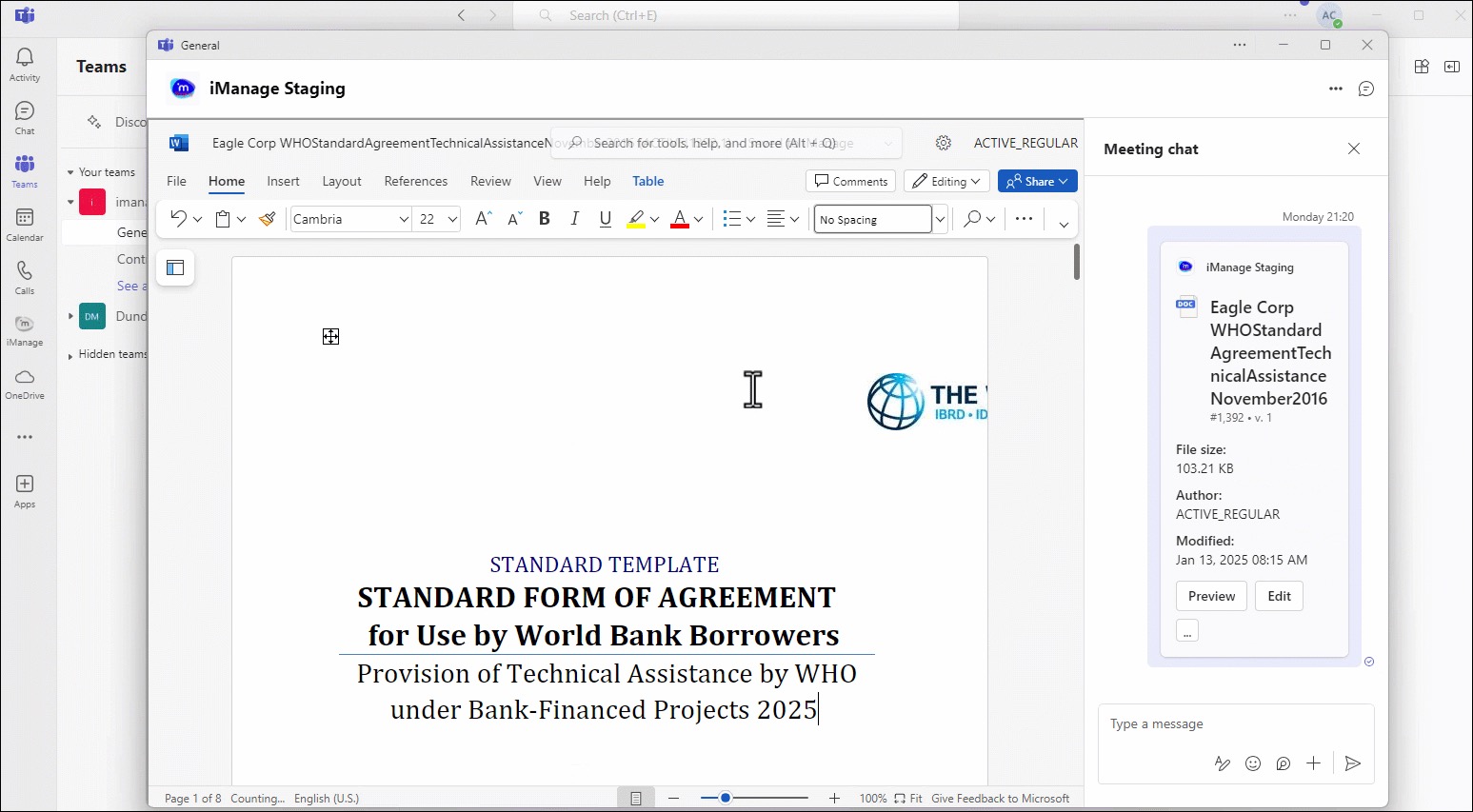
To understand what file types are supported for co-authoring, refer to Frequently asked questions.
NOTE:
Co-authoring from Microsoft Teams is supported only if your organization has a valid Microsoft 365 license.
You can edit the document only if you have Edit access to it.
If a document is checked out or declared as a record, then it'll open as read-only from the Edit (Co-author) and Edit (Co-author) in Teams commands without any alerts.