When performing an advanced search for documents or emails, you can add a collection of commonly used file types to the Type lookup for the Documents and Docs & Emails search type.
The file type groups appear only when you select inside the input field, and you can continue entering text to find the specific item.
The grouped file types include:
Document
Presentation
Spreadsheet
Adobe Acrobat
Emails (applicable only for Docs & Emails search type)
Figure: Adding commonly used file types to the Type lookup
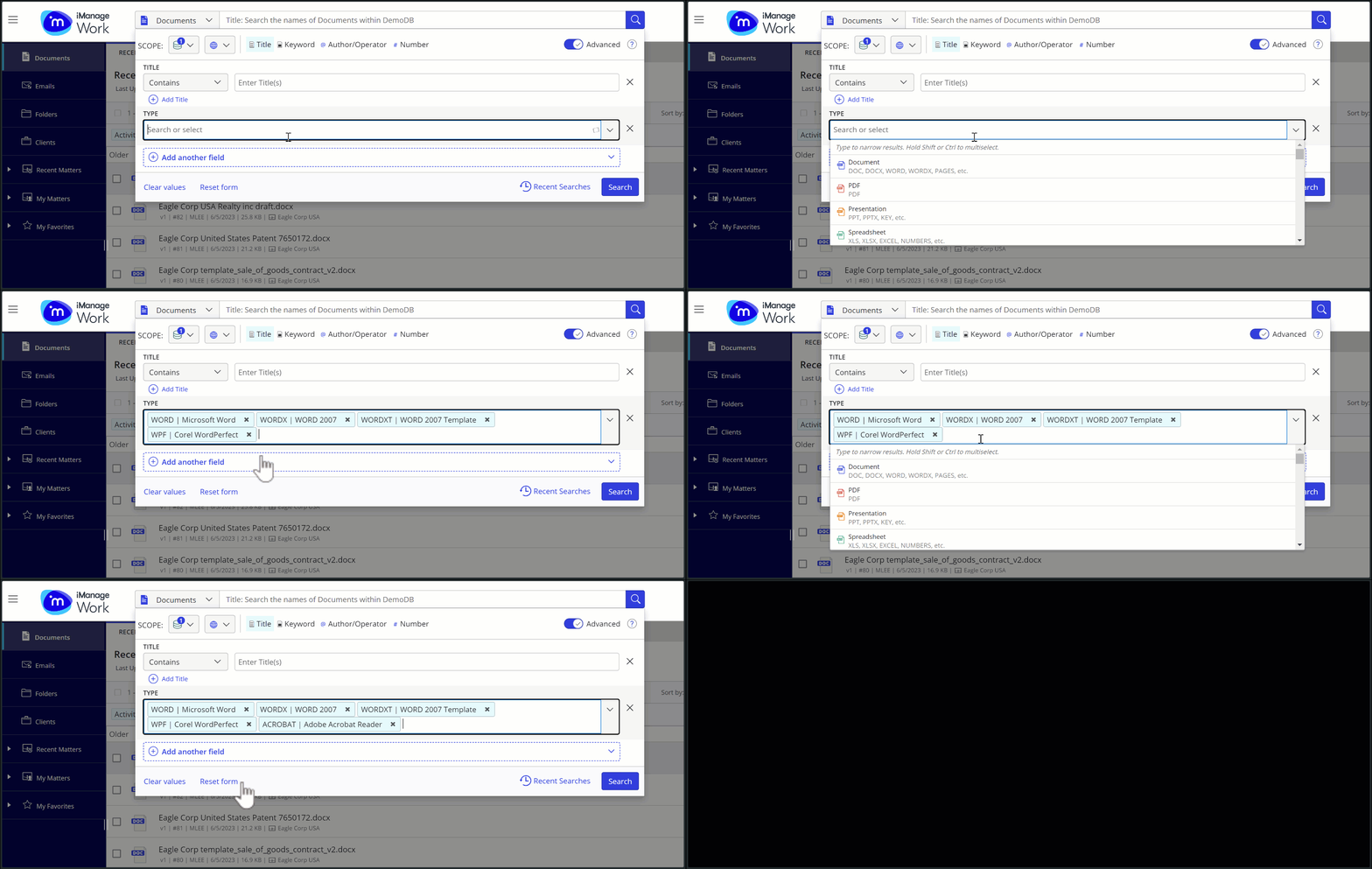
You can also use the Shift or Ctrl (Command for Mac) keys to add multiple file types to the Type lookup using your keyboard.
When added:
The file types are displayed as individual pills in the Type lookup and can be removed individually.
The added file type can't be selected again from the list of available lookup types.