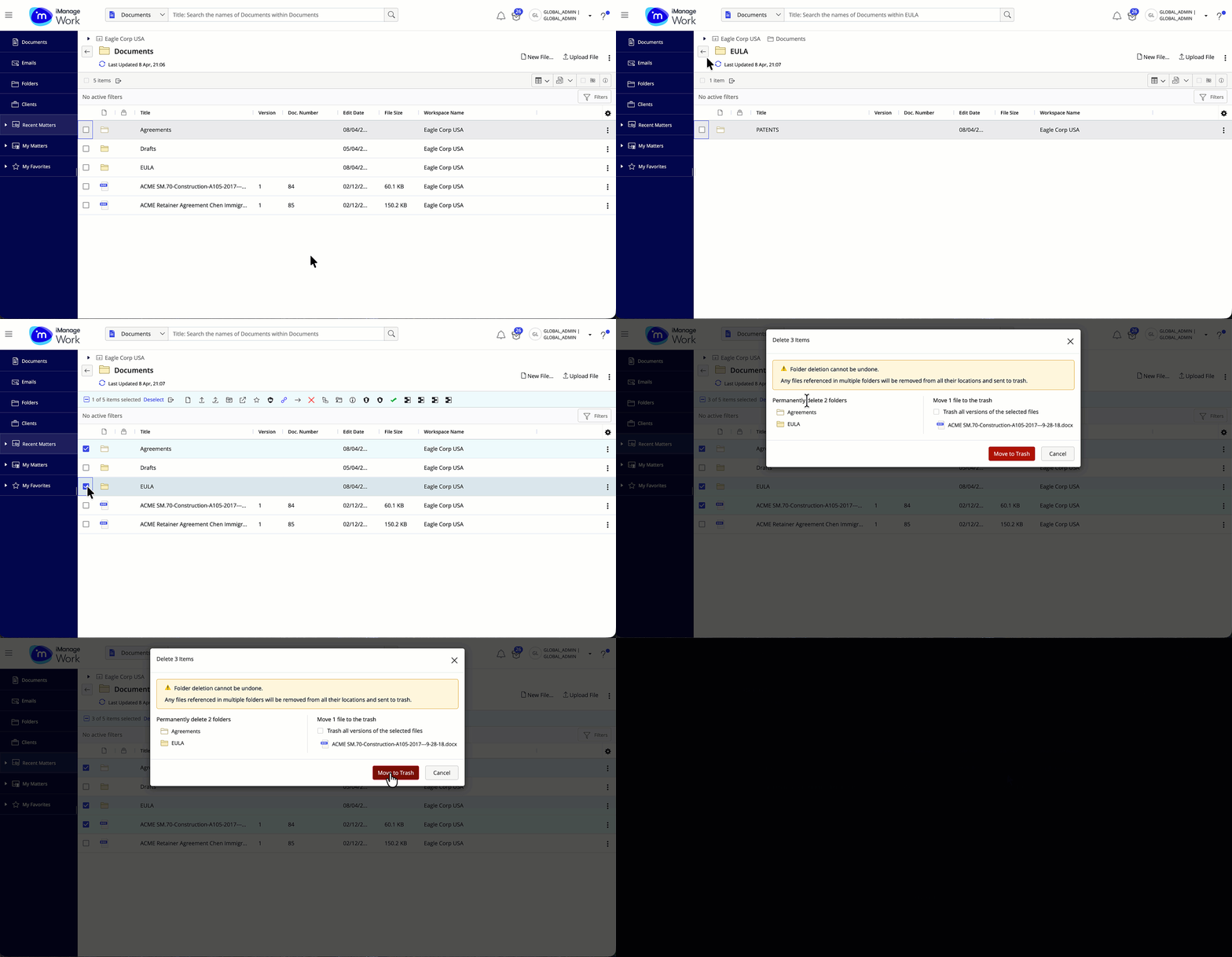
iManage Work supports simultaneous deletion of empty folders. The following bulk deletion scenarios are supported:
Empty folders
Combination of documents and empty folders
Folders that contain only empty subfolders
Figure: Deleting multiple empty folders in bulk
NOTE: If you don’t have full access to a document, folder, or subfolder, or its contents during bulk folder deletion, the progress panel displays a failure message for the affected item.