You can drag-and-drop items to the desired location quickly.
Select the item(s) you wish to move from one location to the other.
Drag them and hover over the tree.
Figure: Expanding and browsing tree node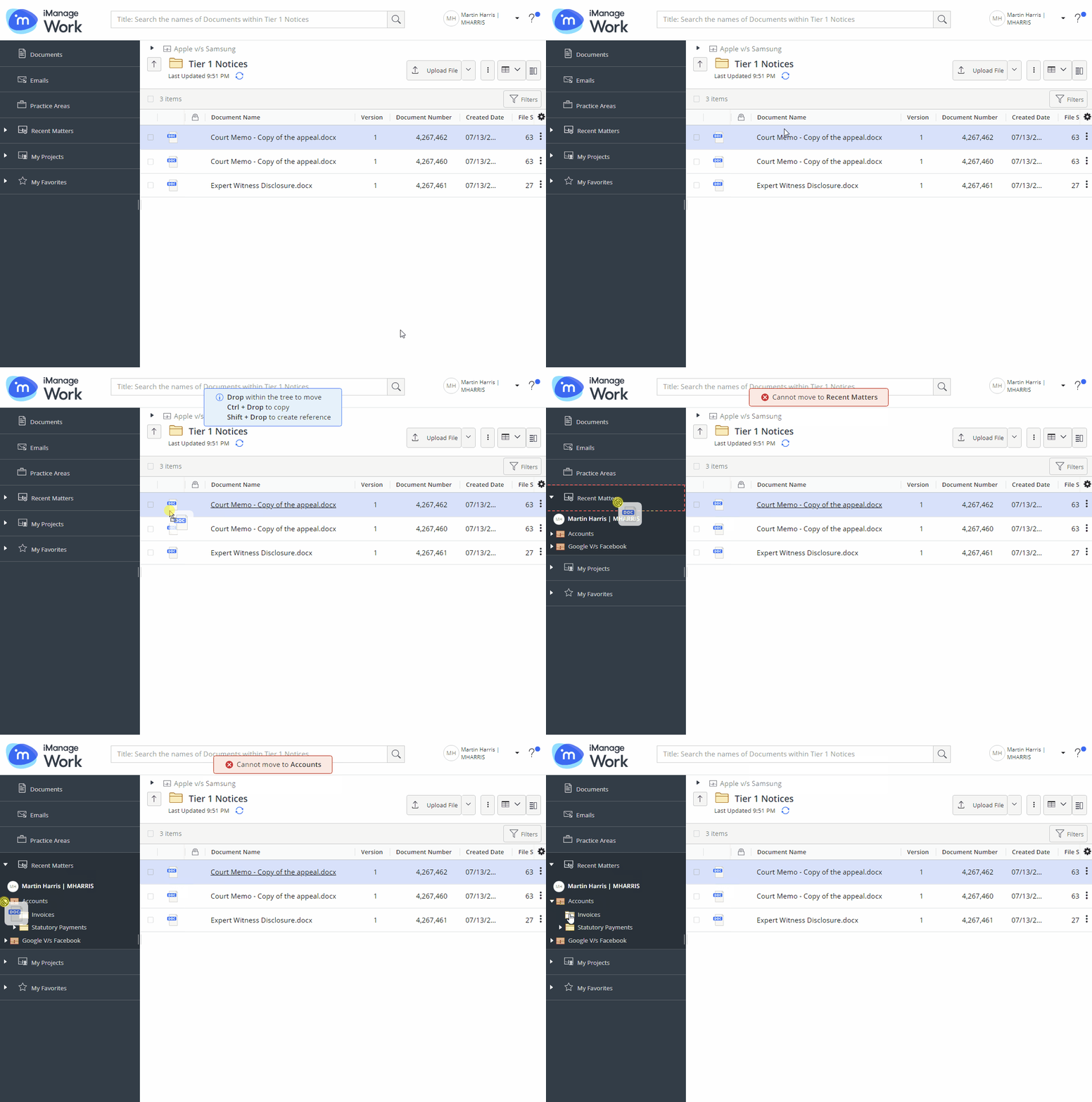
Each node in the tree expands as you hover over. The destination container is highlighted by a blue outline if it's a valid location or it is highlighted by a red outline if it isn't valid for dropping the selected item(s).