You can move workspace shortcut(s) from the center panel to My Matters or the desired category inside them in the tree using drag-and-drop.
Select the workspace shortcut(s) you wish to move.
Hover over the tree nodes to expand the My Matters node.
When you approach My Matters or the destination category inside them in the tree, drop the workspace shortcut(s).
Figure: Moving workspace shortcuts using drag-and-drop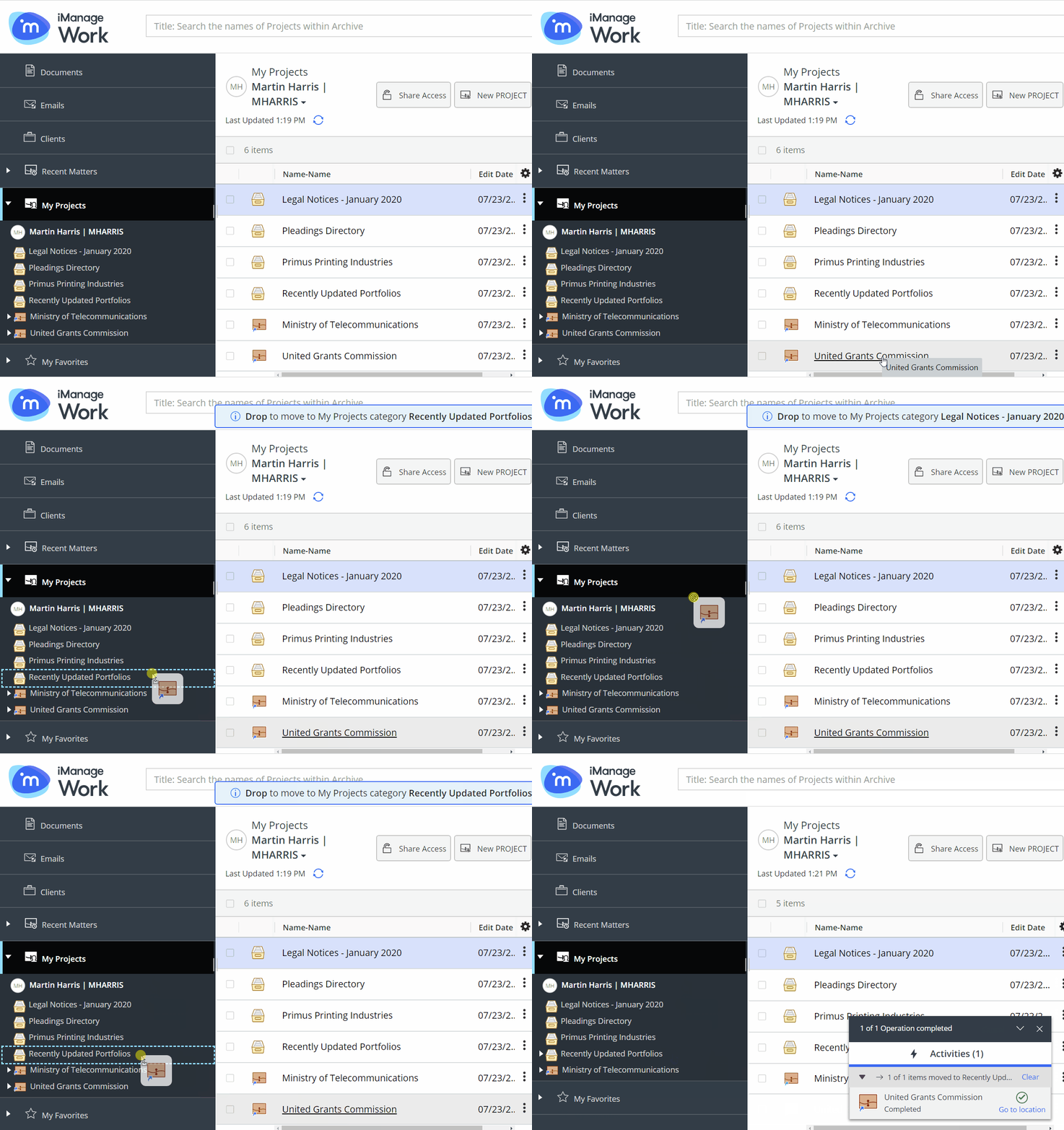
A progress dialog appears.
Figure: Progress dialog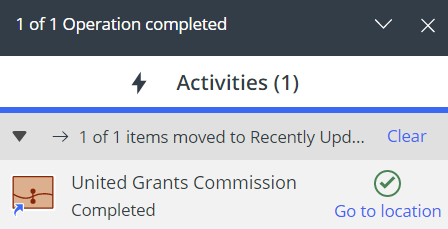
Selecting Go to location directs you to My Matters or the destination category inside them containing the workspace shortcut(s).