You can now upload folder(s) to a container in the tree from your Windows explorer (Finder on Mac) using drag-and-drop.
NOTE: Folder upload isn't supported in Microsoft Internet Explorer.
Select the folder(s) you wish to upload to a tree node from the Windows Explorer.
Hover over the tree nodes to locate the desired container.
Figure: Upload folders from the desktop to a tree node using drag-and-drop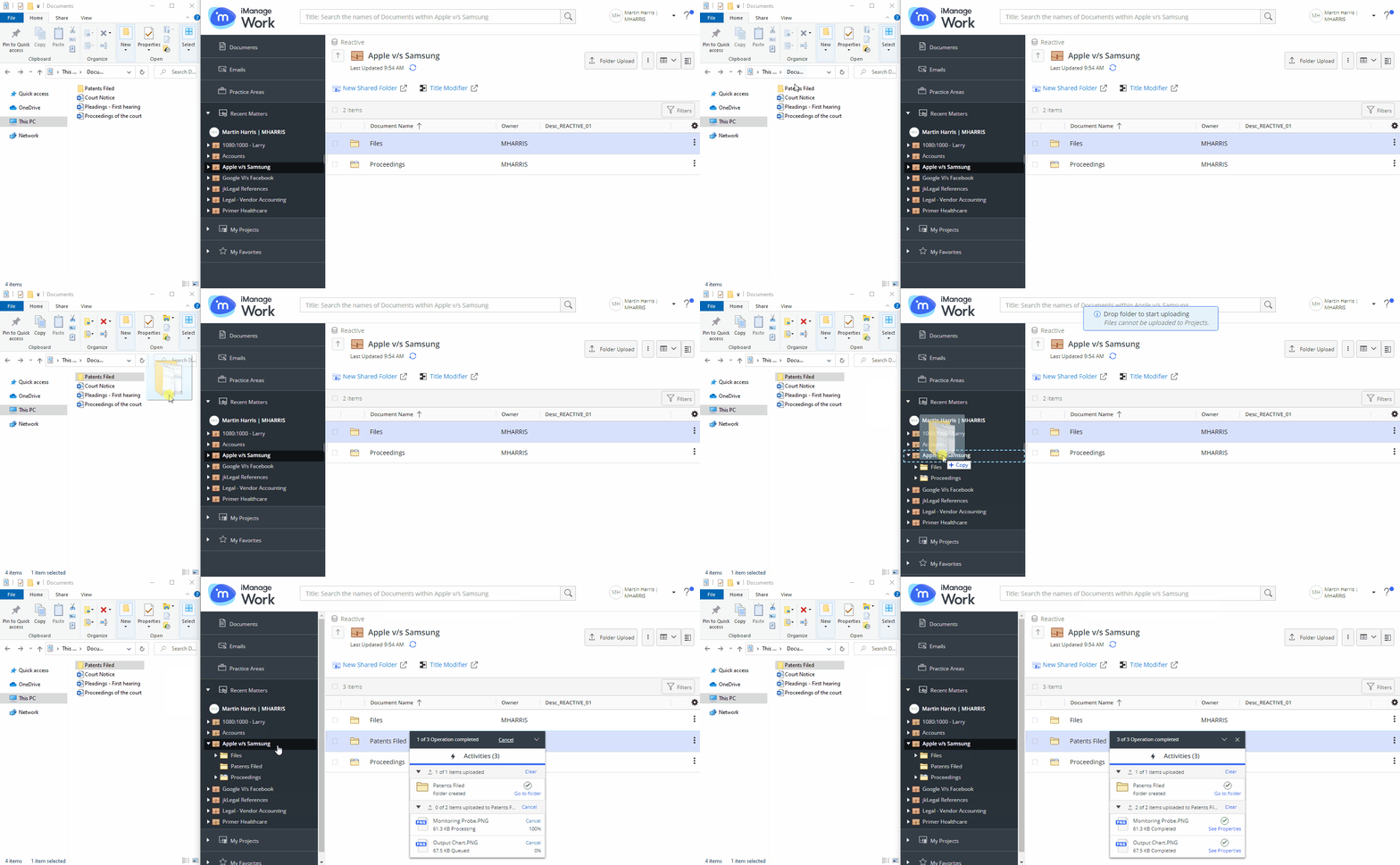
When you approach the destination container in the tree, drop the folder(s).
A progress dialog appears.
Figure: Progress dialog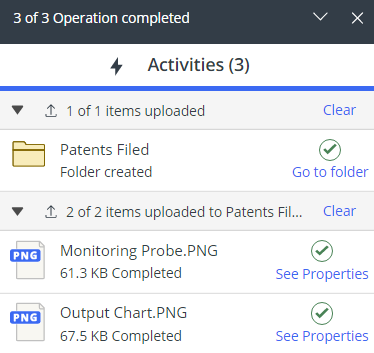
Selecting Go to folder directs you to the location where the folder(s) are uploaded.