You can view the history of actions that you and other users performed on a file using iManage Drive. Sign in to iManage Work and from the kebab menu  for a file, select
  Timeline. Details such as the date and time of the file activity, version, and user information are displayed. For more information about accessing the timeline, refer to the Viewing a document's timeline section in iManage Work Help.
The following figure displays the detailed audit trail for a file accessed (opened, modified, saved, and closed) from the iManage Drive mapped folder when the Preferences > General > Check-in option > New Version option is enabled.
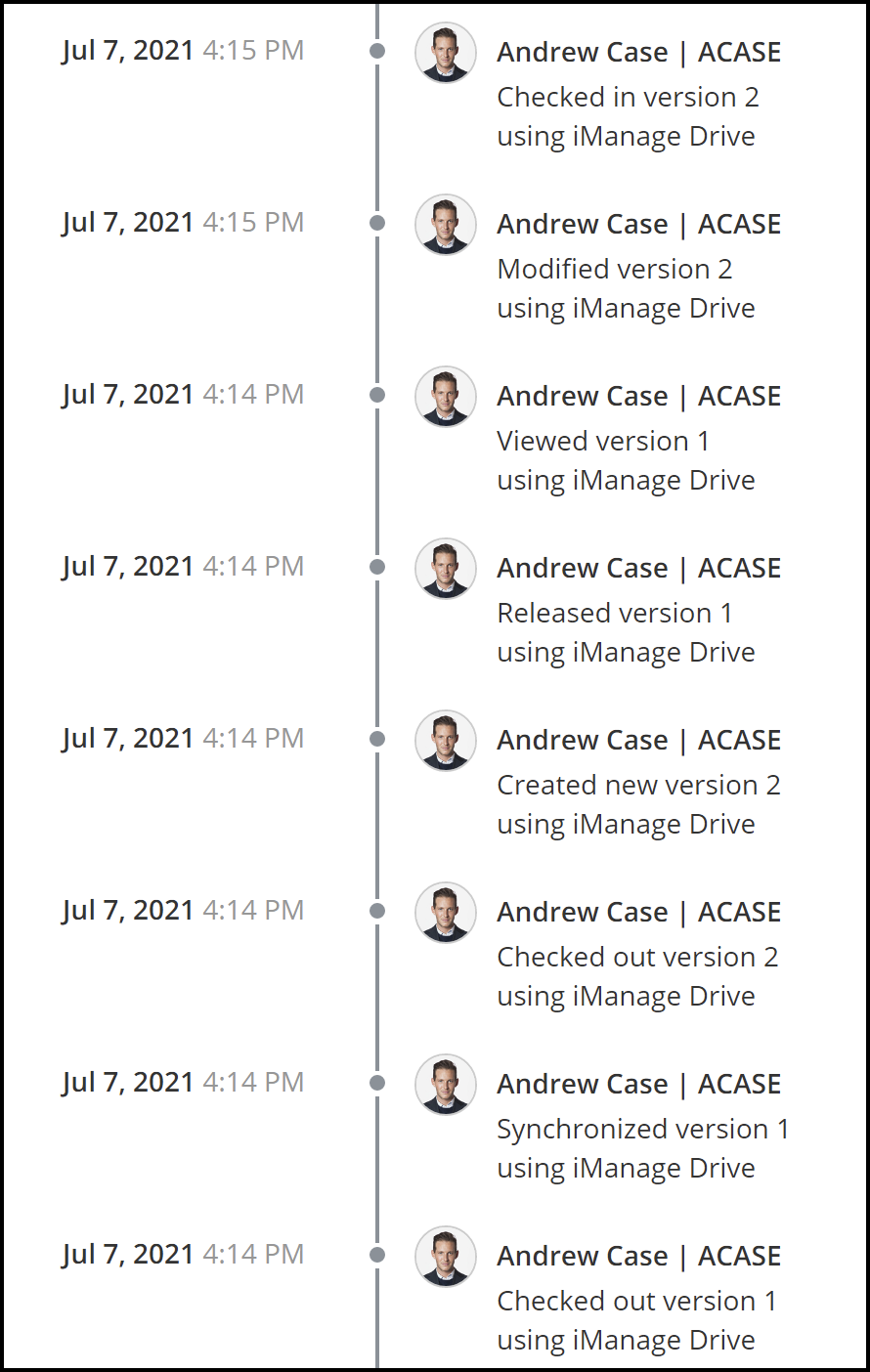
The following Timeline entries are displayed for the various actions:
Viewed
Created
Downloaded
Conflict resolved
Checked out
Checked in
Synchronized
Released
Modified
For more information about when these entries are displayed, refer to Timeline entries for file actions using iManage Drive.