Right-click the iManageDrive.sparkle_interactive.pkg file and select Open. Repeat this action to bypass the securit warning.
The Install iManage Drive wizard appears.Follow the instructions in the wizard and start the installation.
Select OK in the macOS security prompt, which appears for granting access to the installer for controlling System Events.
Figure: System Events permissions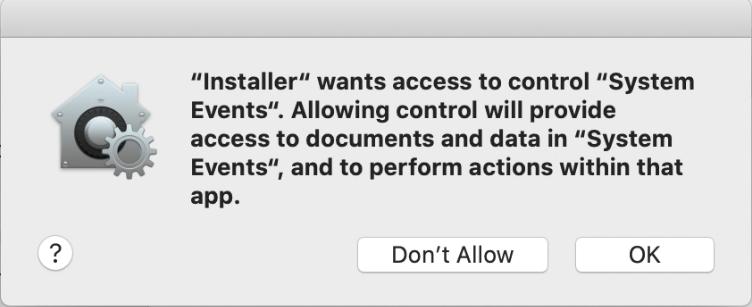
Continue the installation. The wizard displays message after iManage Drive is installed on your Mac.
Select Close to exit the installation wizard.