From iManage Drive 10.10 onward, you can generate a database diagnostic snapshot using the iManage Drive Diagnostic Snapshot tool by completing the following steps:
NOTE: The generated snapshot encrypts all sensitive information, such as workspace name, user name, and library name.
Select Diagnostics: Generate Support Snapshot. The snapshot tool is displayed with the Description tab selected by default.
On the Options tab, select the Generate Database Diagnostic check box.
Figure: Generating database diagnostic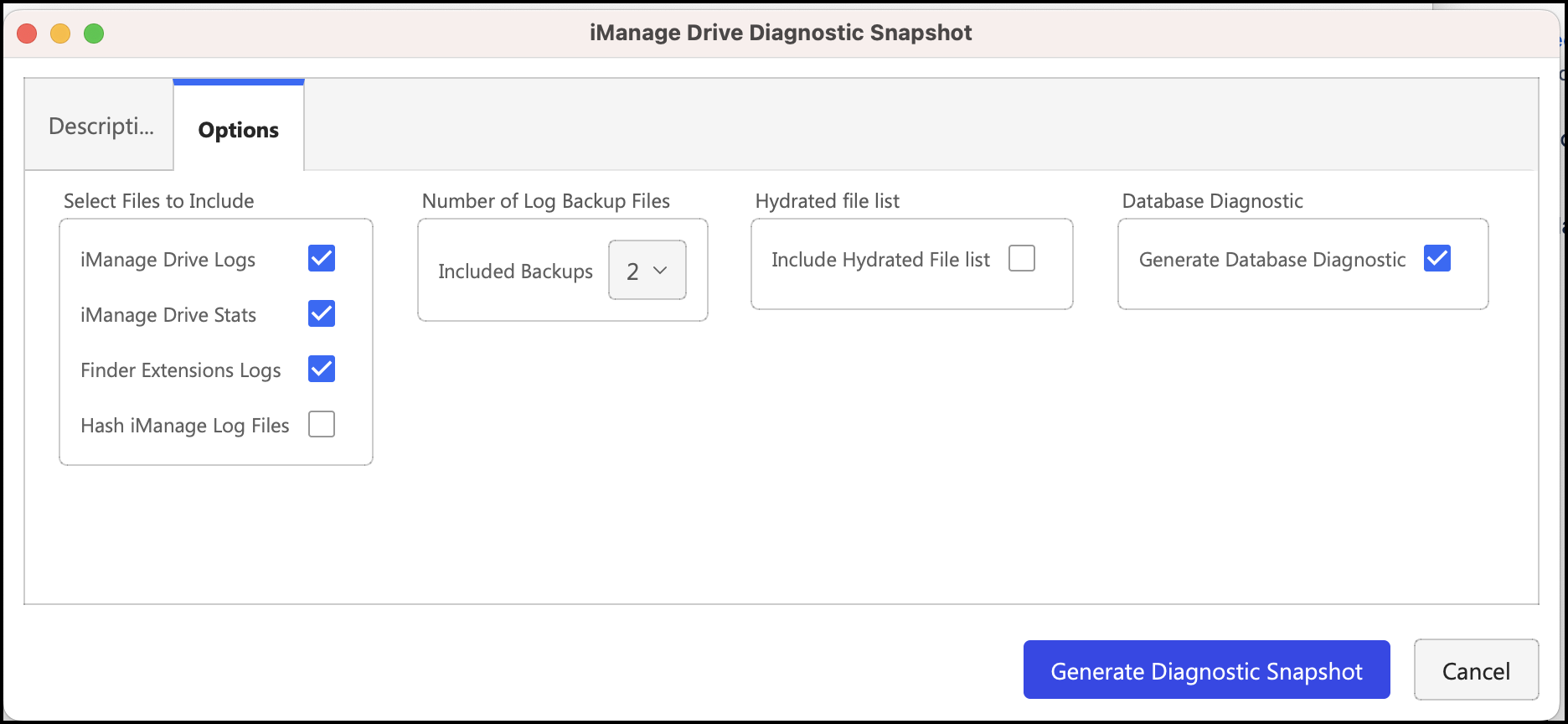
Select Generate Diagnostic Snapshot. The snapshot is generated and available at the following location:
.../Library/Application Support/iManage/GoDrive/diagnostics/snapshots