You can access Ask iManage from iManage Work by doing the following:
In iManage Work browse to the document or email of your interest and select it.
If you have selected:
A single document, then, do one of the following:
Right-click the document and then select Ask iManage > Start a conversation or Start a review
Figure: Selecting Ask iManage from right-click menu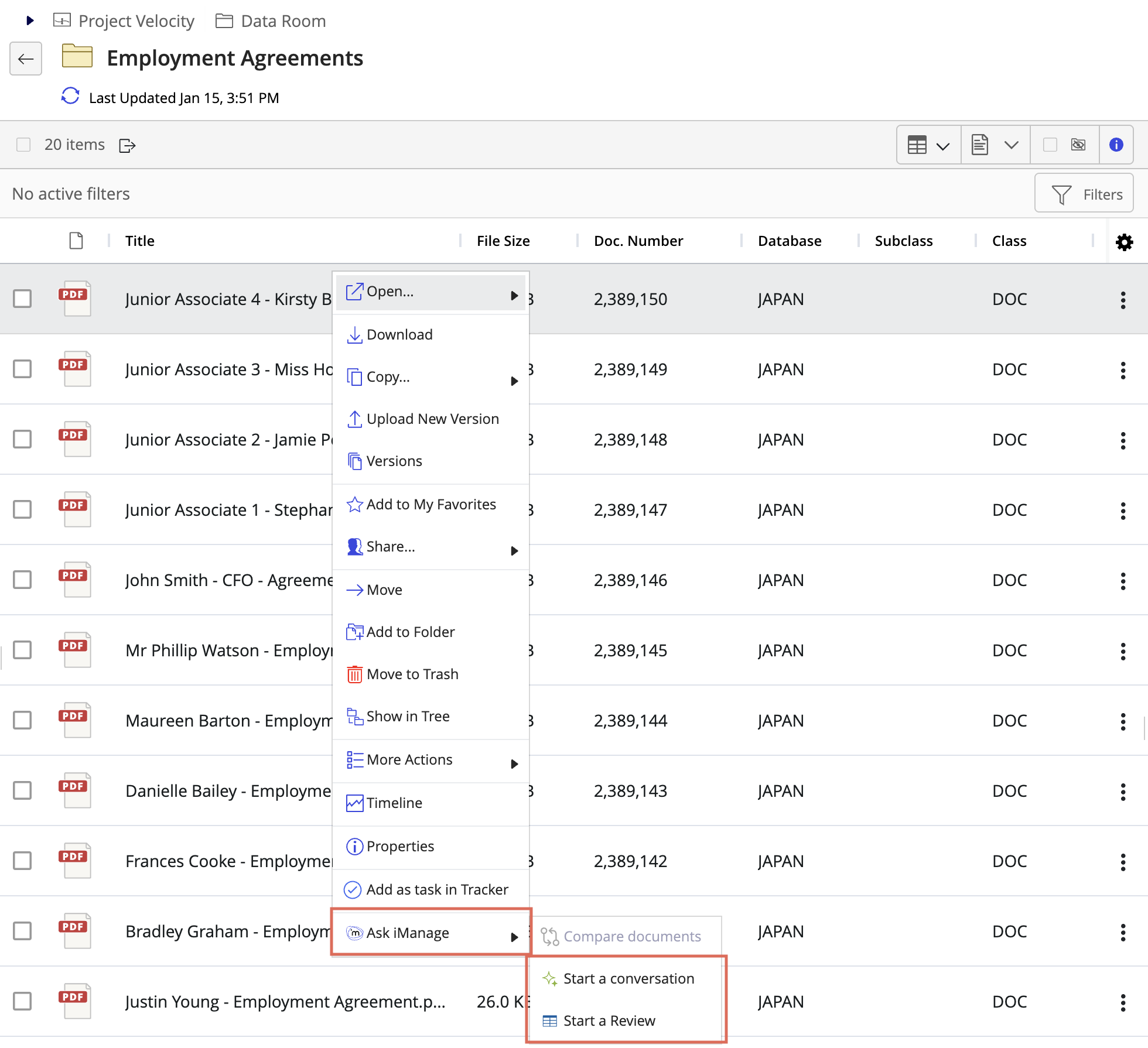
Select
 kebab menu next to the document and then select Ask iManage > Start a conversation or Start a review. Figure: Selecting Ask iManage from kebab menu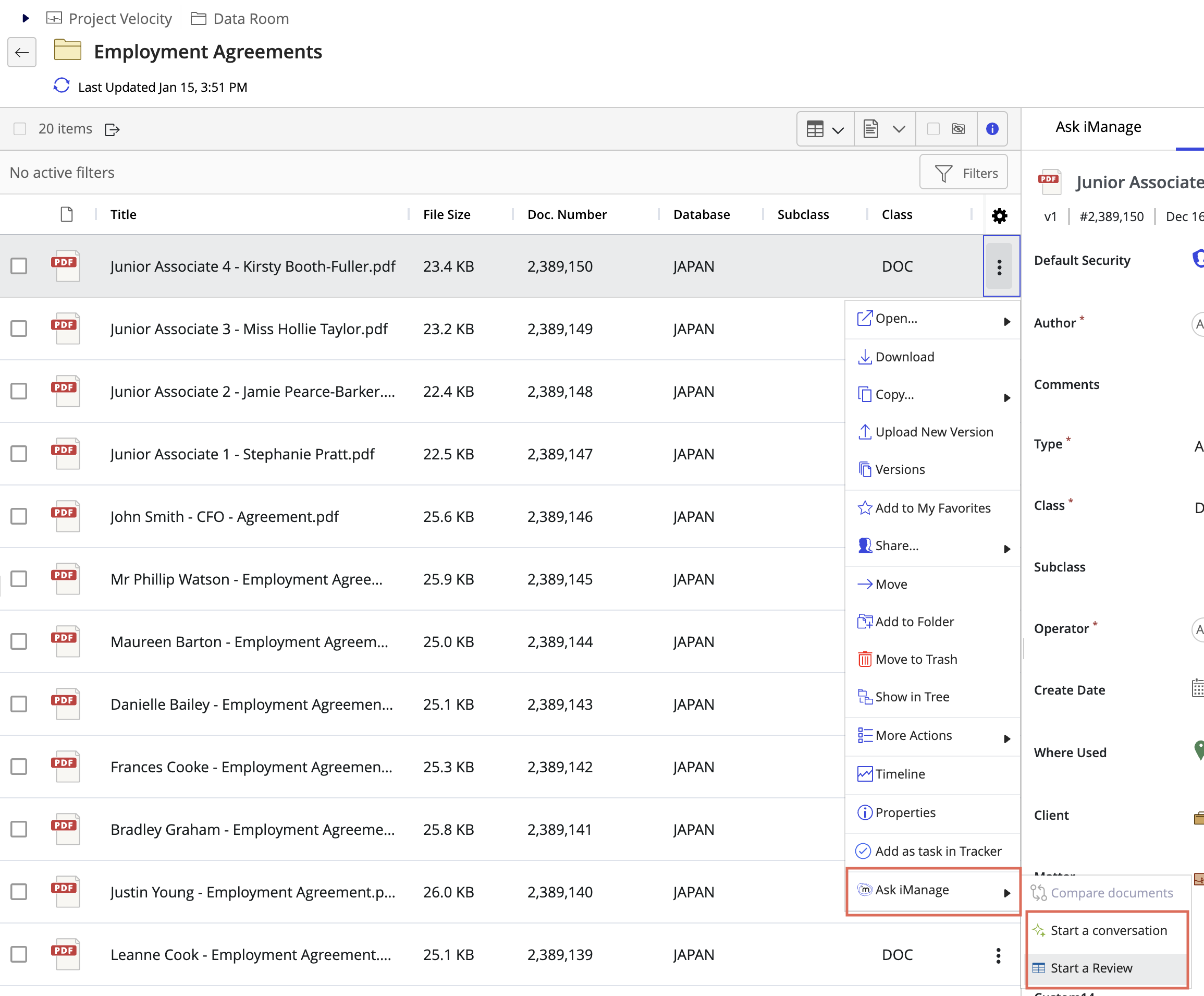
Select
 in the blue menu bar and then select Ask iManage > Start a conversation or Start a review as shown in the following figure. Figure: Selecting Ask iManage from the menu bar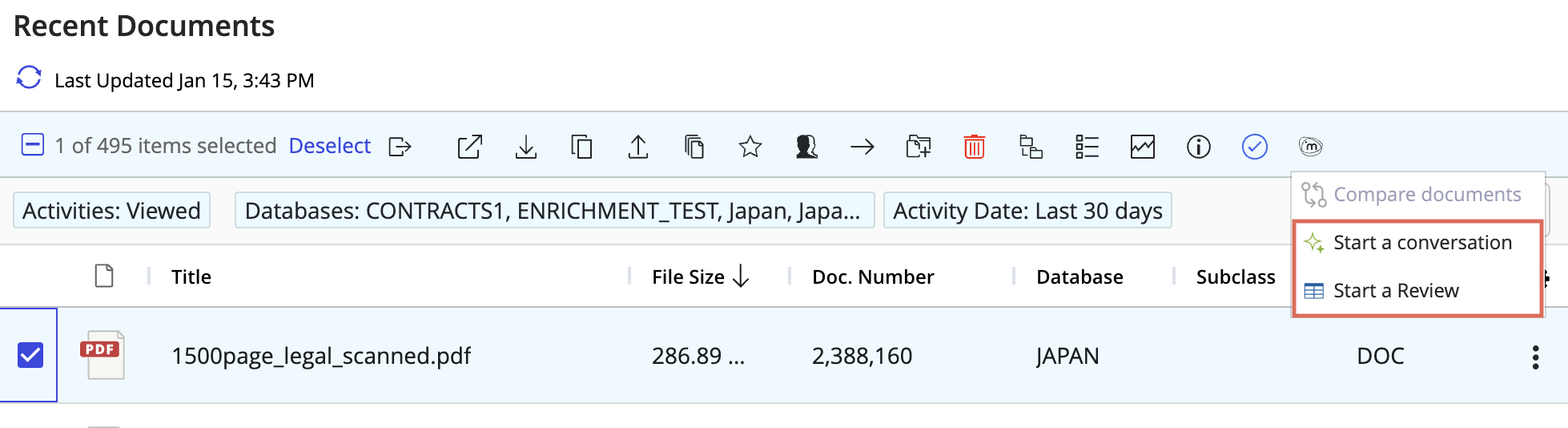
Select the document to open in Preview mode (based on configuration in iManage Control Center). For example, select the document or select Open > Preview to view the document in Preview mode. When the document opens in Preview, select
 and then select Start a conversation or Start a reviewFigure: Selecting Ask iManage from Preview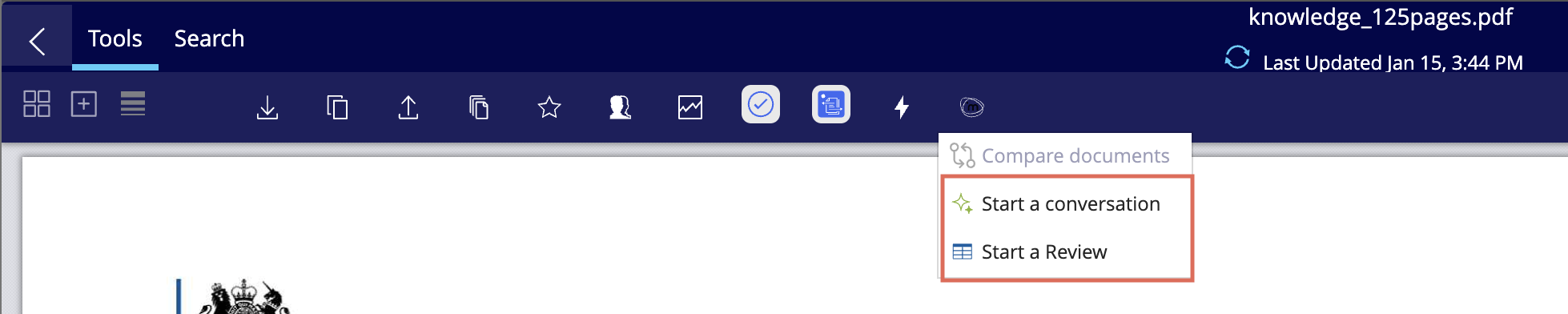
Multiple documents, then do one of the following:
Select
in the blue menu bar and then select Start a conversation, Start a review, or Compare documents as shown in the following figure. Figure: Selecting Ask iManage from blue menu bar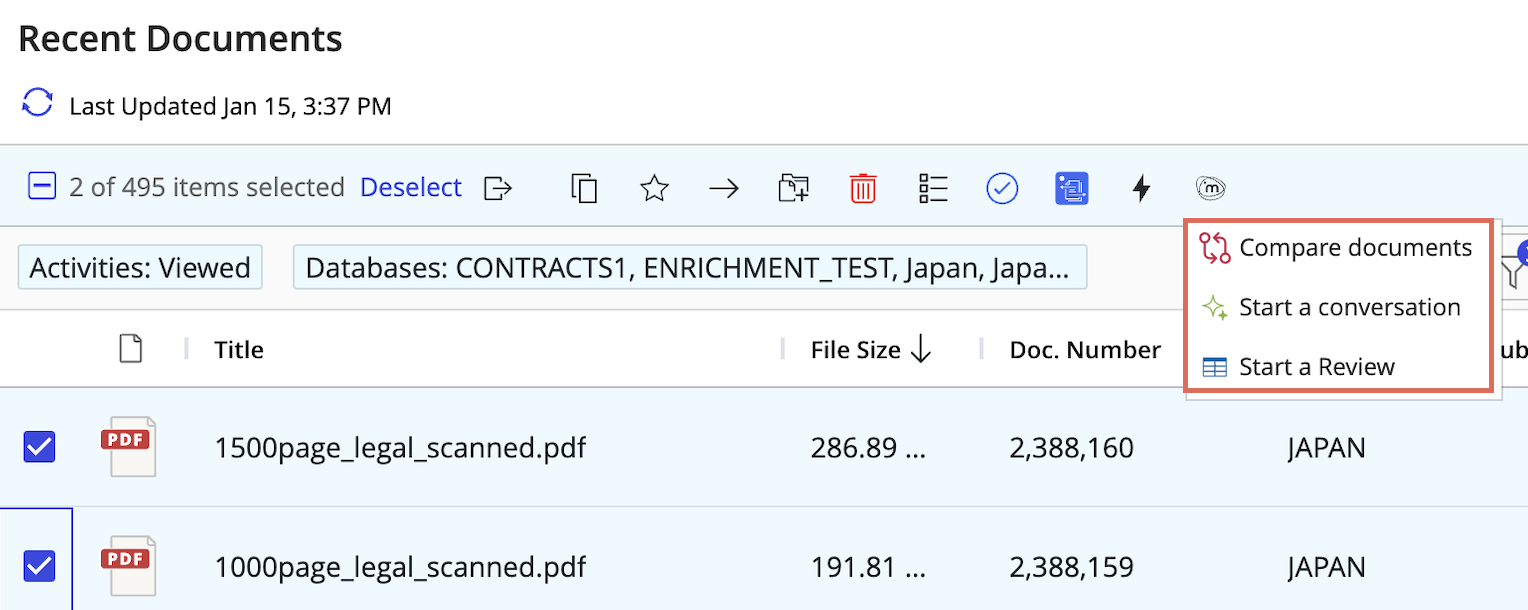
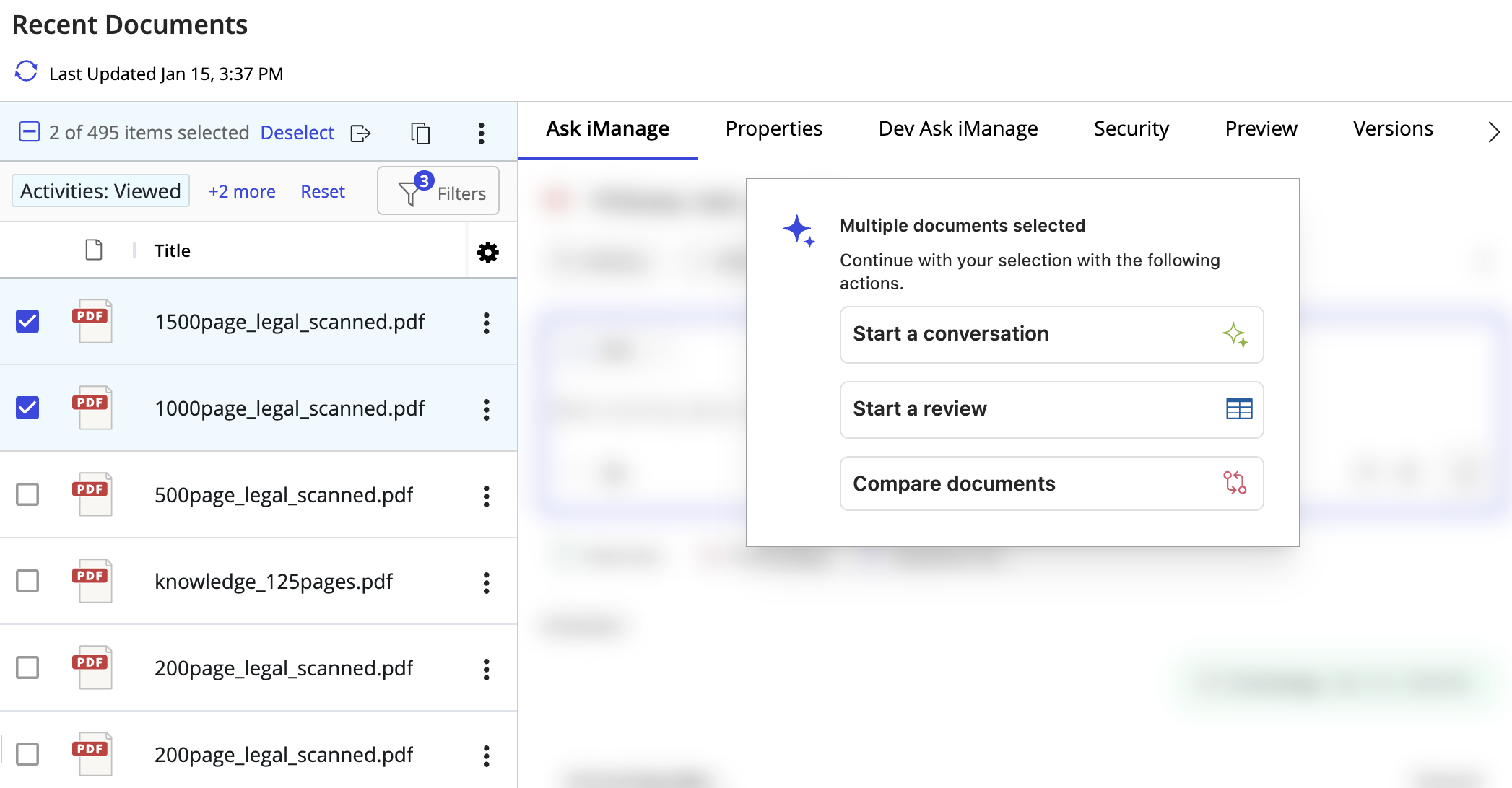
Select Start a conversation, Start a review, or Compare documents from the Ask iManage options available in the side panel as shown in the following figure.
Figure: Multi-select options