To access Ask iManage home page, do one of the following:
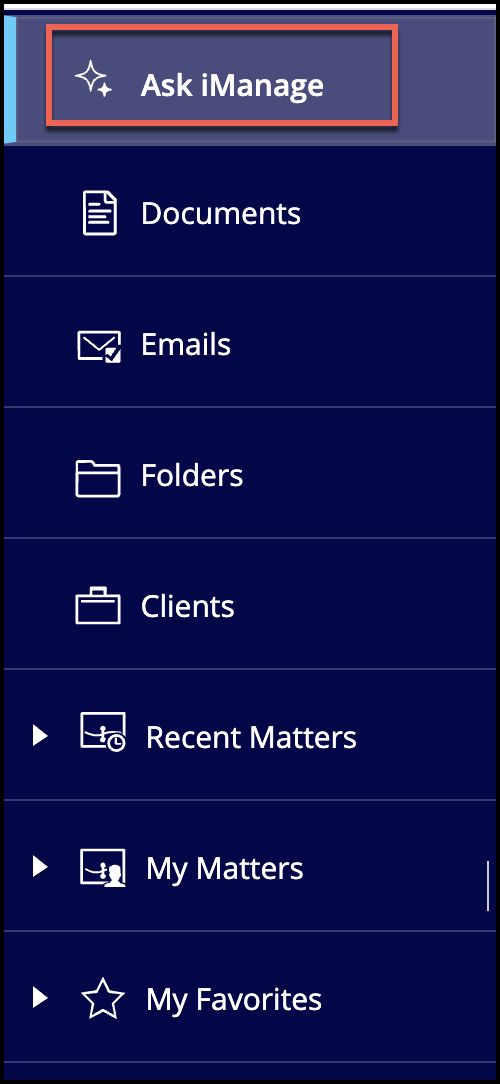
Method 1: Using the sidebar
In iManage Work at cloudimanage.com, select Ask iManage in the sidebar as shown in the following figure.
Method 2: Using right-click menu or three dots icon
In iManage Work browse to the document or email of your interest and select it.
Do one of the following:
Right-click the document and then select Ask iManage > Start a conversation or Start a review
Figure: Selecting Ask iManage from right-click menu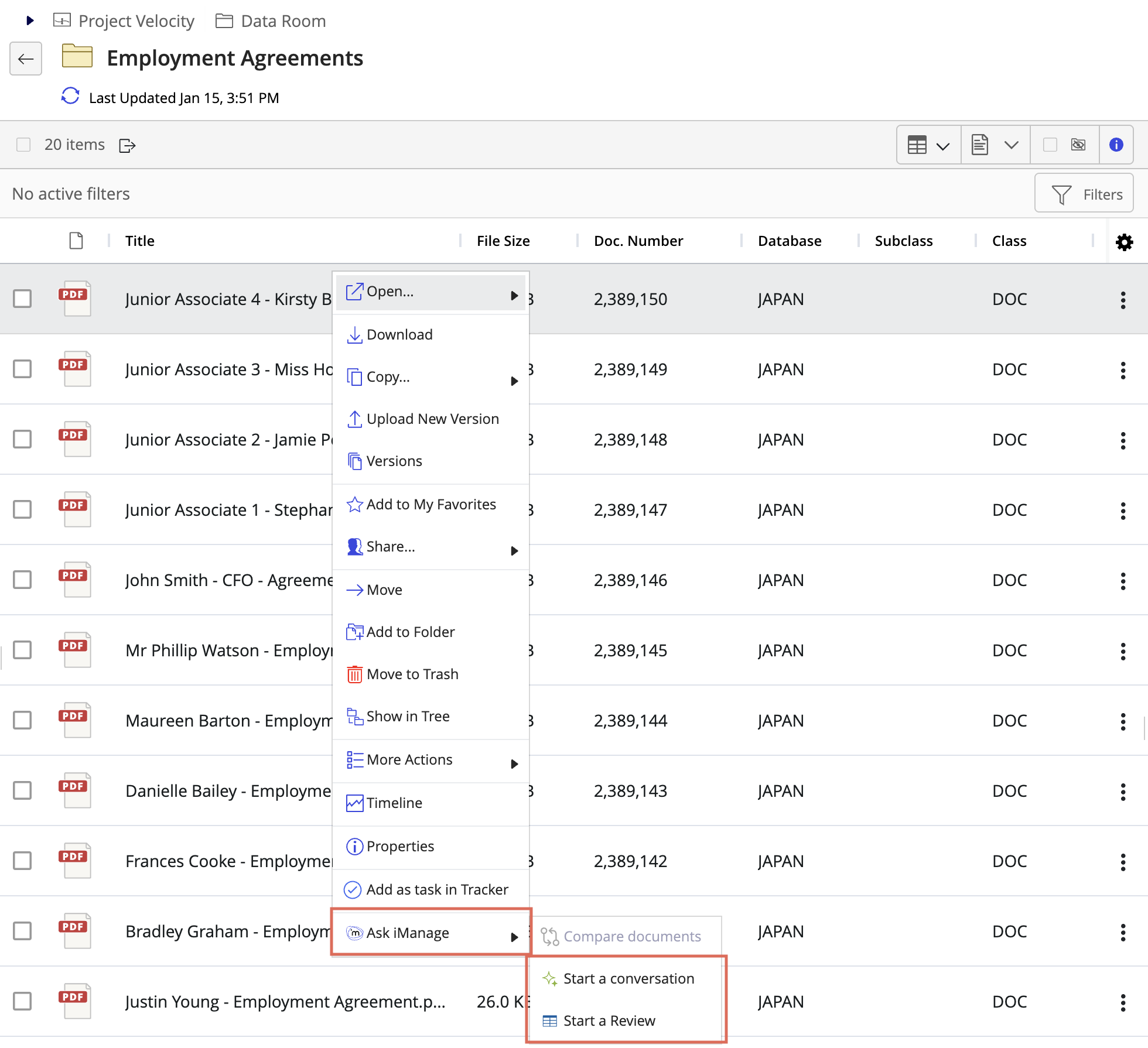
Select
 three dots icon next to the document and then select Ask iManage > Start a conversation or Start a review. Figure: Selecting Ask iManage from kebab menu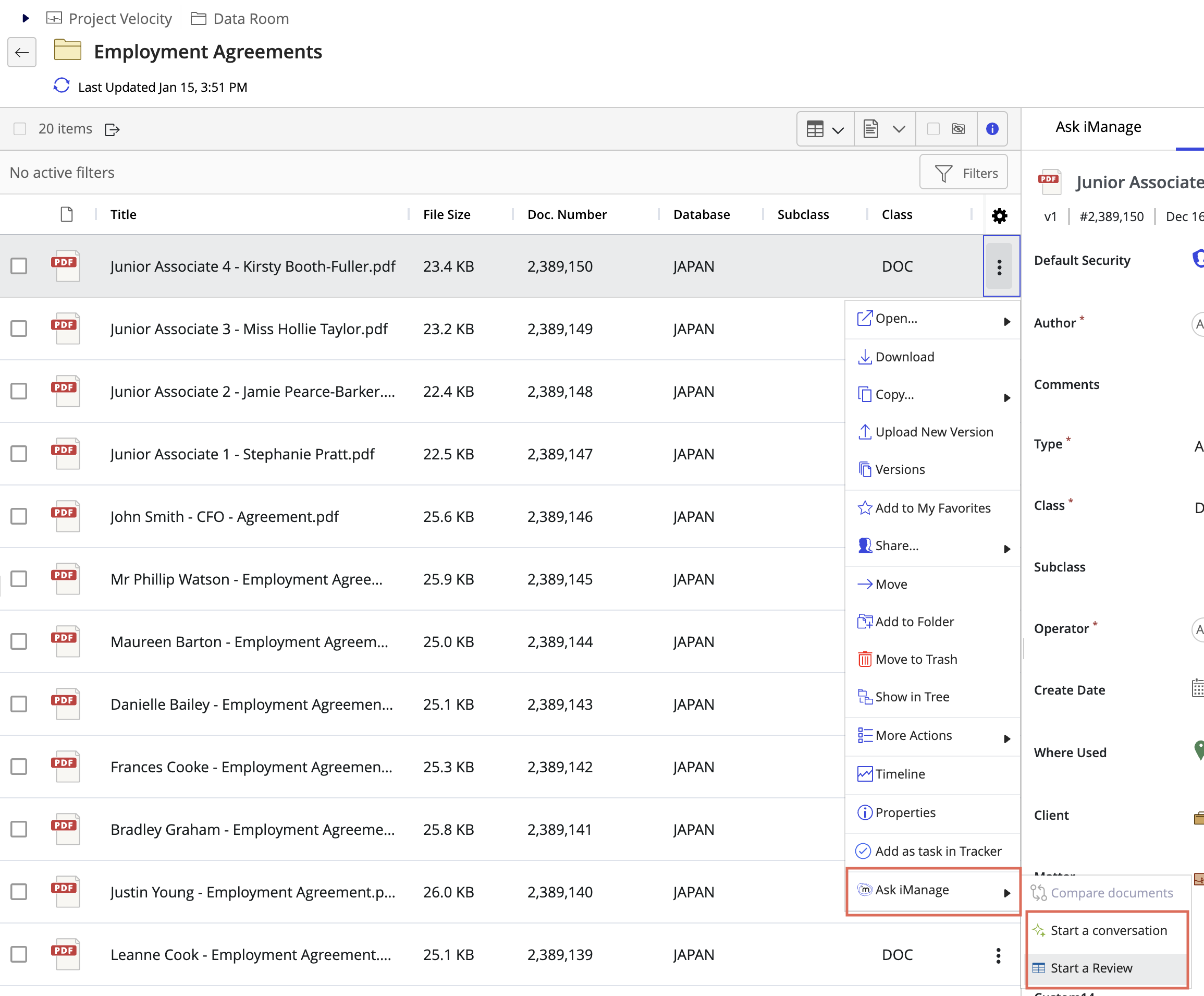
Method 3: Using iManage Work Preview
In iManage Work browse to the document or email of your interest and select it.
Select the document to open in Preview mode (based on configuration in iManage Control Center). For example, select the document or select Open > Preview to view the document in Preview mode. When the document opens in Preview, select
 and then select Start a conversation or Start a review.Figure: Selecting Ask iManage from Preview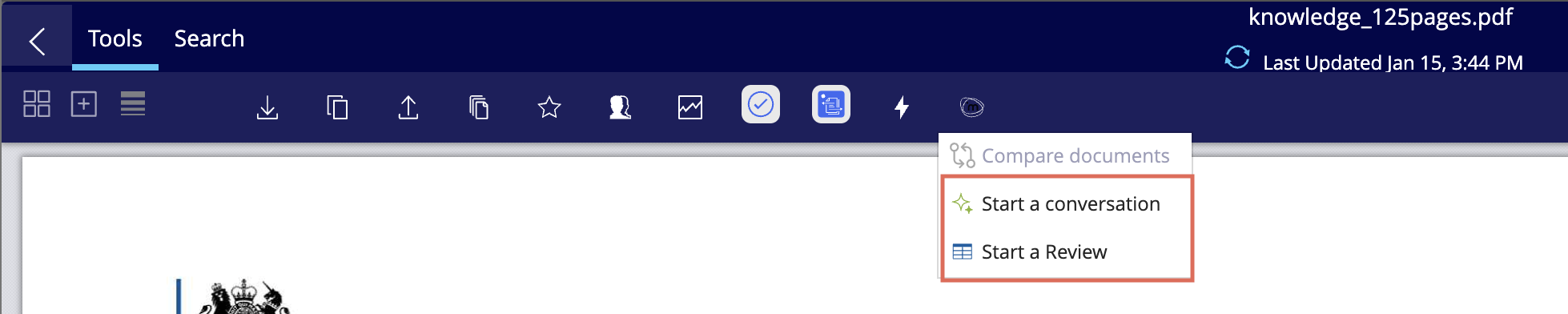
Method 4: Using multi-select bar in iManage Work
For a single document,
Select the document and then select in the multi-select menu bar and then select Ask iManage > Start a conversation or Start a review as shown in the following figure. Figure: Selecting Ask iManage from the menu bar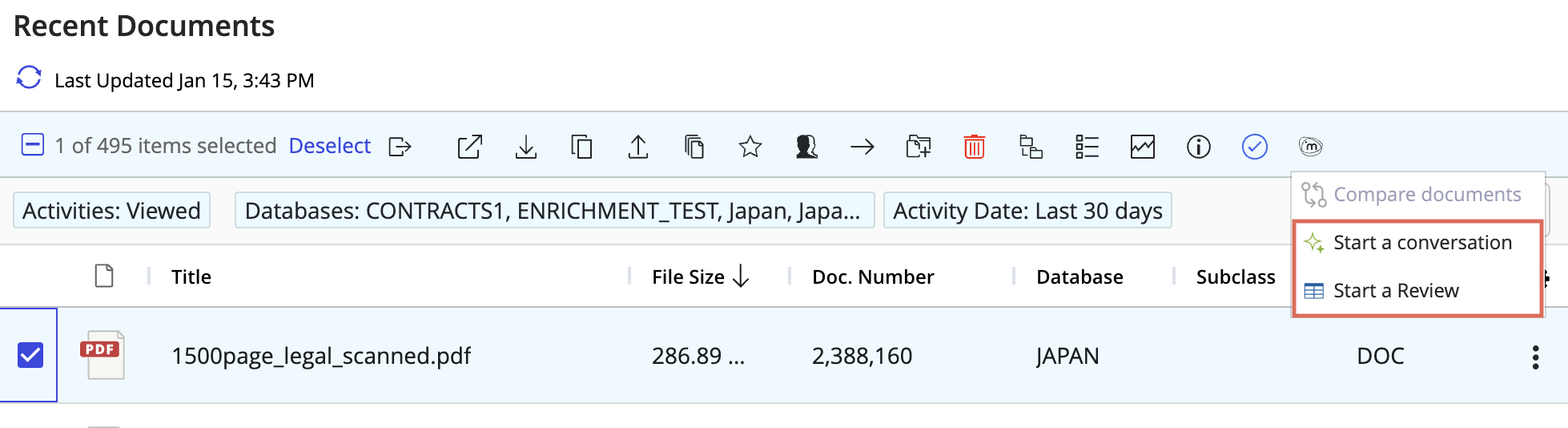
For multiple documents,
Select the documents and then select in the mult-select menu bar and then select Start a conversation, Start a review, or Compare documents as shown in the following figure. Figure: Selecting Ask iManage from blue menu bar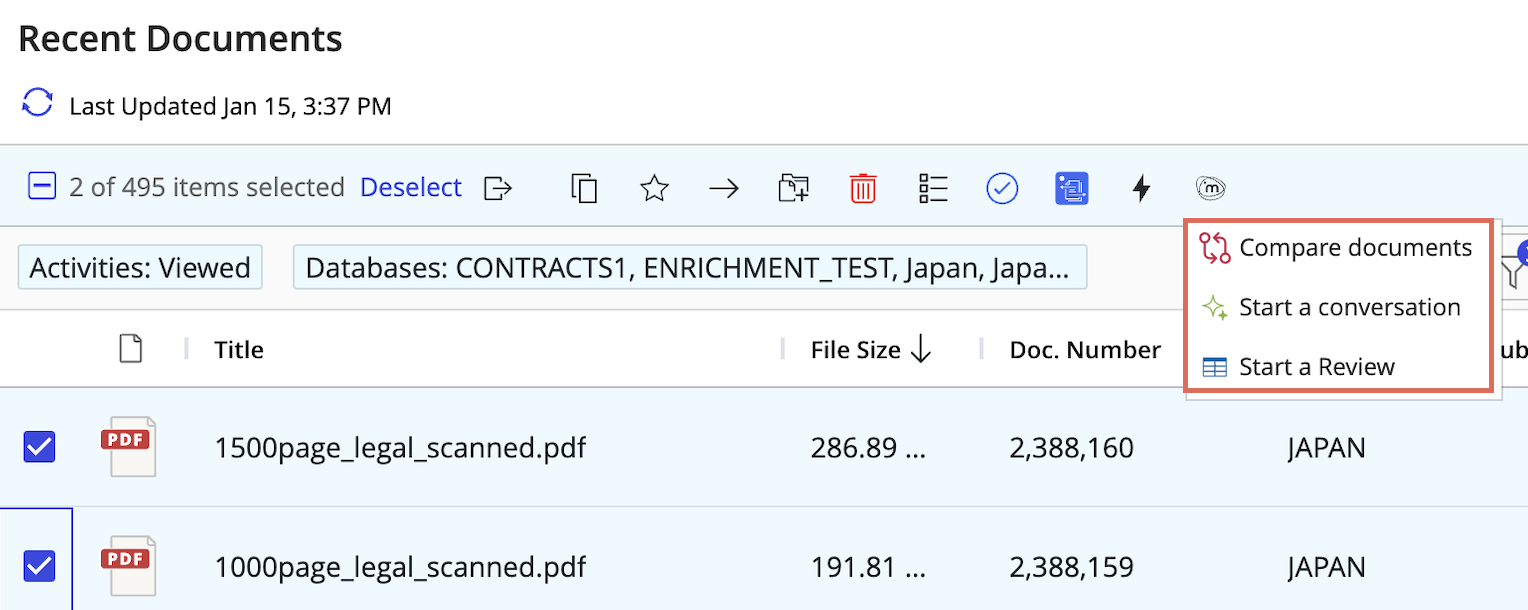
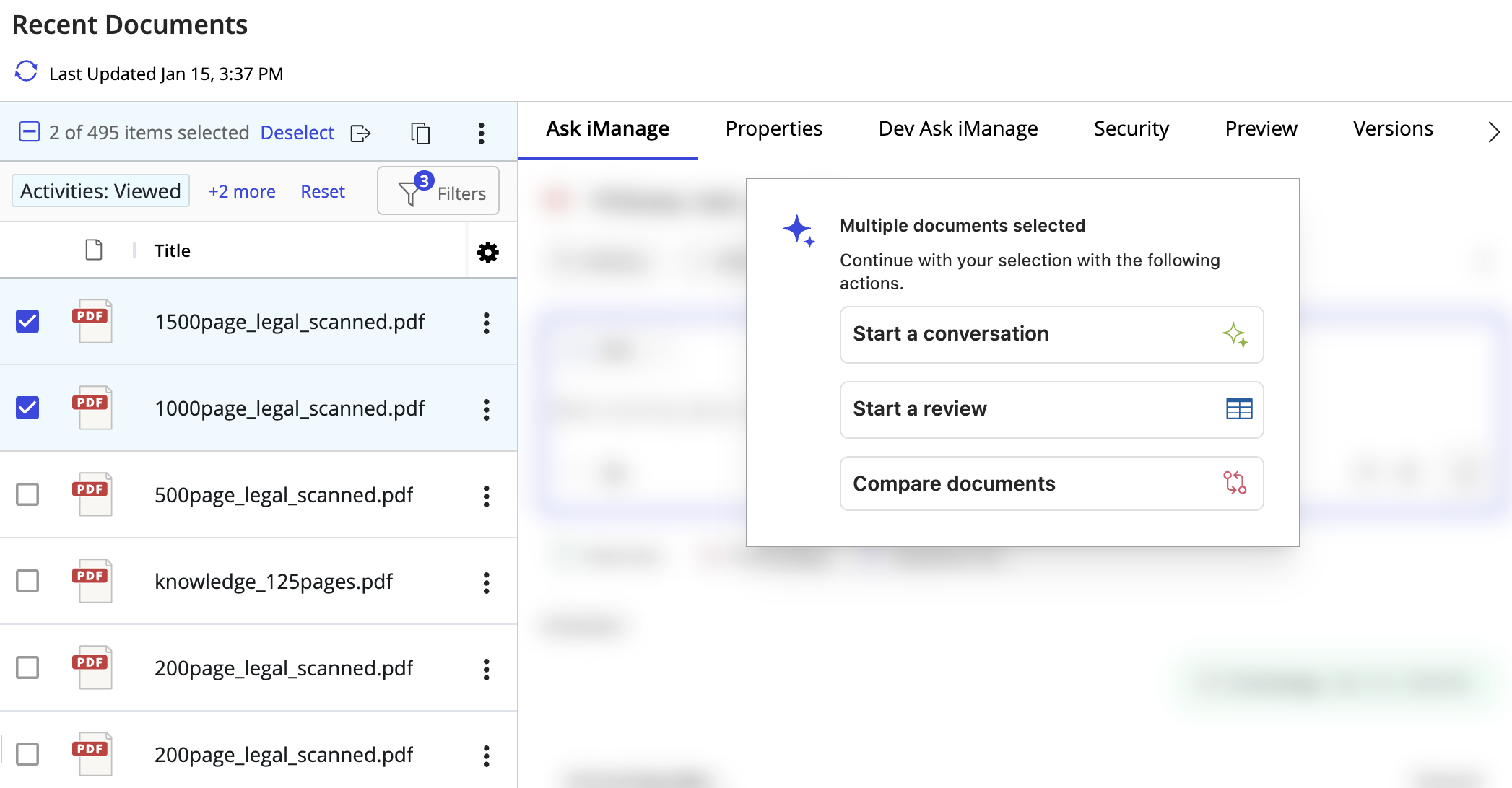
Method 4: From Ask iManage in Manage Work side panel
Select multiple documents and then select Start a conversation, Start a review, or Compare documents from the Ask iManage options available in the side panel as shown in the following figure.
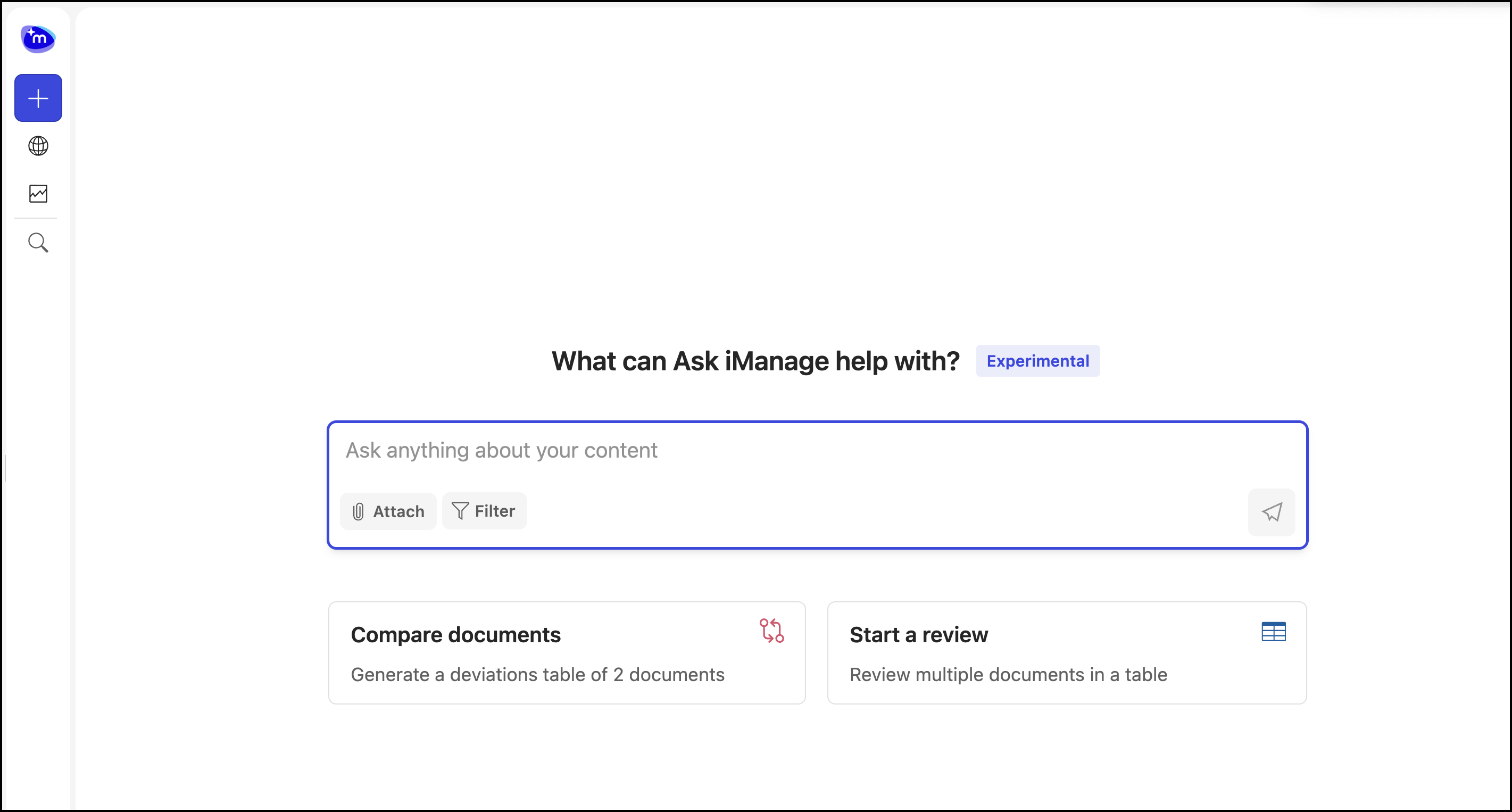
Ask iManage home page
The Ask iManage home page is displayed within iManage Work at cloudimanage.com as shown in the following figure.