Adding documents to projects
In the Ask iManage page or Ask iManage page accessed from iManage Work sidebar, select the project and then select Add document.
Figure: Selecting Add a document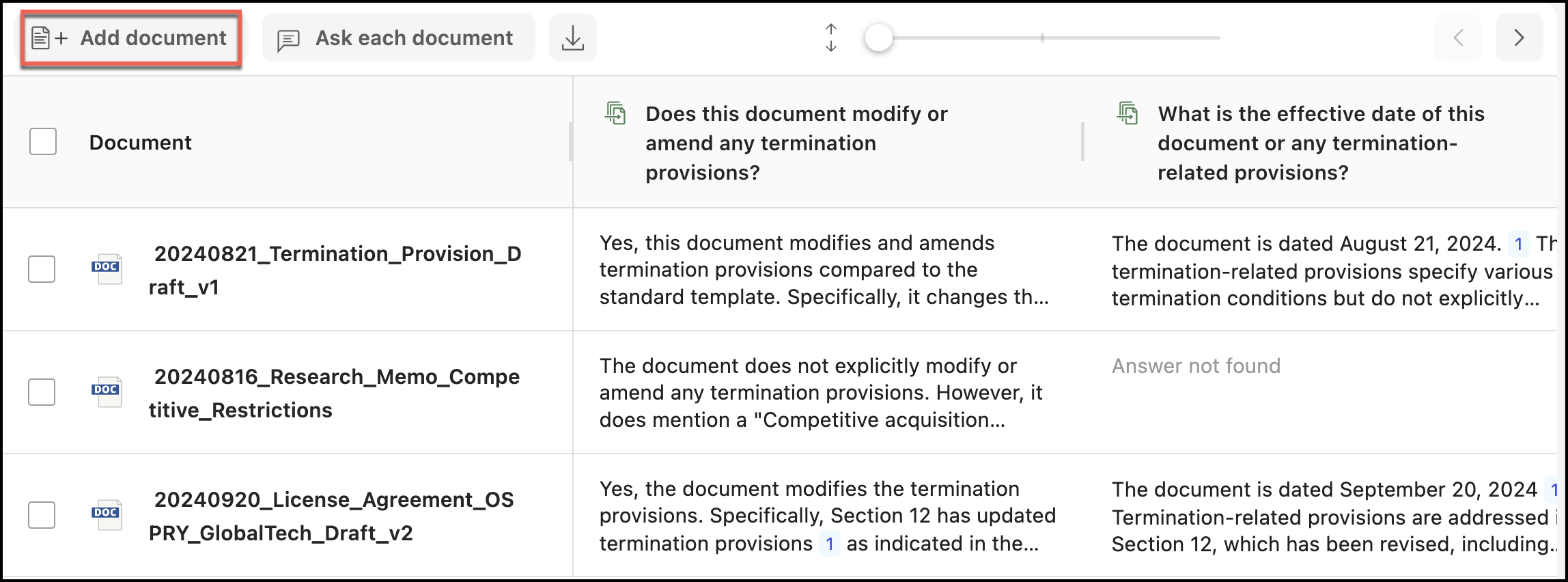
In the Select documents dialog that appears, select one or more documents as shown.
Figure: Selecting documents to add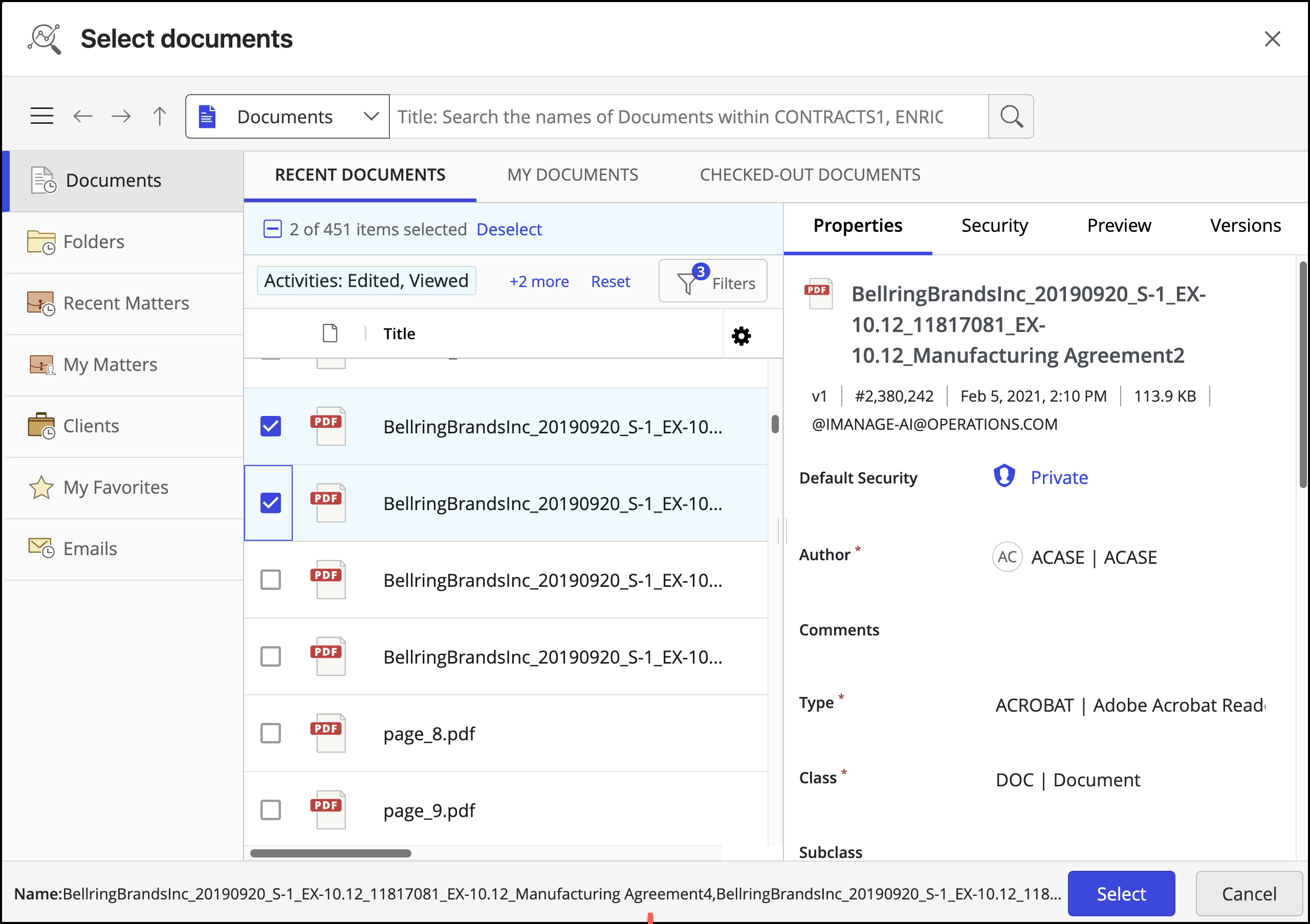
Select Update or Dismiss to update the questions.
Figure: Selecting Update or Dismiss
The documents are added to the table as shown in the following figure:
Figure: Additional documents added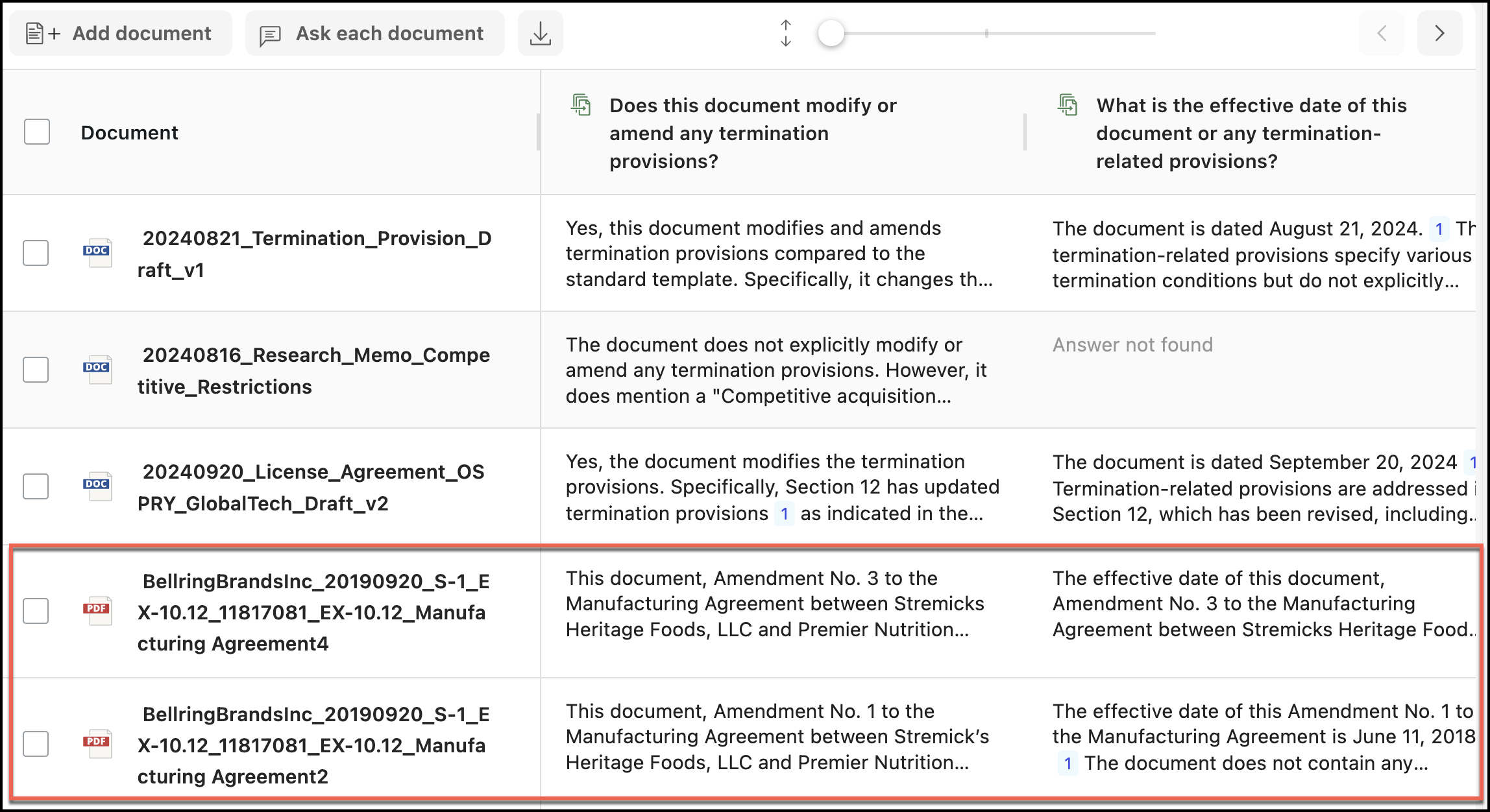
Deleting documents from projects
In the Ask iManage page or Ask iManage page accessed from iManage Work sidebar, select the project.
Select the document or documents you want to delete and then select Delete.
Figure: Selecting deleting documents to be deleted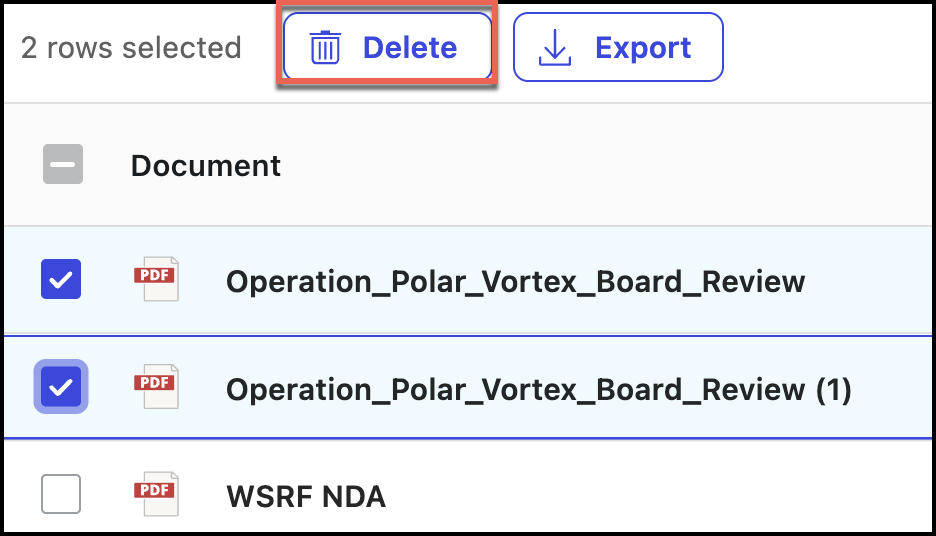
The selected documents are deleted.