Ask iManage remembers and saves the previous questions you have asked to a document. To access the previous questions:
Select an answer in the table view to open the answer in the left panel and then select Other conversations > History in the Ask iManage left panel as shown below.
Figure: Selecting History to view the previous questions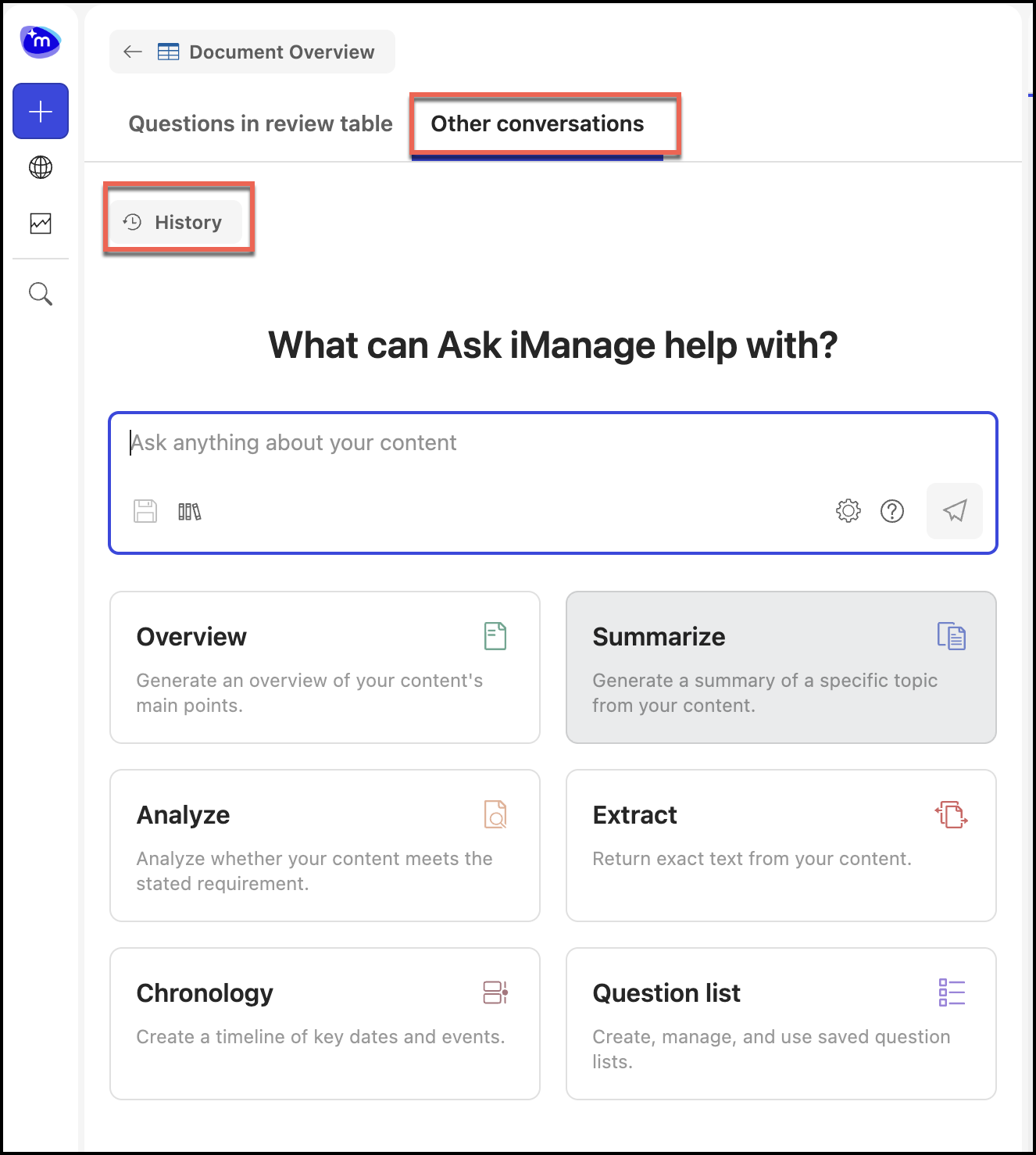
The previous saved questions are displayed in the conversational history panel as shown:
Figure: Conversational history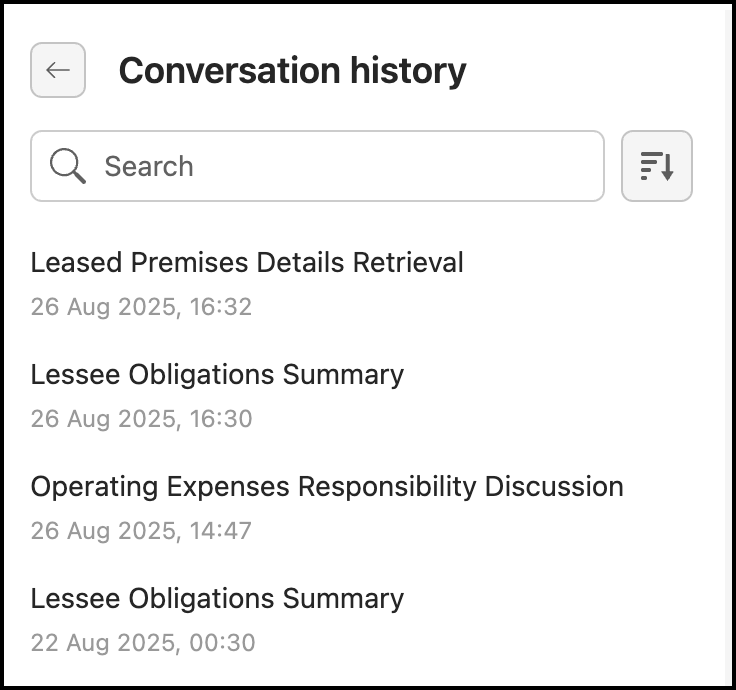
Select the Back
 option to return to the Ask iManage left panel.
 Select a conversation. You can also use the search option provided in the Conversational history panel to narrow down your search.
Figure: Search results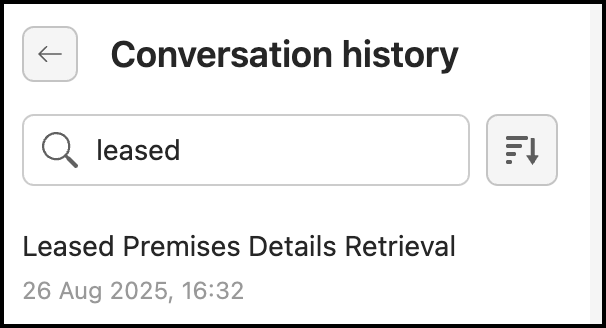
Alternatively, you can also use the Sort by
 option to sort the conversations either by name or date.
All the questions previously asked along with their answers are displayed.Figure: Conversational history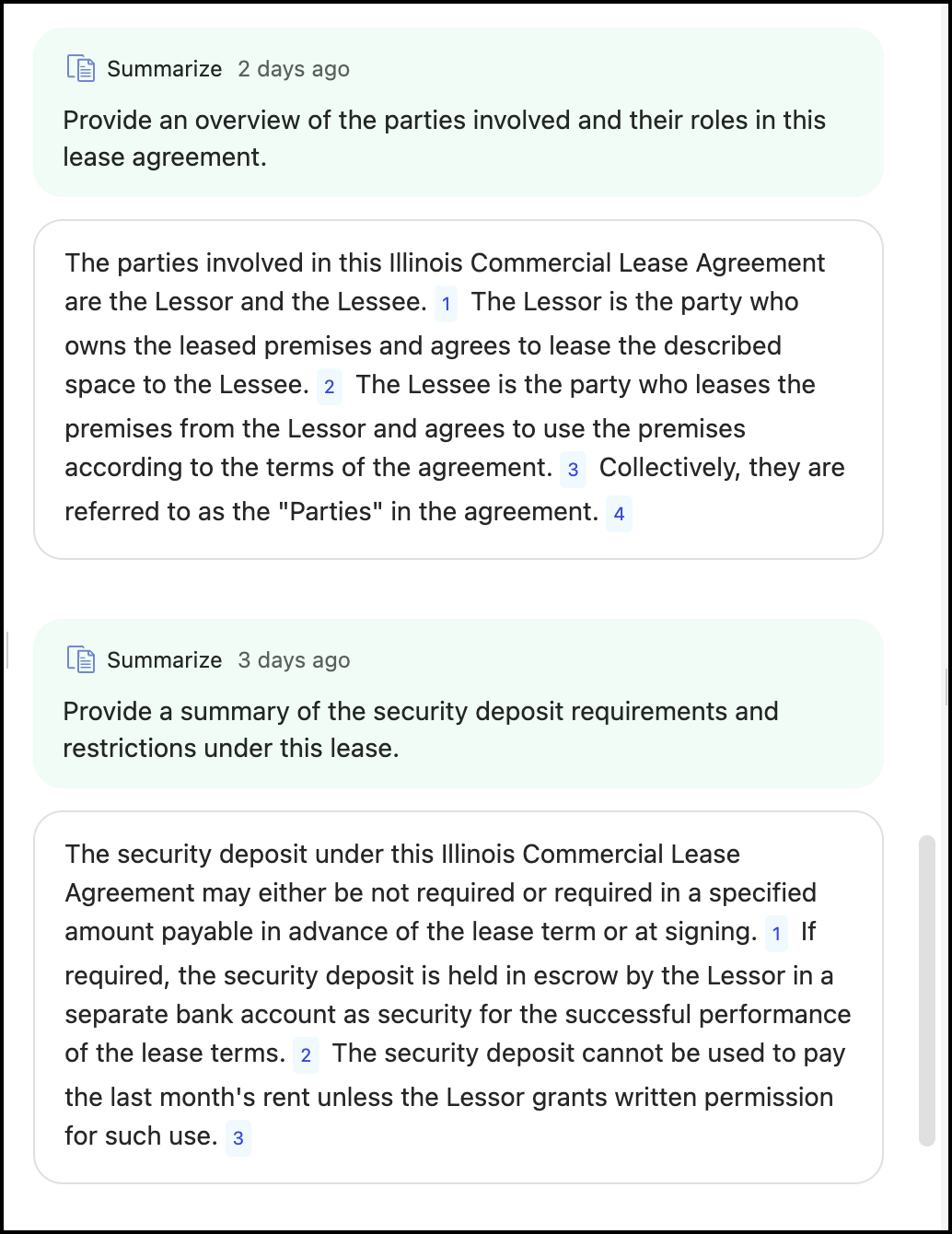
You can either review these questions or ask additional questions by selecting a guided action and then asking your question in the Ask anything about your content… field. Any additional questions asked are saved to the selected conversational history.
If you want to start a new conversation, then select New chat in the Ask iManage left panel, select a guided action, and then ask your question in the Ask anything about your content… field.Figure: New chat option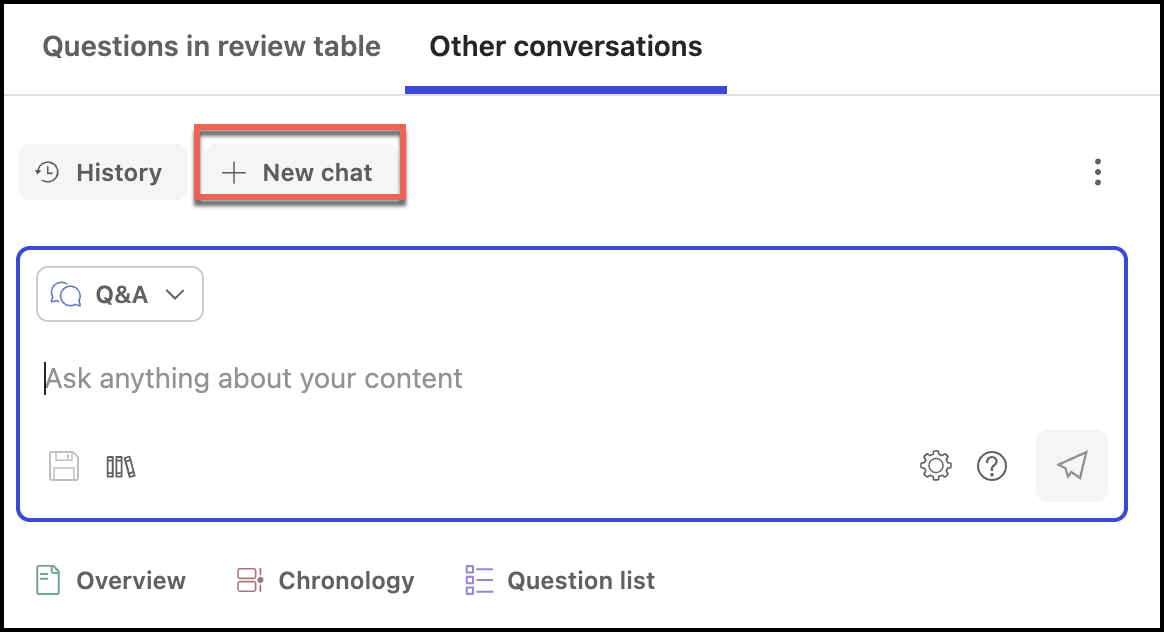
(Optional) To delete a saved conversational history:
In the Conversational history panel.
Select the conversation you want to delete.
Select the kebab
 menu and then select Delete
  .
.Select Delete in the confirmation dialog that appears. The conversation history is now deleted.
Figure: Confirming the deletion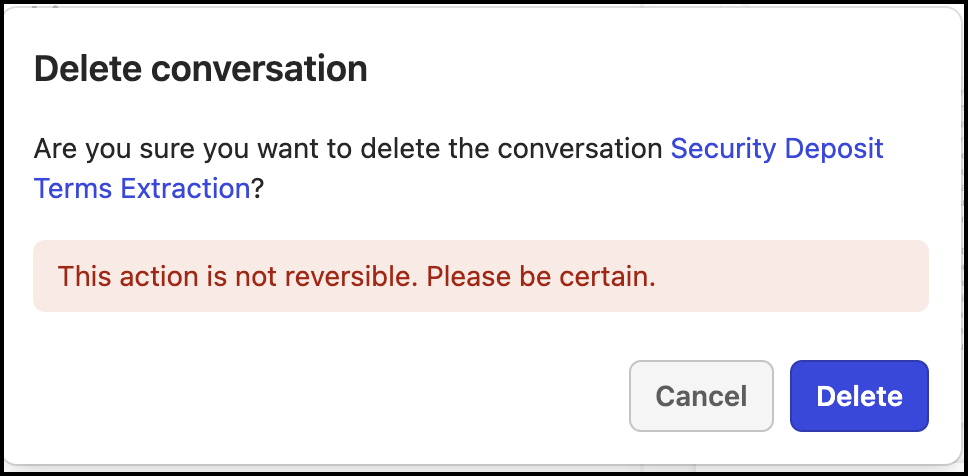
In the Ask iManage side panel:
Select the kebab menu
 on the top right-side and select Delete .Figure: Select Delete in Ask iManage side panel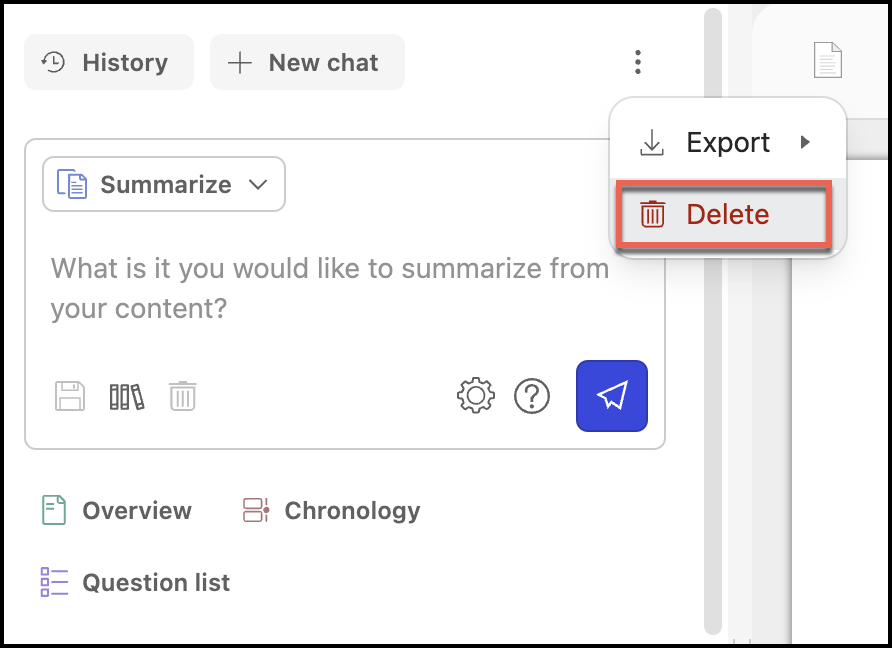
Select Delete in the confirmation dialog that appears. The conversation is now deleted.
Figure: Confirming the conversation deletion
NOTES:
The name of the conversational history is based on the first question you ask.
The New chat option isn't available when you select a document that has no conversational history saved or when you select this option to start a new conversation.