Ask iManage now uses a short profile to ground every response in who the user is and where they work. With that context, the assistant can resolve first-person queries, separate the user's organization from a counterparty, and frame responses with the right professional lens — rather than starting from scratch on every interaction.
The profile captures name, organization, team, search languages, and response languages.
To set the profile information in Ask iManage, do the following:
Sign into iManage Work at cloudimanage.com.
Select Ask iManage in the left navigation bar to open the Ask iManage home page.
Figure: Selecting Ask iManage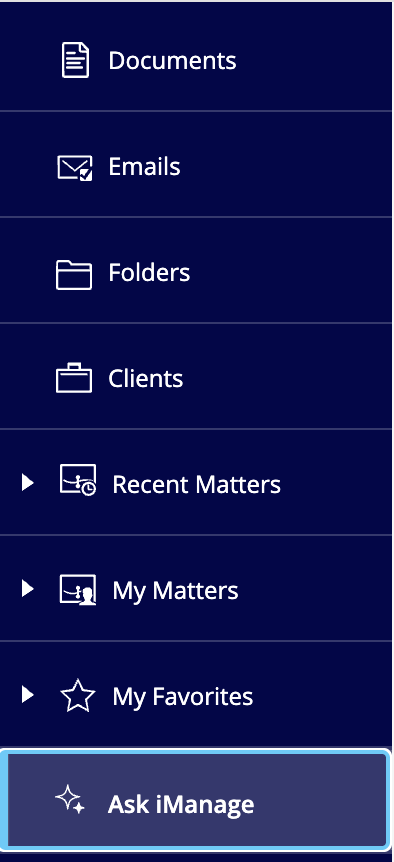
Select Settings
 to open the Settings page. Figure: Settings page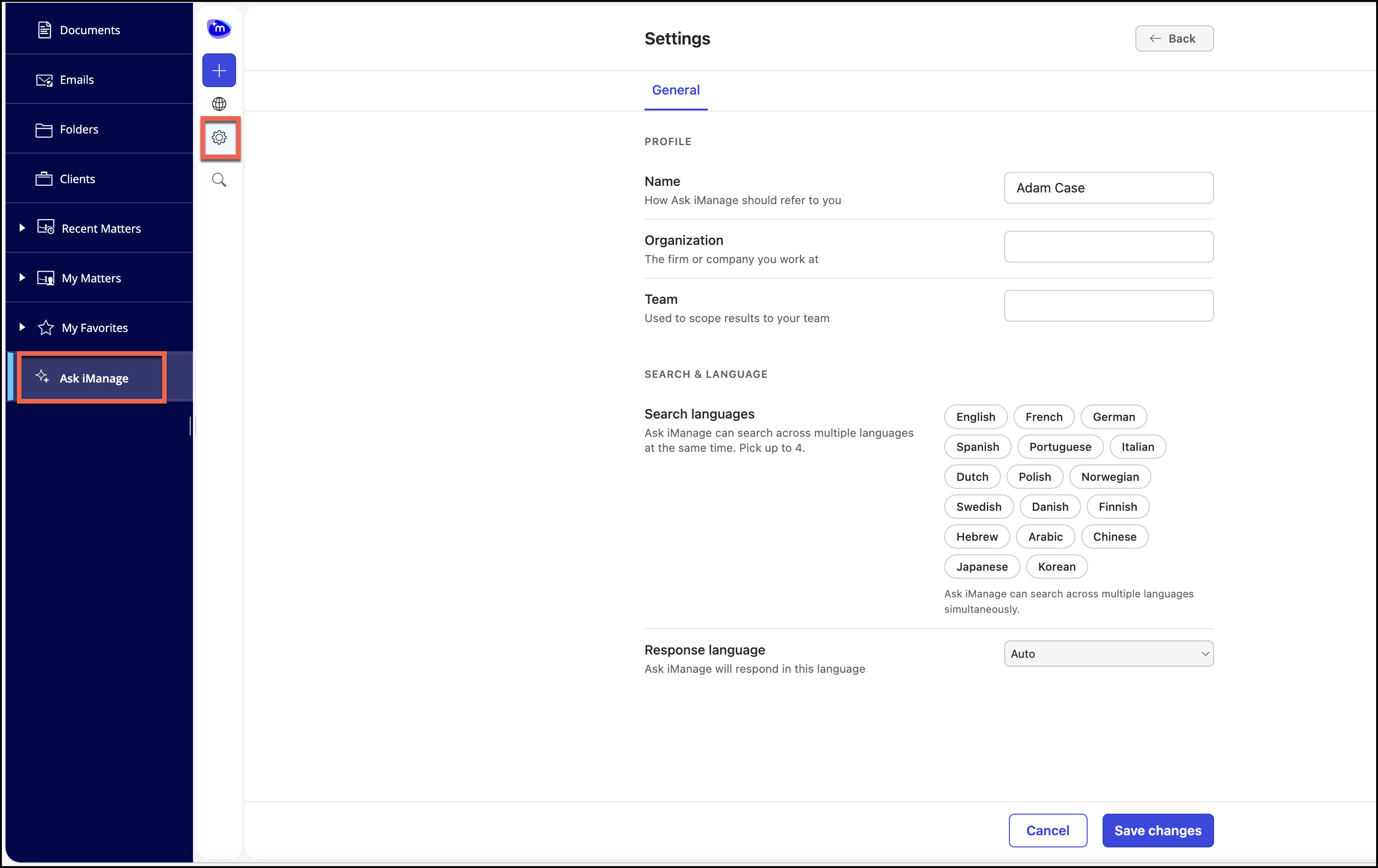
In the Settings page, do the following:
In the Name field, enter the name.
In the Organization field, enter the organization name.
In the Team field, enter scope of your team.
Select search languages and response language.
Select Save changes to save the profile detail.