Modifying legal holds
To edit a legal hold:
Under Hold, select
 the kebab menu for the hold you want to edit and then select Edit.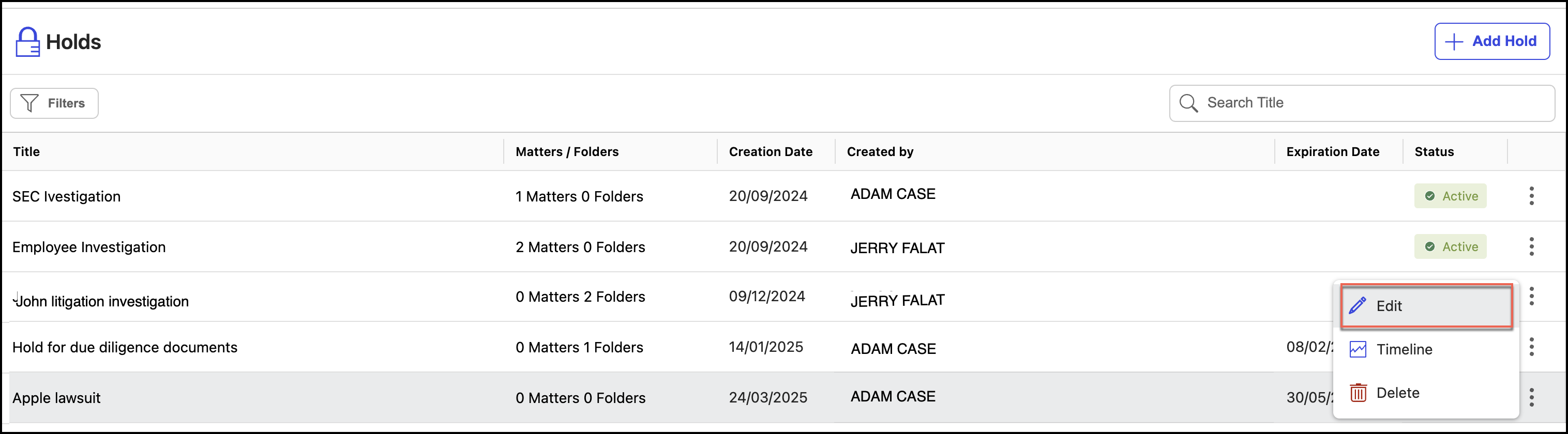
In the the Edit Hold dialog, make the necessary changes to the hold.
Figure: Make necessary changes to the hold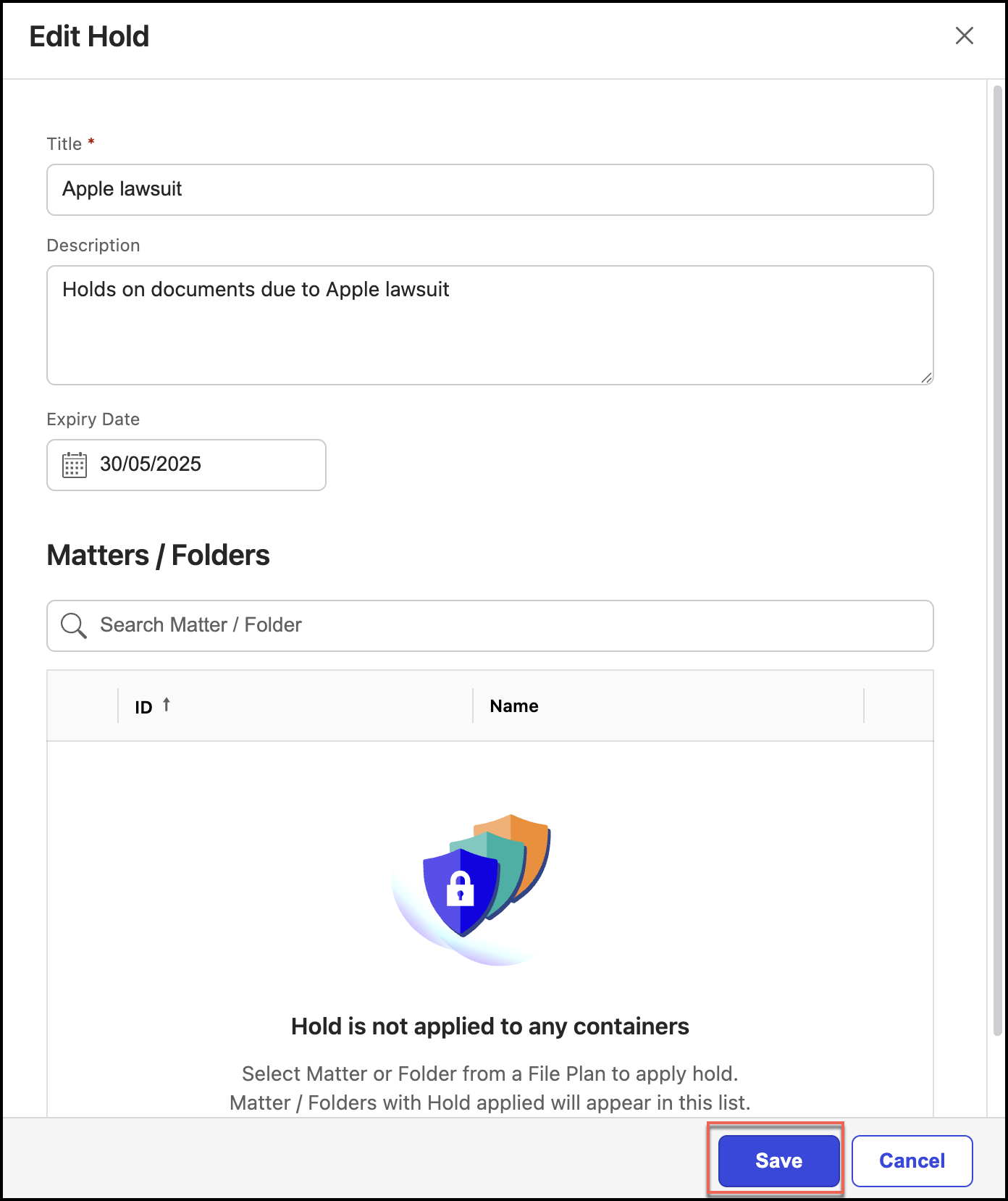
Select Save.
Deleting legal holds
To delete a legal hold:
Under Hold, select
the kebab menu for the hold you want to edit and then select Delete. Figure: Select Delete to delete holds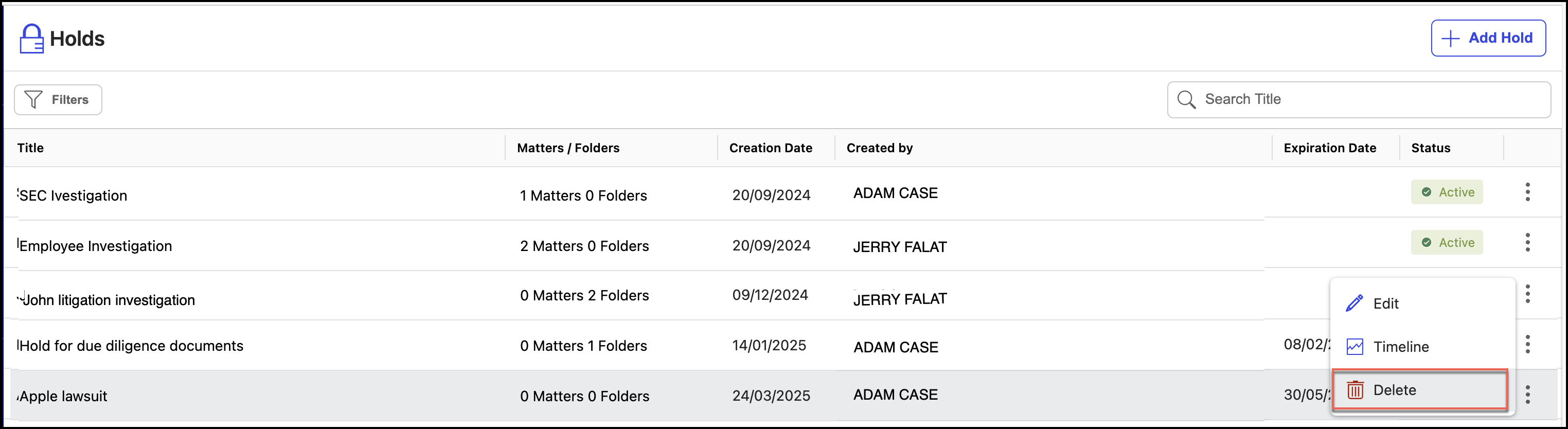
In the Delete Hold dialog, select Confirm to delete the hold. The hold is deleted.
Figure: Confirm deletion of the hold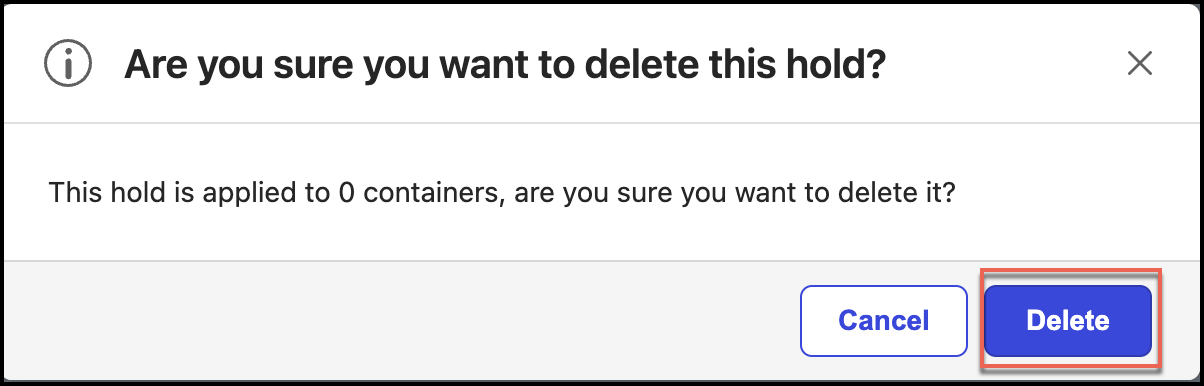
NOTE: When you delete a hold that is added to a workspace, folder, or sub-folder, the hold is removed and if there are no other holds applied, the workspace, folder, sub-folder, or record will be processed based on the retention schedule.