You can send email notifications to a reviewer or multiple reviewers who are responsible for reviewing records to be destroyed. document destruction. You can use the Reviewer Email Notifications option in the Disposition Review Settings page to manage notifications. Before setting reviewer email notifications, you have to set a reviewer.
Disposition reviewers should have an iManage Work account and should have access to the appropriate iManage Work library.
Setting up a reviewer or multiple reviewers
Before setting up email notifications to be sent to reviewers, you have to map an iManage Work property to the property type: Approver using the Add Property Mapping option that's available in Settings > Metadata Mapping. This will set the approver at either the workspace or folder level.
To set multiple reviewers, you have to map multiple iManage Work properties to a Property type: Approver, using the Add Property Mapping option that's available in Settings > Metadata Mapping.
You can set the following iManage Work properties to the property type: Approver:
Owner
Any custom field as appropriate
For more information about how to map a iManage Work property, refer Step 5: Map an iManage Work property with an iManage Disposition Manager property.
Setting Reviewer Email Notifications
There are two types of emails, Monthly Digest Notification and Reminder Notification are sent before the disposition event and can be configured to be sent in Settings > Disposition Review Settings > Reviewer Email Notifications. These emails can be configured to send no emails to multiple emails based on requirements.
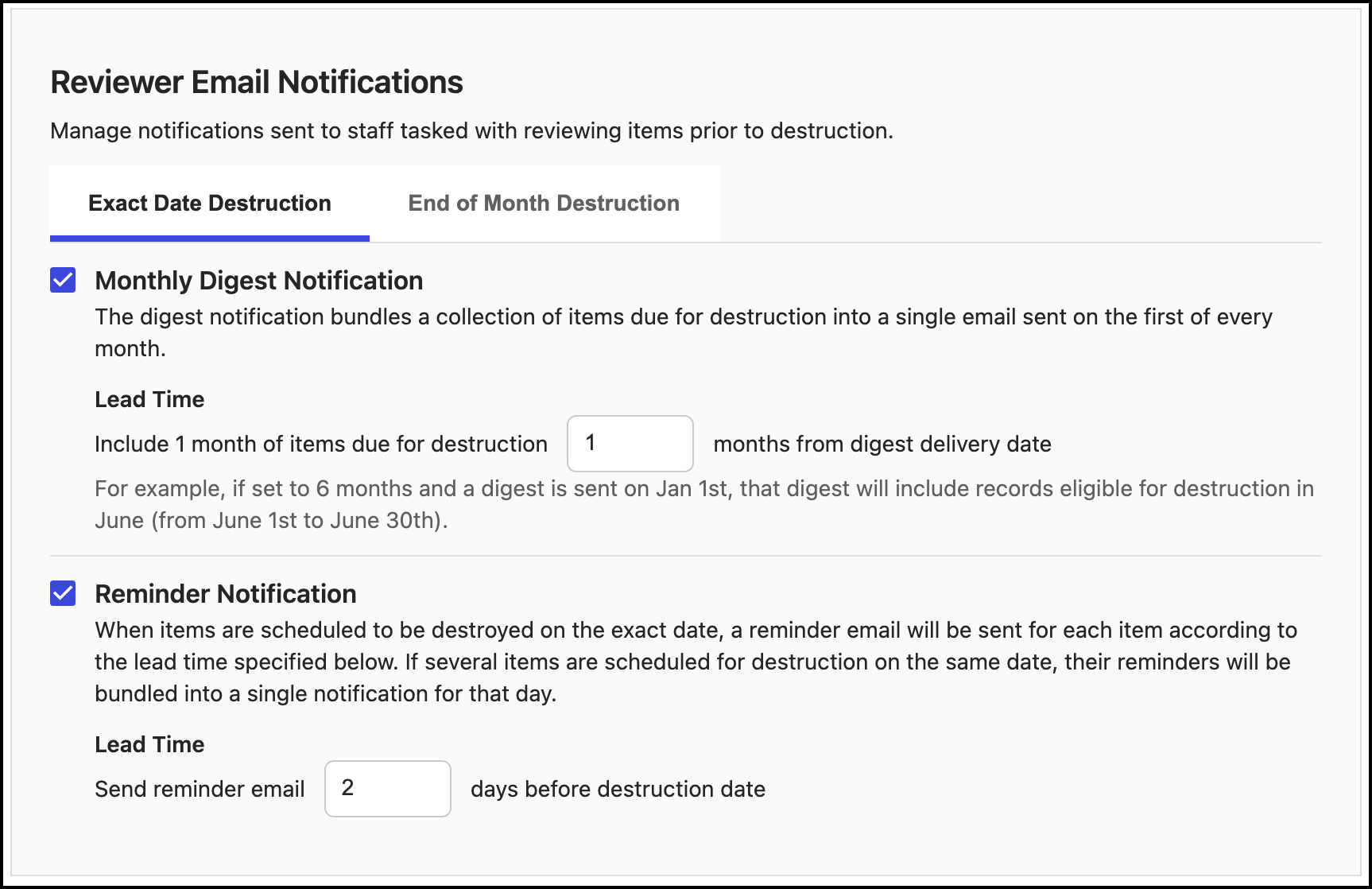
Monthly Digest Notification:
For exact date destruction: The monthly digest notification bundles a collection of records due for destruction in that month into a single email sent on the first of every month, with the lead time based on the Lead Time drop-down menu.
For example, if the current month is January and the lead time mentioned is 6, then the digest email that is sent on January 1, includes all the records that is eligible for destruction in June.
The default value for lead time for monthly digest notifications is 1 month and the maximum value is 12 months.For end-of-month destruction: Similar to exact date destruction, the monthly digest notification bundles a collection of records due to destruction on end-of-date into a single email sent to the first of every month, with the lead time based on the Lead Time drop-down menu.
The default value for lead time for monthly digest notifications is 1 month and the maximum value is 12 months.
Reminder Notification:
For exact date destruction: When records are scheduled to be destroyed on the exact date, a reminder email is sent for each record according to the time specified.
If there are several items scheduled for destruction on the same day, the reminders are bundled into a single notification.
For example, if the records are to be destroyed on an exact date or end of the month, and the lead time is set to 2, then an email is sent either 2 days before the exact date or 2 days before the end of the month.
The default value for lead time for reminder notifications is 2 days and the maximum value is 28 days.
For end-of-month destruction: When records are scheduled to be destroyed at the end of the month, only 1 reminder email will be sent per month for those items, according to the lead time specified below.
The default value for lead time for monthly digest notifications is 2 days and the maximum value is 28 days.