During search, filters help narrow down search results based on document attributes.
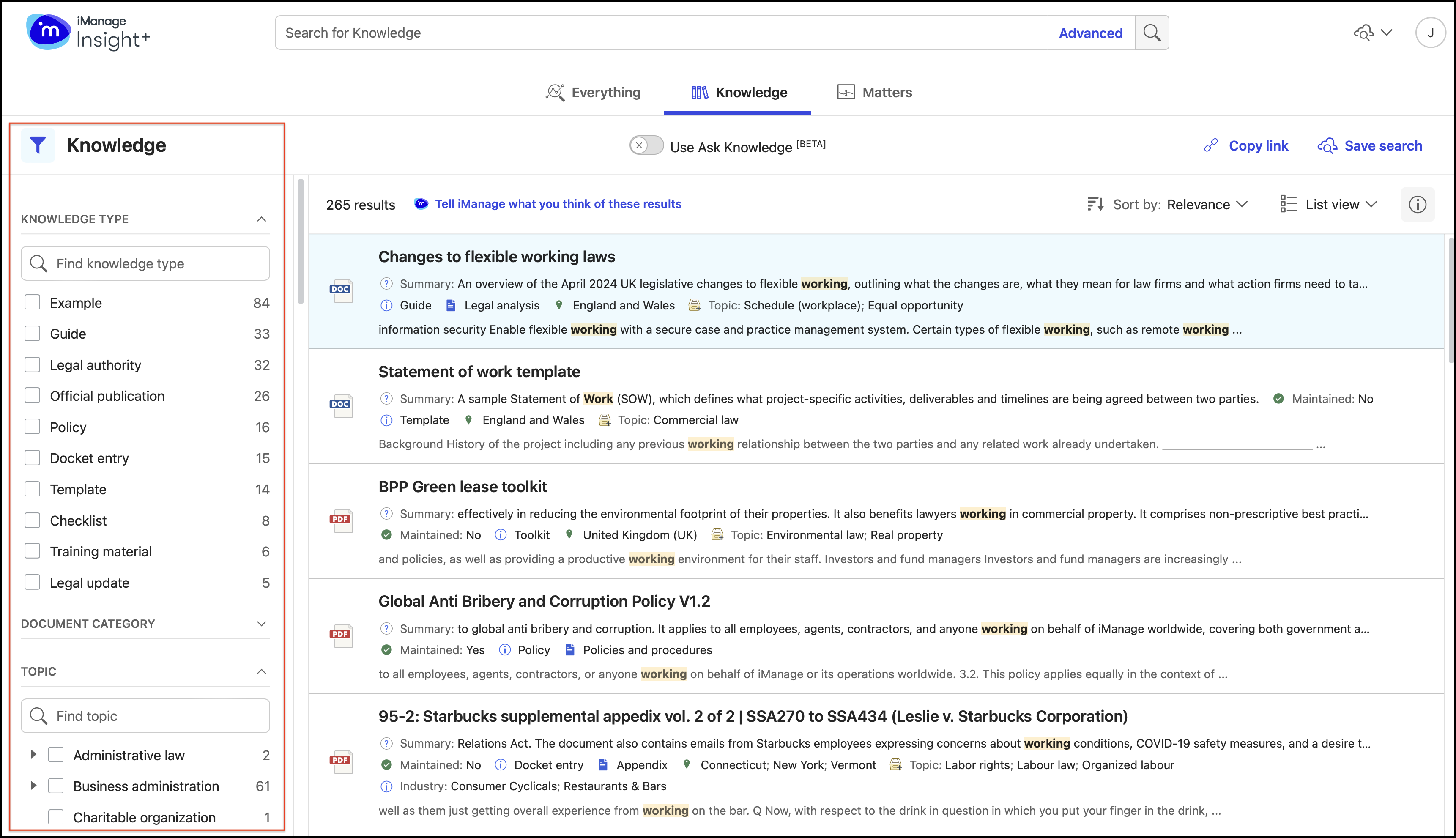
As the iManage Insight+ administrator for your organization, for every tab that’s configured, you can define the filters that'll help users refine their search results.
NOTE: Filters that have no supported data for a specified search are hidden by default. This keeps the filter panel focused on relevant options.
On the Configuration page, select Filters.
Figure: Configuration page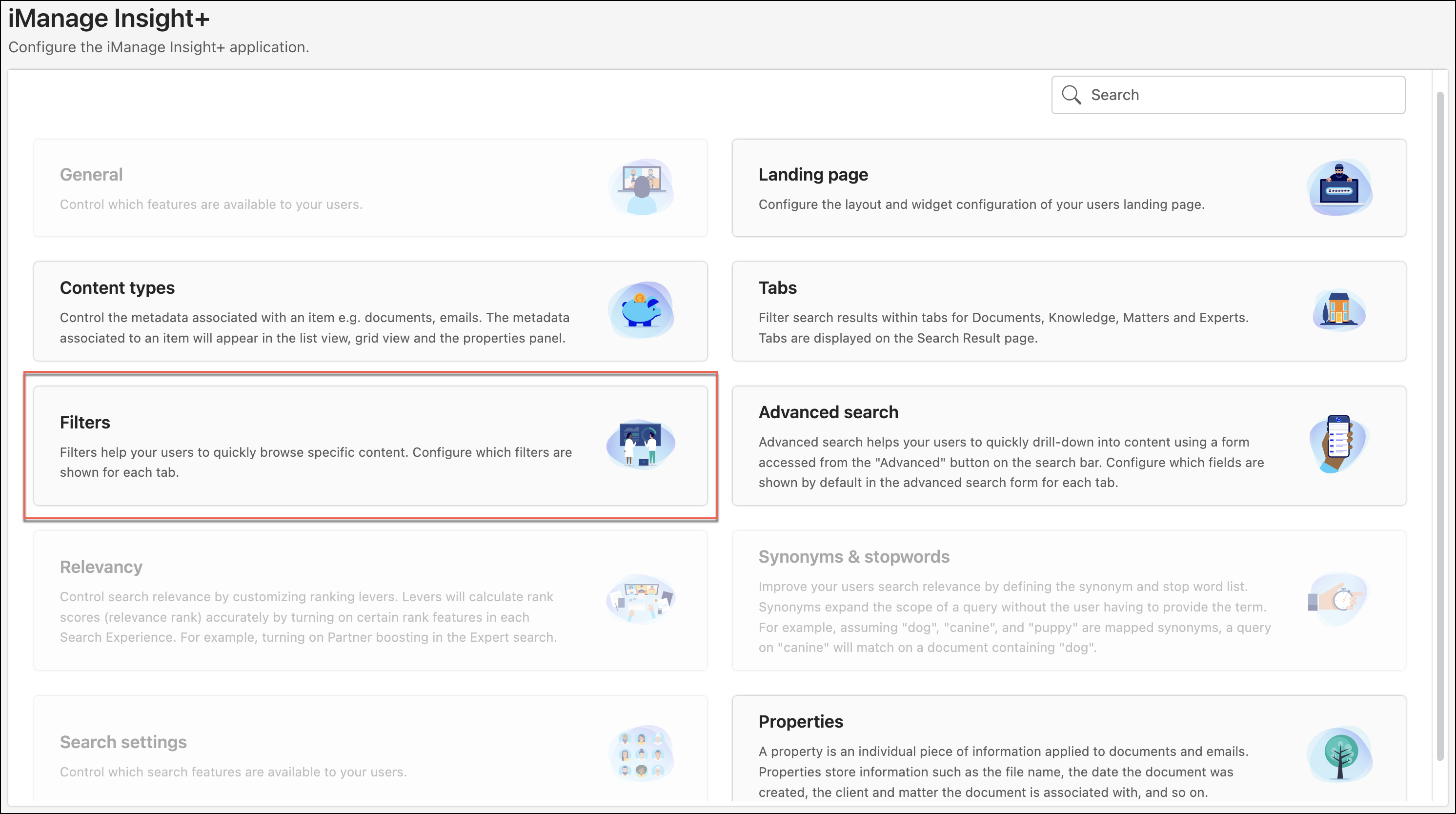
On the Filters page, the list of tabs already defined is displayed.
Figure: Tabs page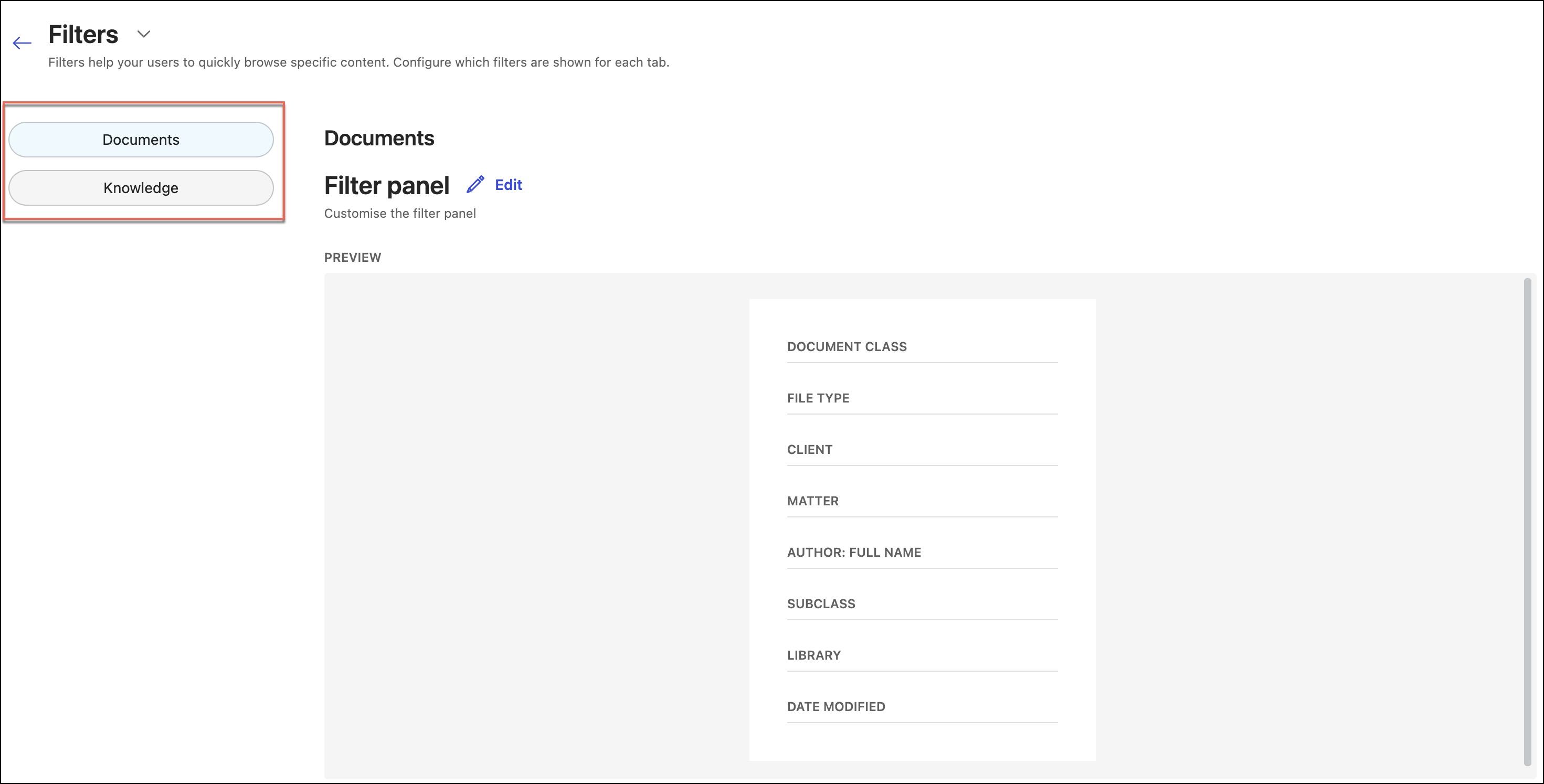
To configure filters for a tab, select the tab.
For the selected tab, you can view the list of configured filters. If you're configuring the filters for the very first time, you won't find any filters listed on the page. To configure filters for this tab, select Edit next to Filter panel.
Figure: Edit option
On the Edit: <Tab name> — Filters page, the available properties are displayed, from which you can select the required ones by either dragging them into the filters area or by selecting Add next to the property name. The maximum number of filters that you can add to a tab is 30.
Figure: Edit: <Tab name> — Filters page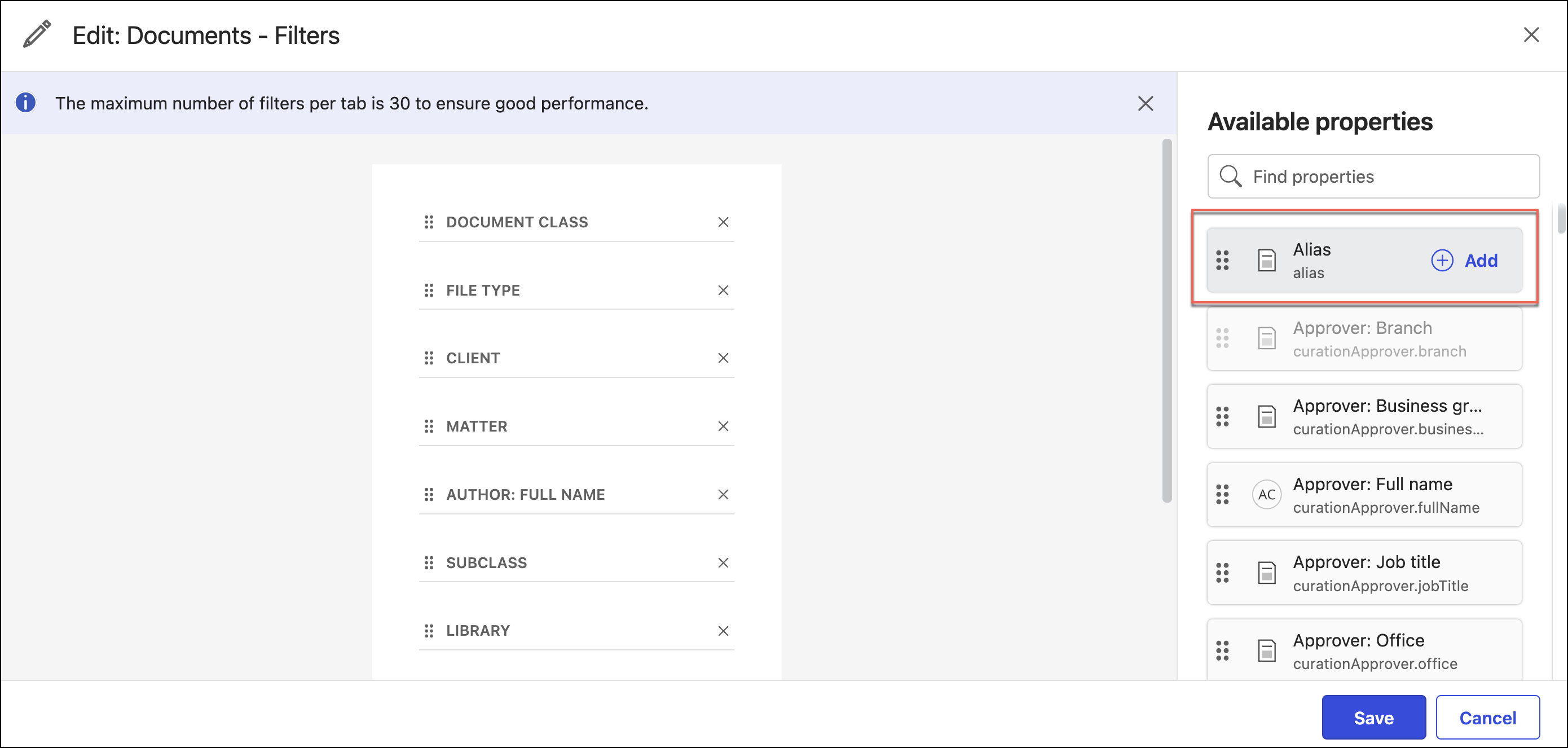
Note that the Approver: Branch property is grayed out. It indicates that the property is already added as a filter for the tab.
Matter, People and Client fields all use metadata synced from your business systems through warehouse integration. They can be used in both Everything search and Matter search experiences.Matter fields provide users with context and information about the Matter and Matter Documents. For example—Lead Office, Matter Open Date and Status.
People fields give users context about the people who have been involved in the document or matter. For example—Supervising Partner, and Assigned Lawyer. Some people fields provide more detailed information about individuals involved with a matter or document. Examples of these types of fields include Email Address and Job Title.
Client fields provide users with information and context about the Client involved in the Matter or Matter Document. For example—Client fields include Client Relationship Lawyer, Client Corporate Group and Client Industry.
NOTE: Matter Search and Matter, People, and Client fields are only available to customers with a Data Warehouse integration through the Professional Tier License. For more information on how to enable these features or the Professional Tier License, contact iManage Support.Figure: Adding Matter search filters to Everything tab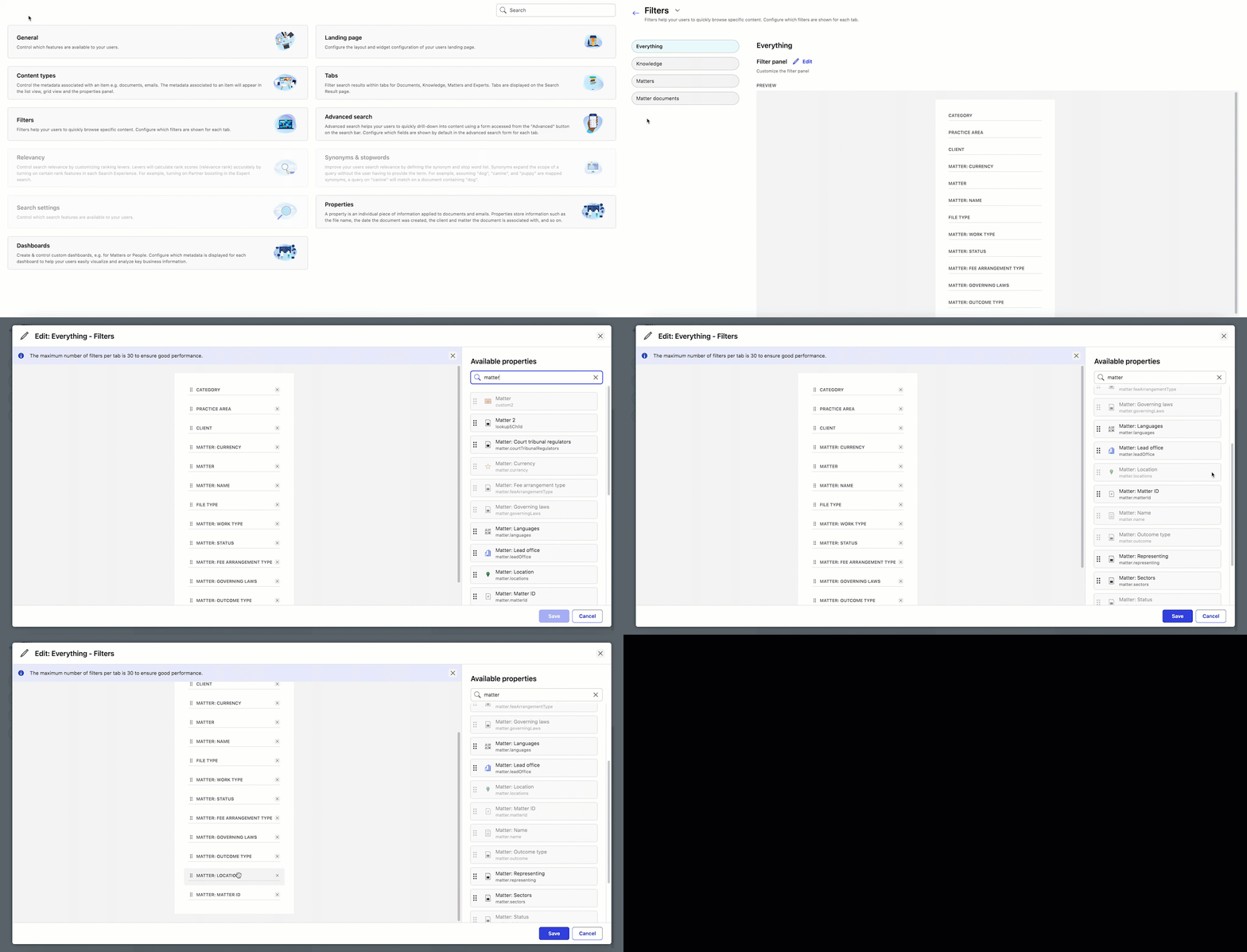
Select Save to confirm the additions.