You can edit the configuration of a tab as well as delete the tab.
Editing a tab
On the Tabs page, select Edit.
Figure: Edit tab option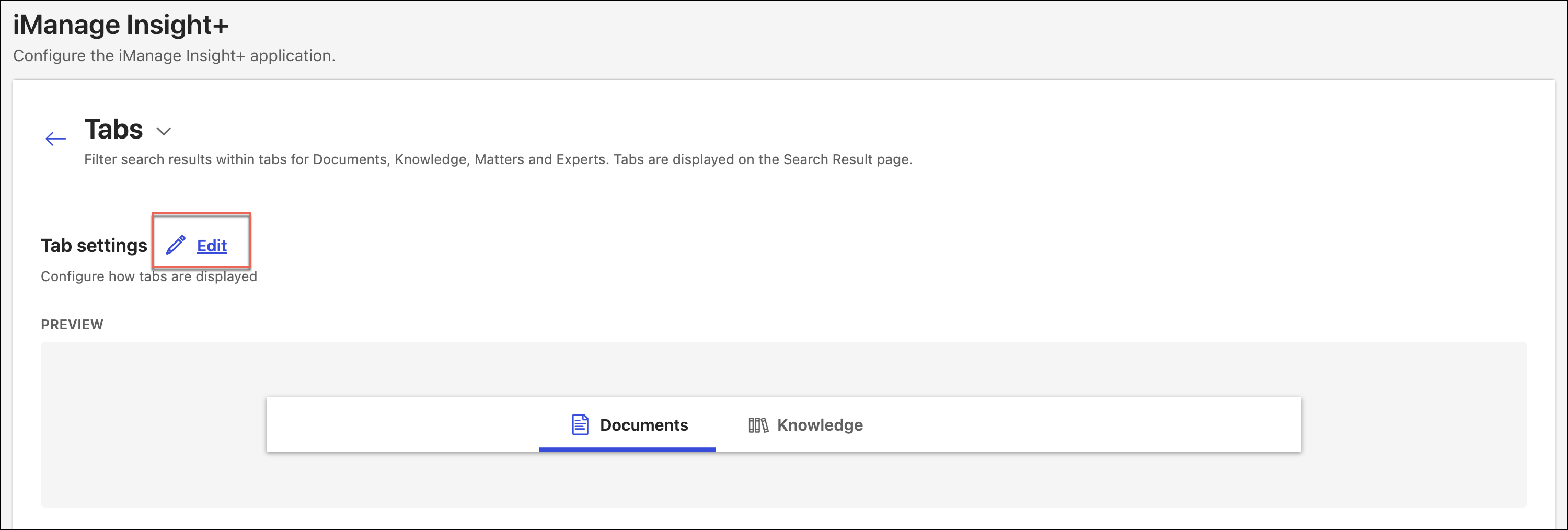
In the Edit: Tab settings dialog, select an existing tab that needs to be updated.
Figure: Edit: Tab settings dialog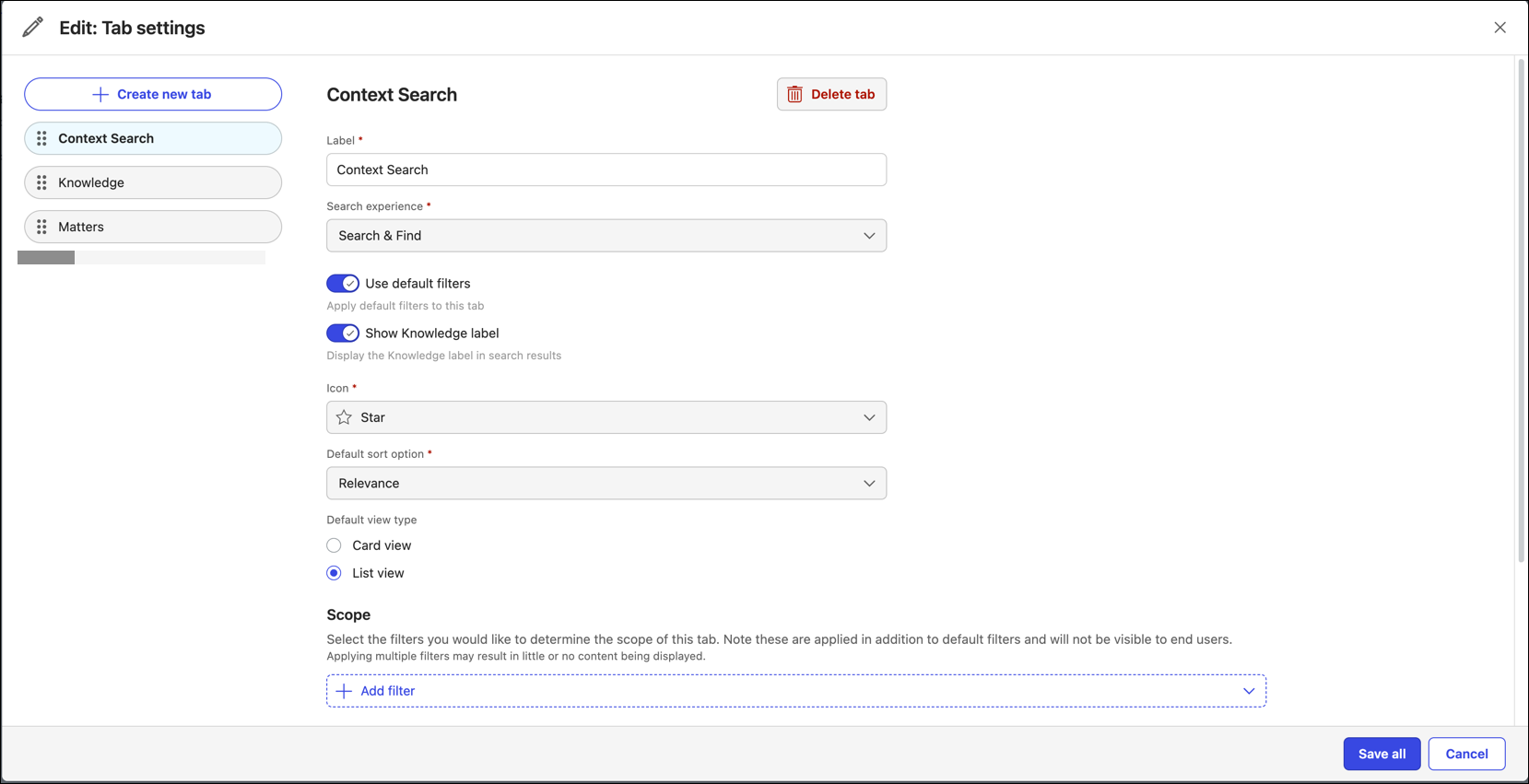
Edit the properties as required.
To update the changes entered for the tab, select Save all.
NOTES:
If you move to another tab after making any changes, without saving the changes, they persist and when you return to the tab, the changes remain visible.
You can configure the order in which the tabs display in iManage Insight+ by dragging the tabs on the left using the reorder icon (
 ).
).
Deleting a tab
On the Tabs page, select Edit.
Figure: Edit tab optionIn the Edit: Tab settings dialog, select an existing tab that needs to be deleted.
Select Delete tab to delete the tab.