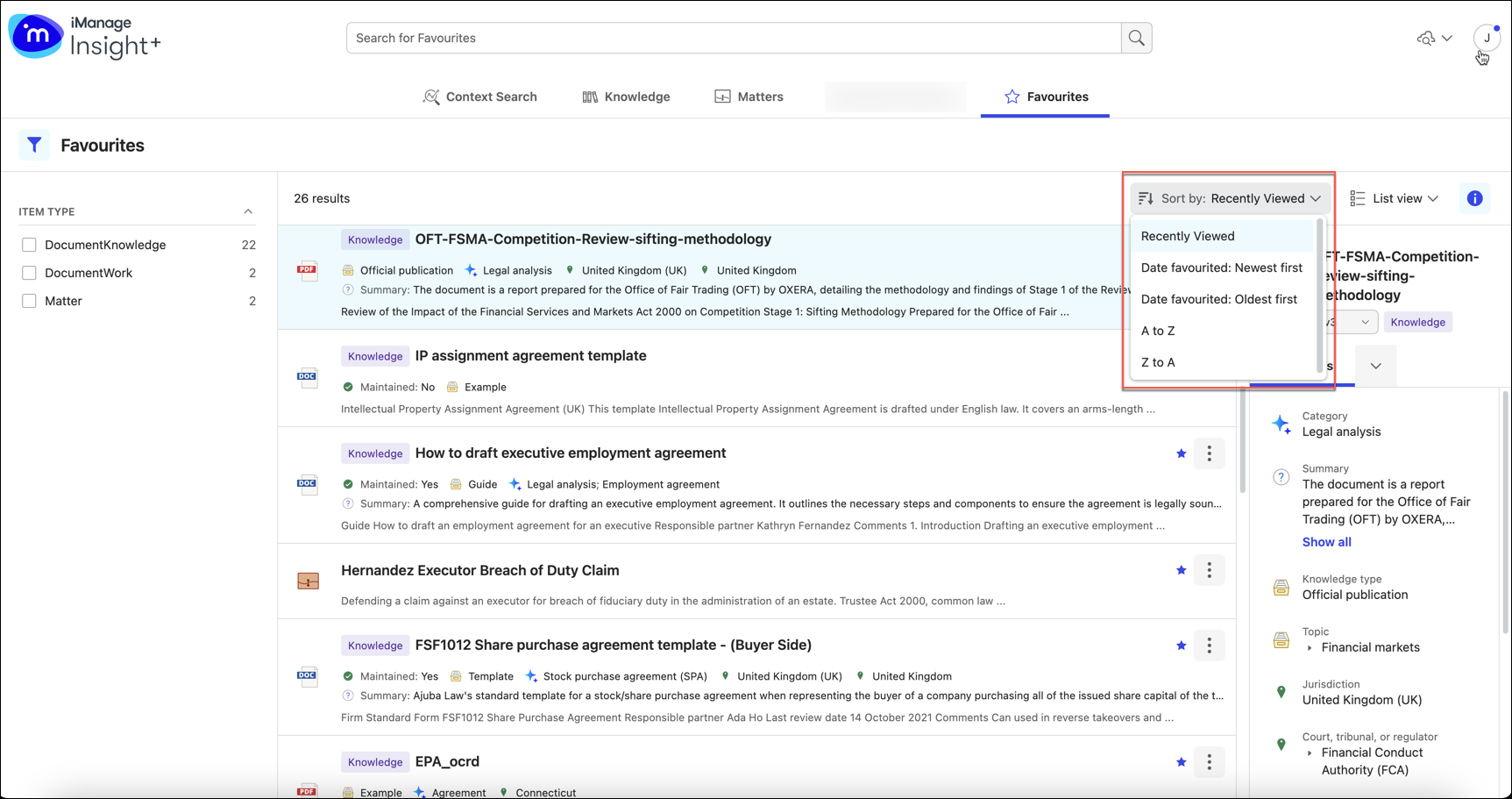
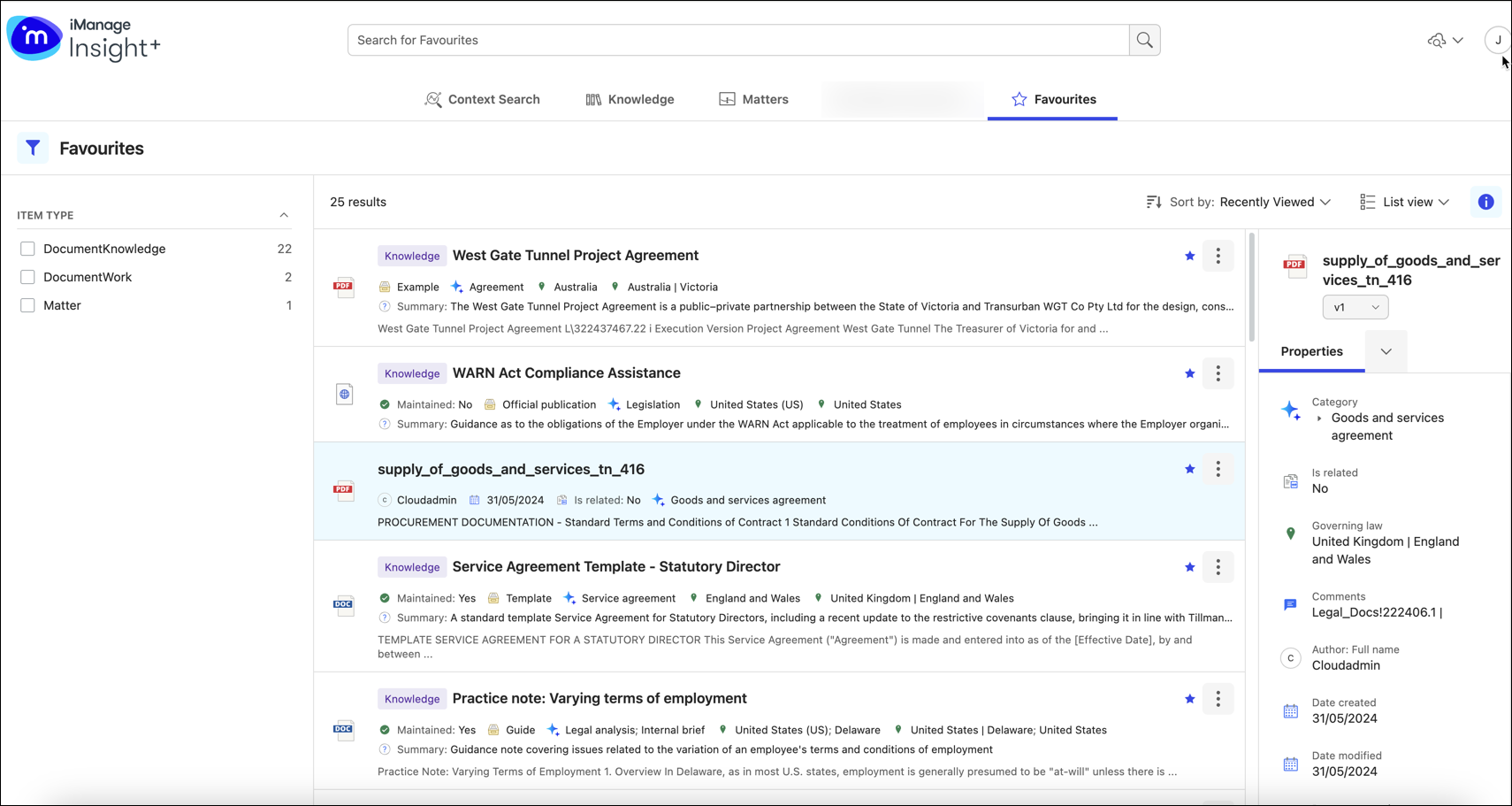
Easily locate your frequently used documents and matters in Insight+ by adding them to favorites. Any document or matter can be added to favorites, and once added they’re available in the Favorites tab.
NOTES:
The maximum number of items that can be added as favorites is 100.
Favoriting a document is at version level.
Documents added to favorites in iManage Work and documents added to favorites in iManage Insight+ aren't related.
To add an item to favorites:
Select your preferred item in the Knowledge, Matters, or Documents tab.
From the right-click menu or the kebab menu, select Add to Favorites.
Alternatively, select the star icon available on the card.Figure: Adding an item to Favorites in Insight+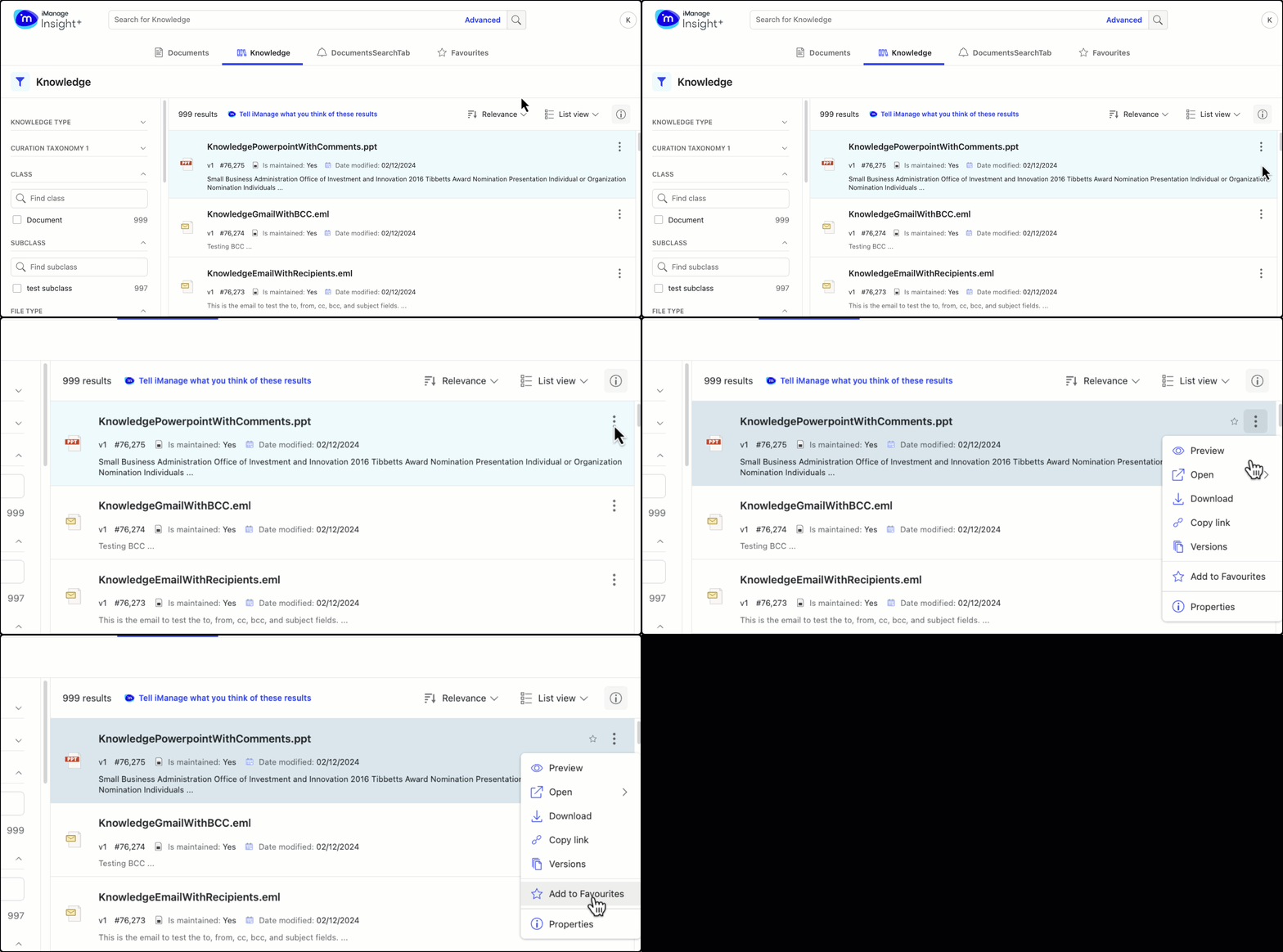
After adding an item to Favorites, you can find the item you need by:
Performing a simple search and then filtering by the item-type facet.
Figure: Searching for Favorites in Insight+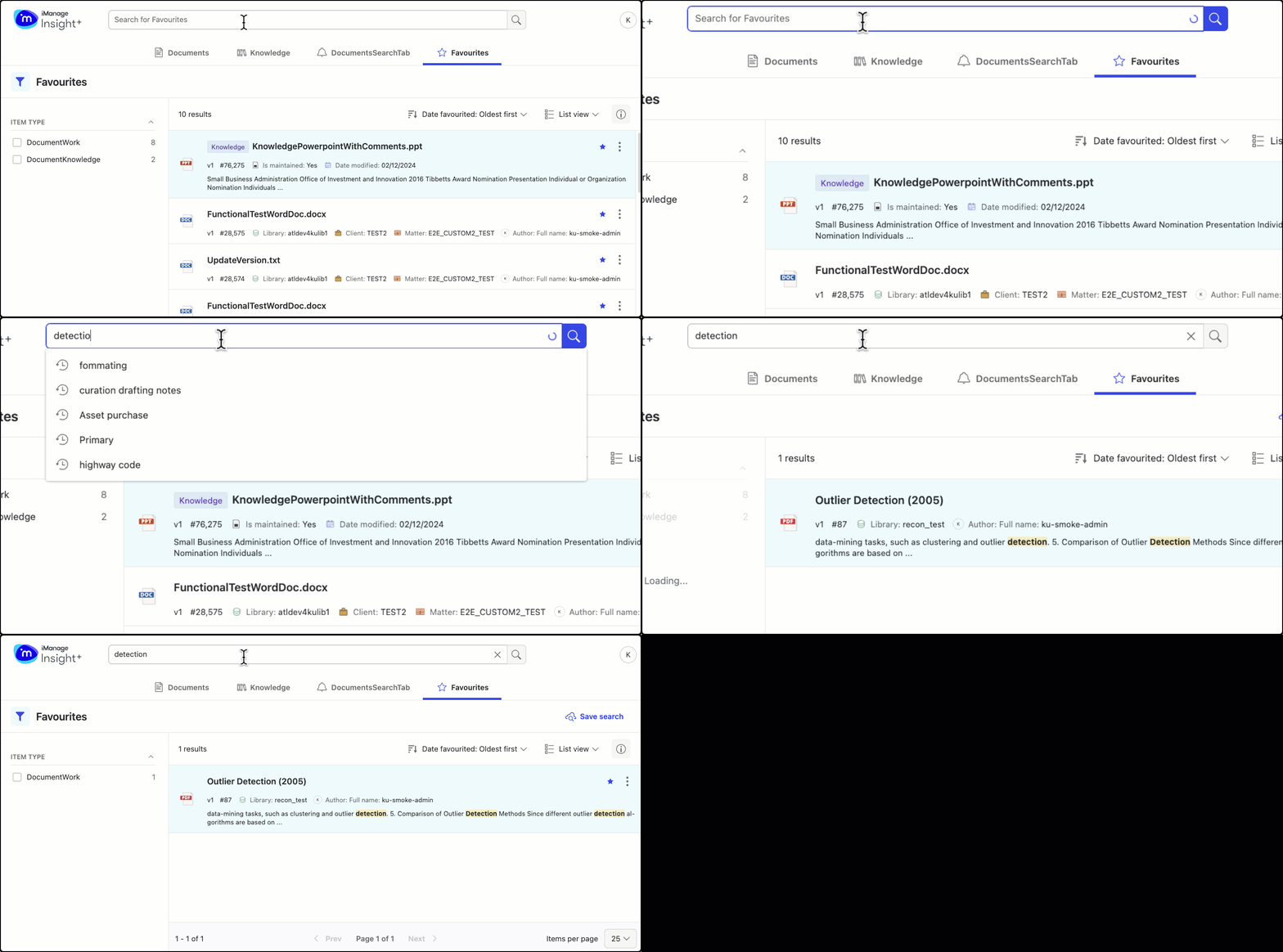 Figure: Using facets for Favorites in Insight+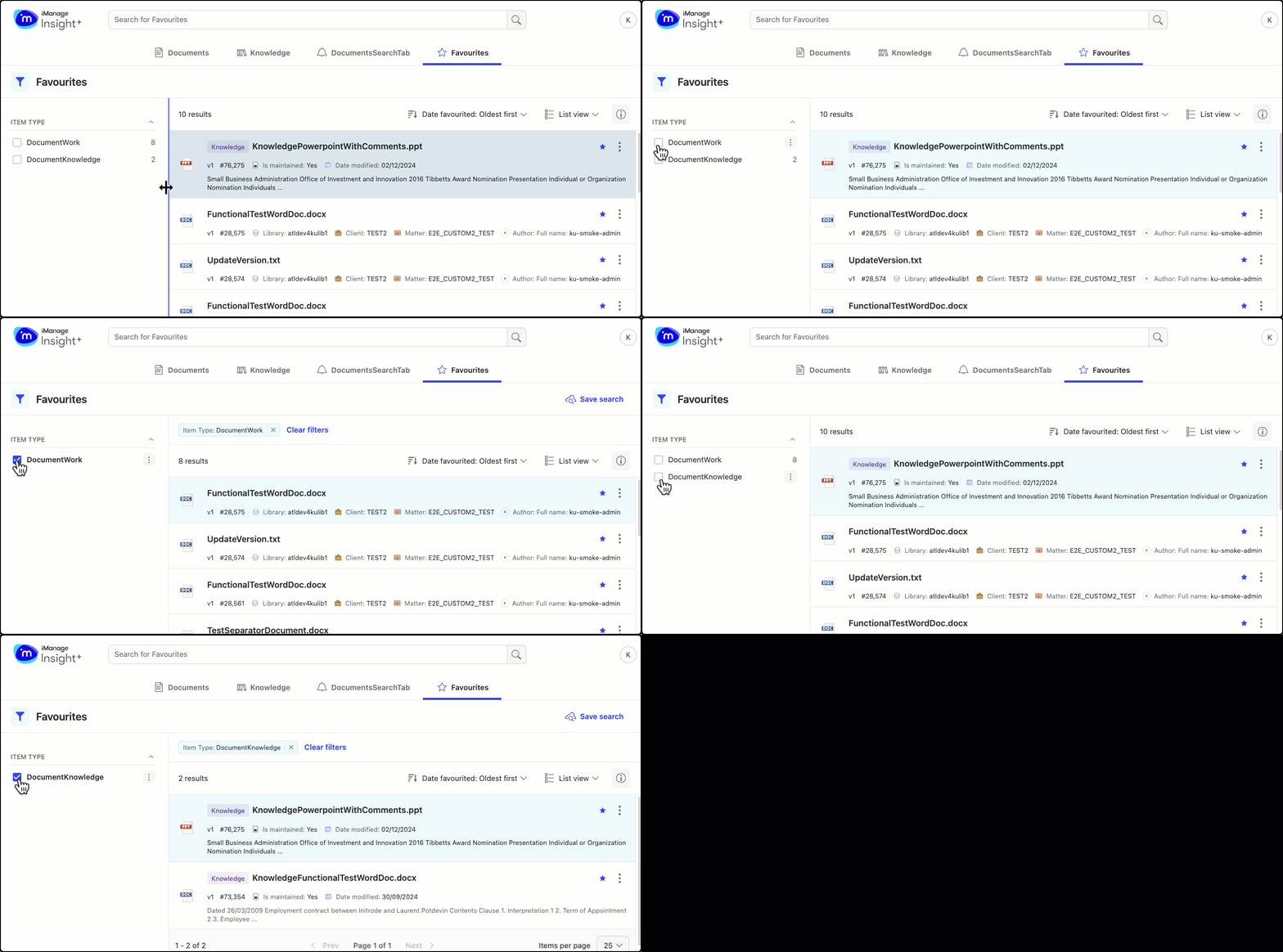
Sorting favorites using any of the following sort-order options in the drop-down list:
Recently viewed displays favorite items viewed from anywhere, not just the Favorites tab.
Date favorited: Newest first displays items that were recently added to favorites.
Date favorited: Oldest first displays items that were added to favorites some time back.
A to Z displays favorite items A to Z in alphabetical order.
Z to A displays favorite items Z to A in alphabetical order.
When you browse directly from one of the Search experiences, your favorites are displayed in the order of Date Favorited: Newest first by default.