Sign in to iManage Control Center with the Global Role privilege for App Management.
In the left navigation pane, select Work Clients > Web Client.
In the Settings tab, select Navigation.
In the Details Tabs section, select Edit next to documents.
Figure: Enabling the Knowledge Properties panel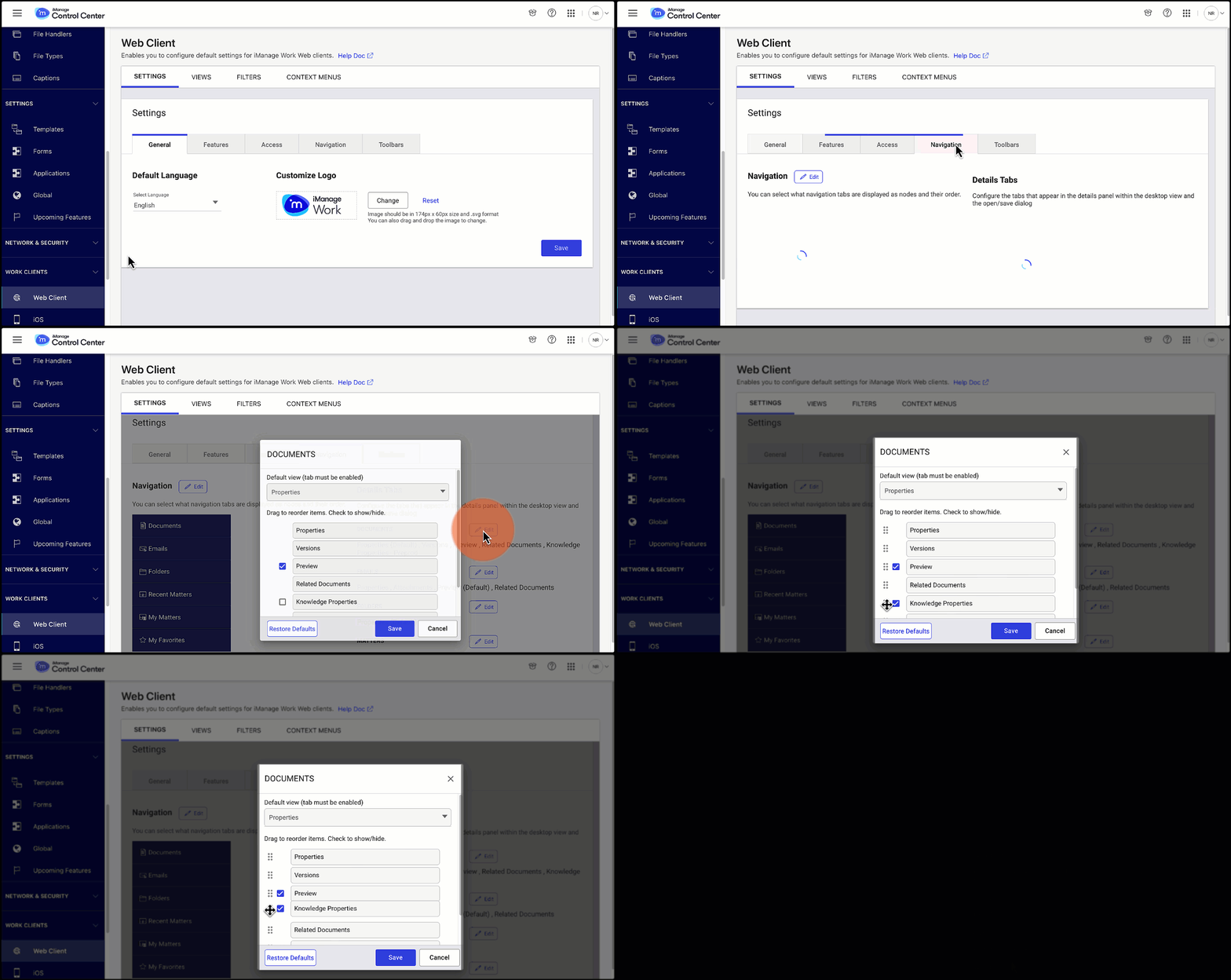
In the Documents panel dialog, select the Knowledge Properties check box and then select Save.