Brief introduction:
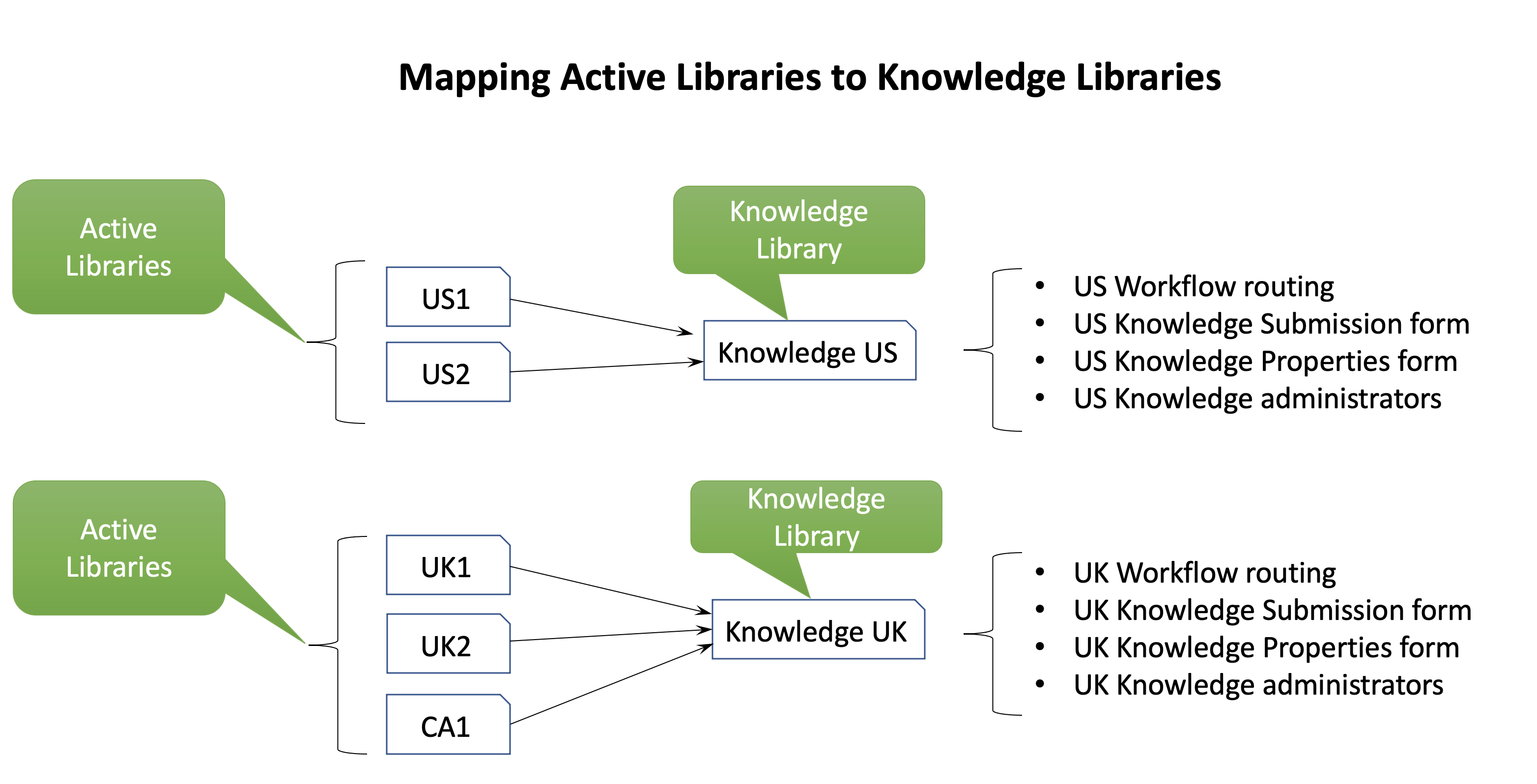
Active libraries are locations in iManage Work where documents are stored before Curation. Libraries that are designated as Knowledge libraries have Curation properties enabled. Curation properties are special-purpose properties that can be applied to a knowledge document. Library mapping is important for curation, as the workflow for Submit as Knowledge for the given non-knowledge library is decided by the library mapping and the workflow routing in the knowledge library.
There can be more than one active and knowledge libraries configured for an organization.
Figure: Example of active libraries mapped to knowledge libraries
Mapping libraries for Insight+ Curation:
Sign in to iManage Control Center.
In the left navigation pane, select Extensions and then select Insight+ Curation.
Select the knowledge library where you wish to use Insight+ Curation.
Select Edit next to Library mapping.
In the Edit: Library mapping dialog, select the Add libraries box and then from the list of available active libraries, select a library and then select Save. A green ribbon appears, indicating that you have completed the library mapping.
Figure: Library mapping in iManage Insight+ Curation
