When a document has multiple versions, you can select one version ot be submitted as knowledge.
Sign in to iManage Work Web.
Select Show Details to open the properties panel and then select Versions.
Select the document version you wish to submit as knowledge.
Select Submit as Knowledge from the context or kebab menu. The Submit as Knowledge dialog opens.
Figure: Submitting specific version of a document as knowledge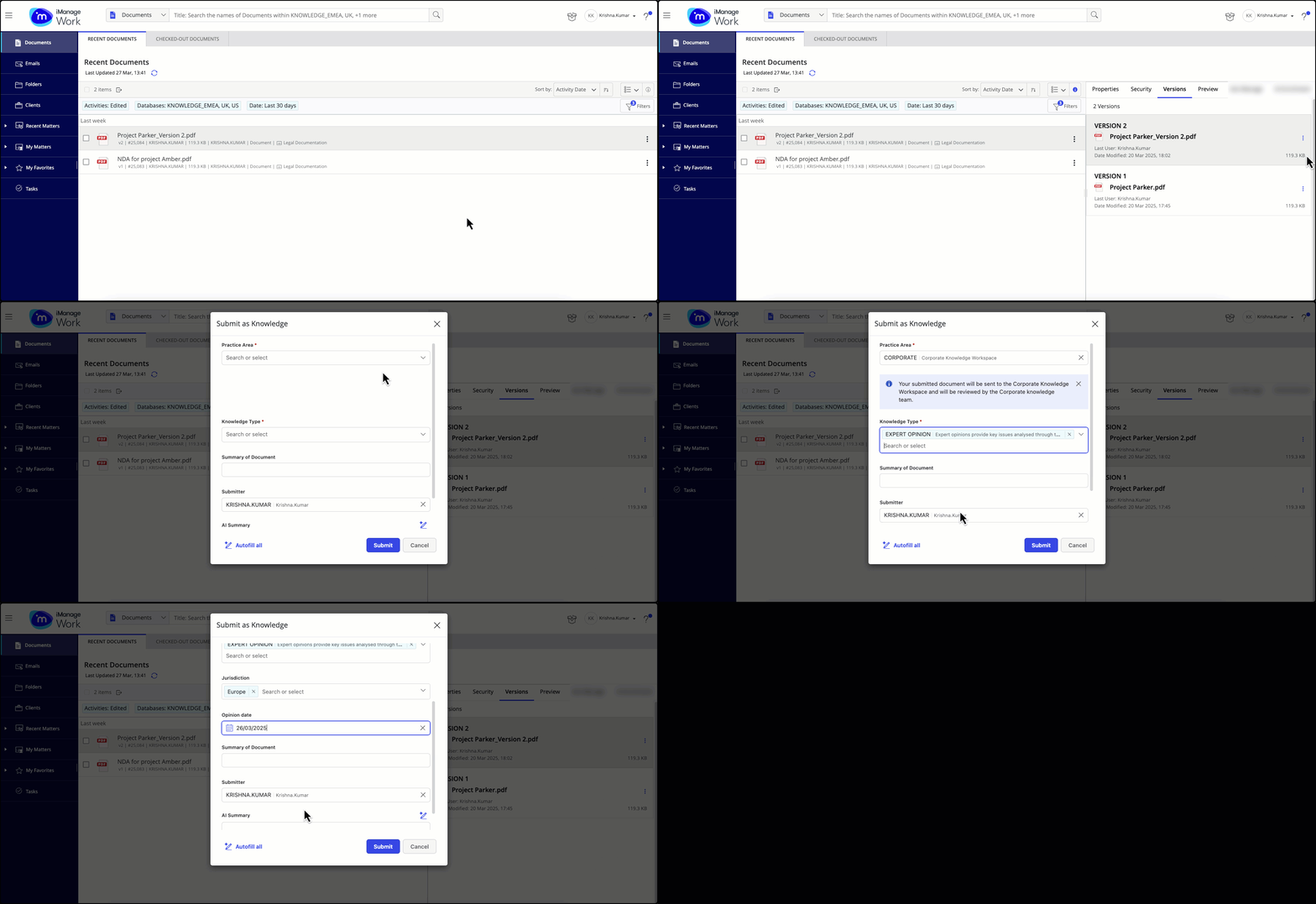
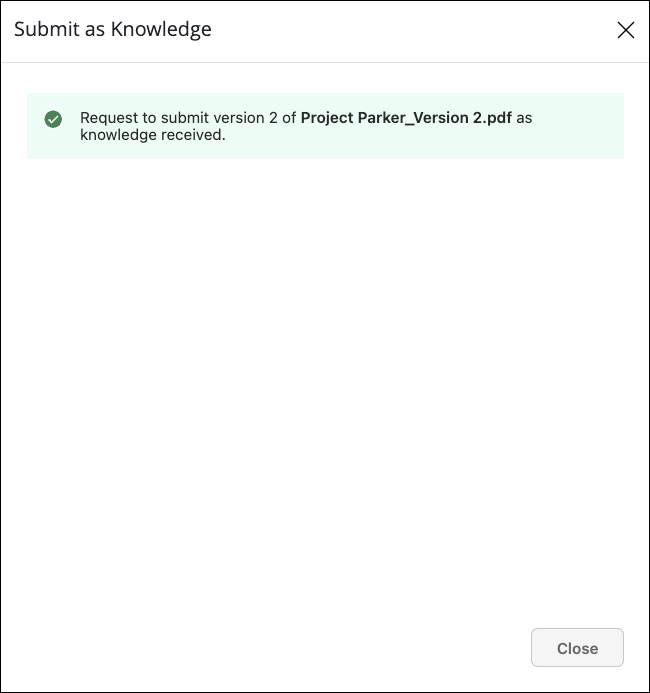
Enter the required details and then select Submit. A message is displayed confirming that the document is submitted as knowledge.
Figure: Confirmation message after submitting specific version of a document as knowledge