You must import the necessary groups from your LDAP server or create groups manually before you can specify privileges for them.
To grant or revoke privileges for a specific group:
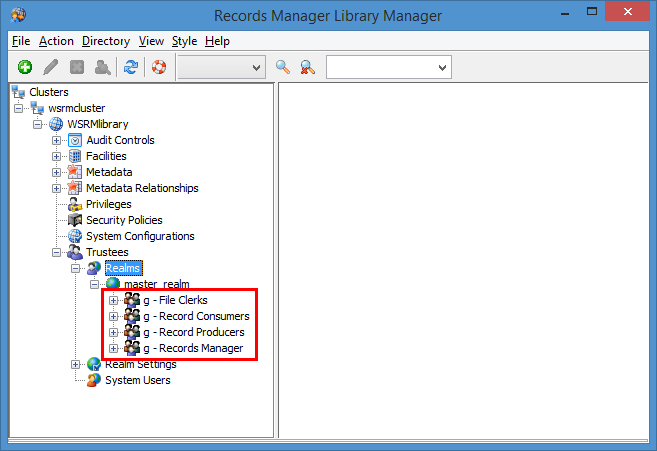
Locate the specific group within your master realm. The following illustration shows an example of groups located in a master realm. The groups shown in this example are File Clerks, Record Consumers, Records Manager, and Records Producers.
Under the Master Realm, right-click any of the groups and select Edit.
In the Edit Trustee dialog, select the Privileges tab.
For each privilege listed, select either Granted, Not Granted, or Revoked. All group settings privileges are set to Not Granted by default and the administrator must explicitly Grant any privilege.
For a complete list of privileges and their descriptions, refer to Privileges. For suggested privilege settings for typical groups, refer to Suggested Group Privileges.Select OK.