Hover over the Shared folder and select the
 icon. (Optional) Right-click the folder and select Share, or open the folder and select
  Share at the top.
The Share screen with the current share access is displayed, as shown in the following figure:Figure: Share screen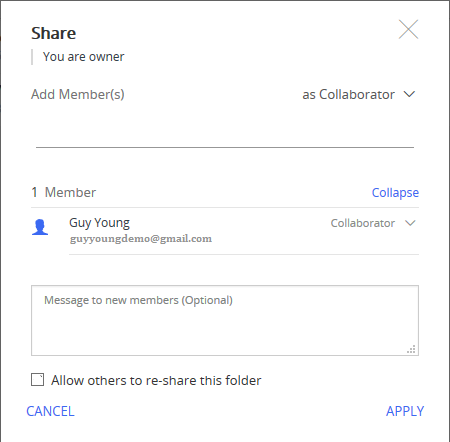
Select the Allow others to re-share this folder check box.
Select Apply to enable resharing of the folder.
NOTE:
User(s) with Guest access to the Shared folder can't view the Share option.
If you don't select the Allow others to re-share this folder check box, only an Owner or Co-Owner of the folder can share it with other users.
If you select the Allow others to re-share this folder check box, all the internal users with access to the folder can share it with others with access levels less than or equivalent to their own.
For example, a Guest can invite another Guest, a Collaborator can invite another Collaborator or a Guest, and so on. For more information, refer to User Access Levels.
NOTE:
Only a user with Owner or Co-Owner access can enable folder re-sharing.