Content Administration can be enabled at the Company Level. Once enabled, users with the Administrator role would be able to view and manage user content within their company.
To enable Content Administration, see Enabling Content Administration.
As a content administrator, you can perform the following tasks on behalf of a user:
Manage the user's Private folders.
Manage folders shared with the user within the same organization.
Manage content (such as Add/Edit/Copy/Move/Remove folders and documents) on behalf of the user.
Manage Trash (Empty Trash, Permanently Delete, Restore from Trash).
To manage user's content as a content administrator:
Select the Users tab and then select the
 icon to view the desired user's content.
 Select the
 icon. You are directed to the user's home page.Figure: Content Administration
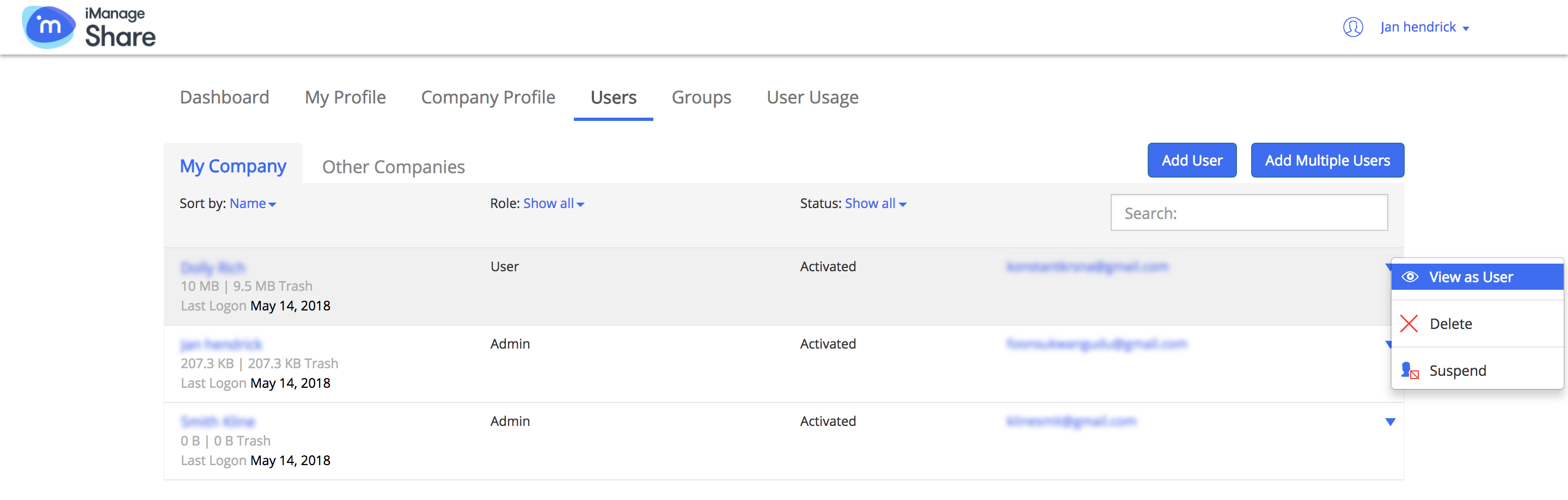 Figure: User's Home Page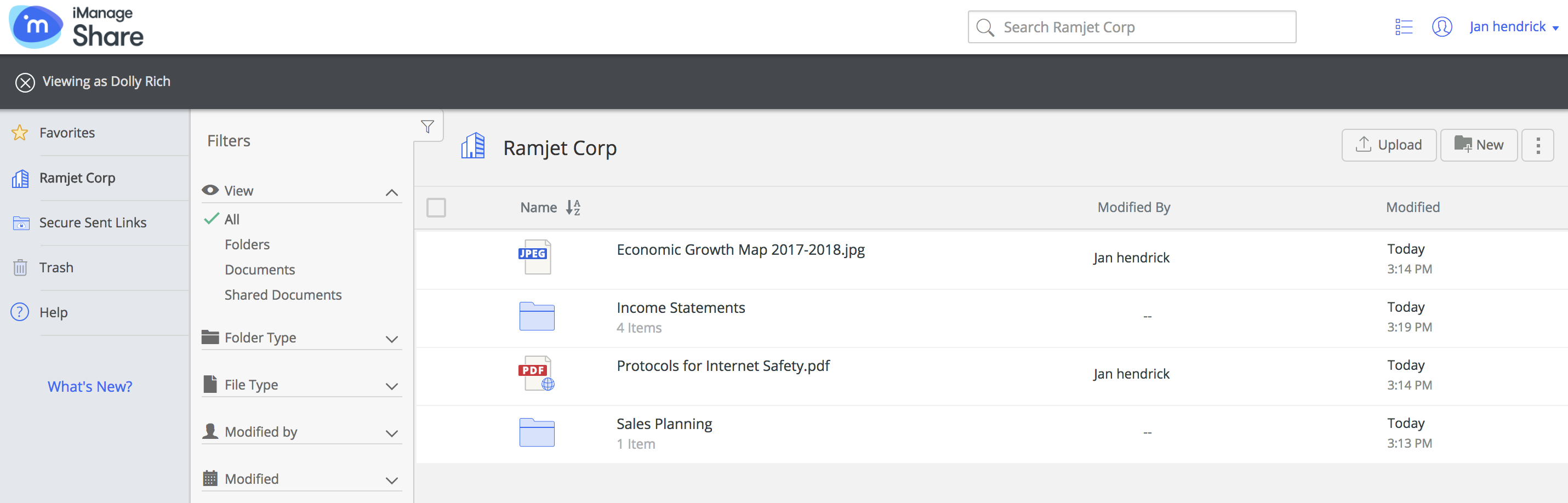
NOTE:
All activity of the content administrator is tracked and recorded as Content Admin User on behalf of user being managed. For more information, see Running Content Admin Sessions Report.
Content administrators cannot manage content that the user has access to in other company(s).