iManage Share provides an updated interface that includes new icons and a simplified style.
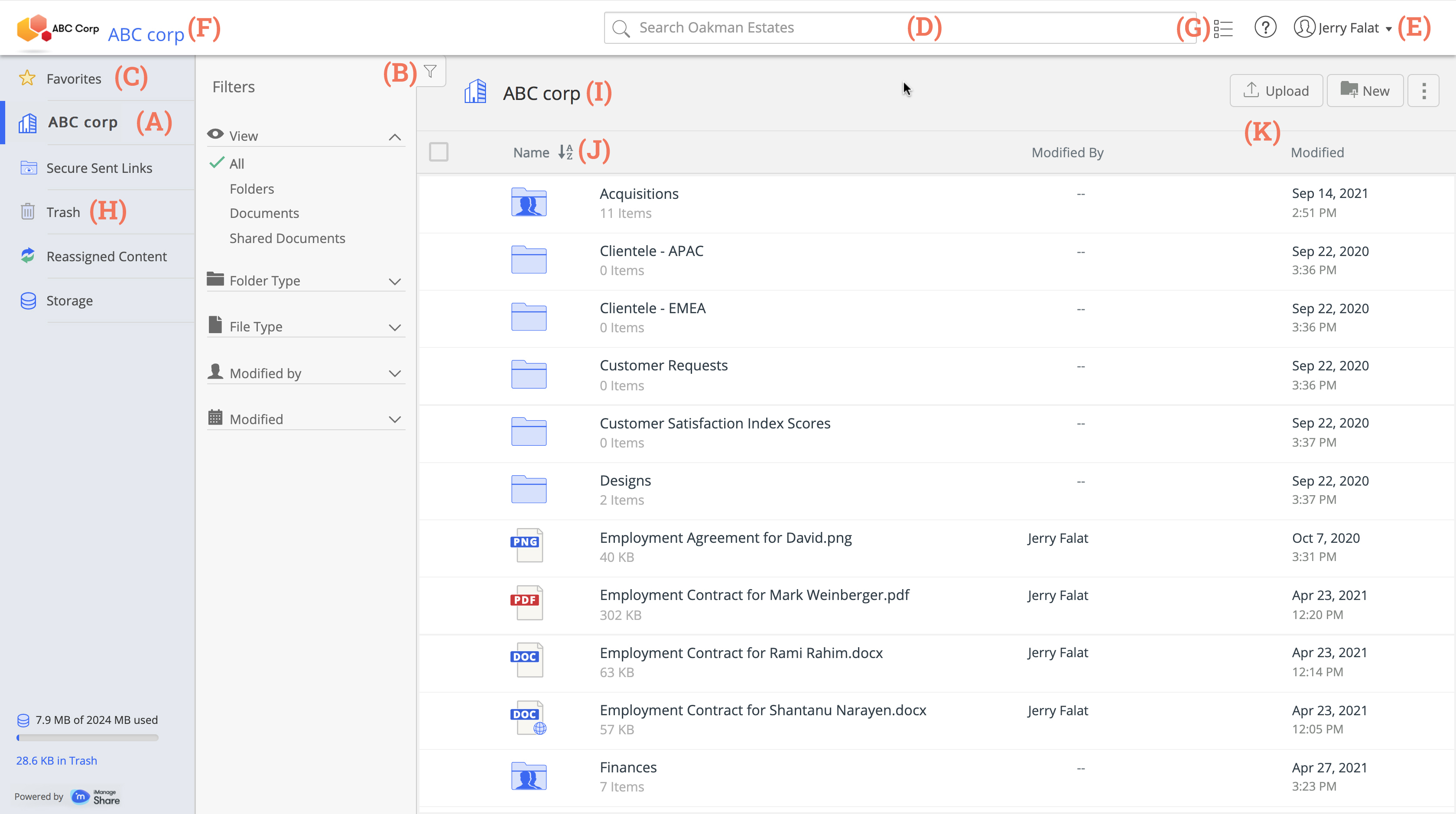
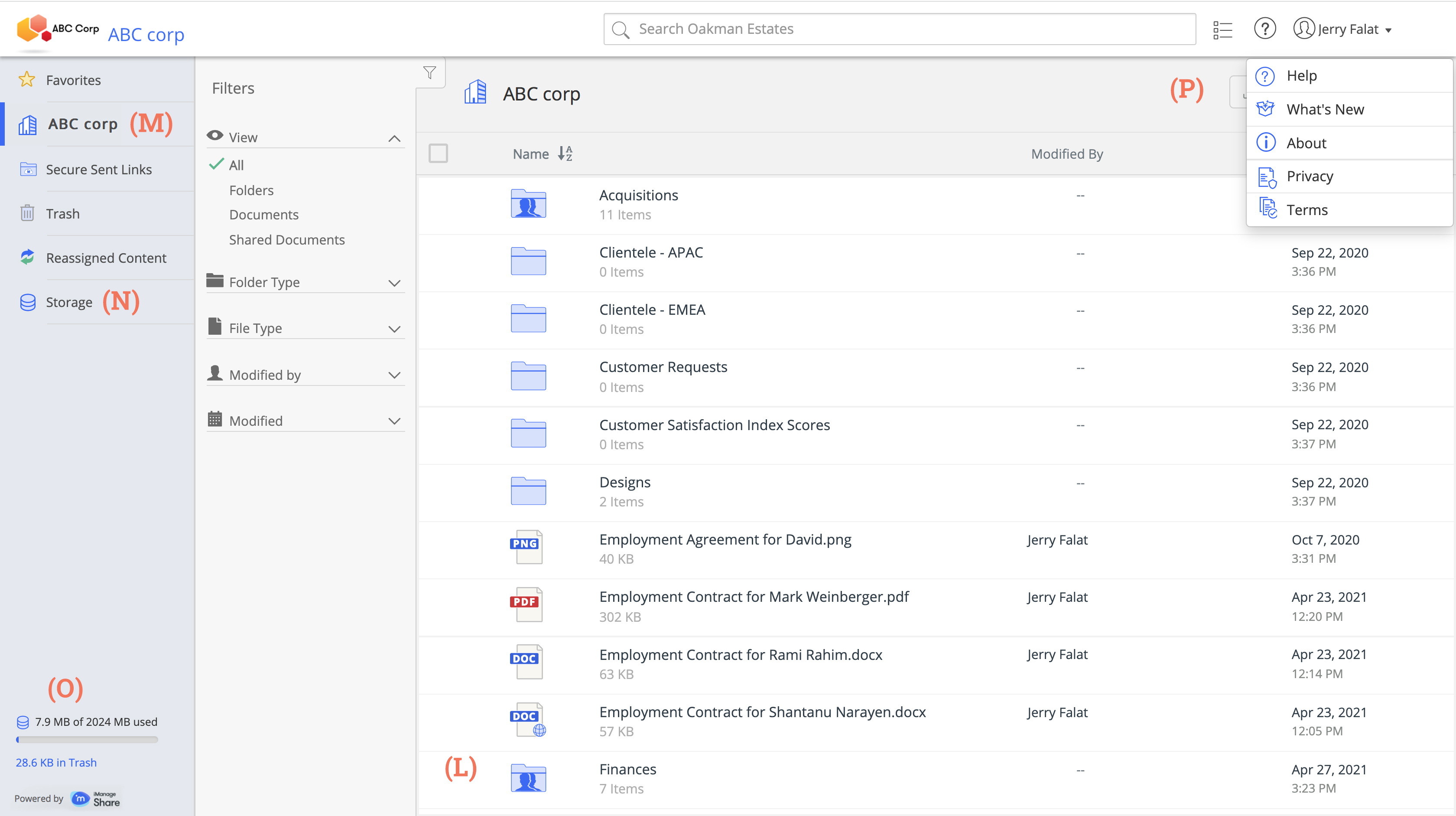
Some of the prominent features are as shown in the following figure:
Index
(A): Displays your company, along with the other companies from which user(s) has shared any content with you.
NOTE:
Administrators can request a customer sub-domain for your iManage Share company. With a custom sub-domain defined, your branded sign in page is displayed for all the links that go out to documents and folders in your company, that require recipient authentication.
Open an iManage Support ticket to have your custom sub-domain.
(B): A collapsible filter pane with options to sort your folders and documents, and show a subset of items.
(C): Favorites option on the side bar to view your bookmarks.
(D): Search box that displays the context of the search, and enables you to enter a search criteria.
(E): A drop-down menu with options for Settings and Sign-out.
(F): A header that can be customized with your company logo, name, and palette.
(G): A collapsible Activities and Tasks pane that provides history about the recent activities and any background tasks performed.
(H): Access to your trash bin or folder.
(I): The current content-either the company root level, a folder name, a document name, or a search list.
(J): A document and folder list that can be sorted is displayed for each folder or search hit list.
(K): Action buttons for the object in your current context.
(L): Object status indicators for things such as notification subscriptions.
(M): Shortcut to your Secure Sent Link folder.
(N): Shortcut to your storage details window.
(O): Storage consumed by you in real time.
(P): Menu that contains links such as Help, What's new, About, Privacy and Terms.
For more information on navigation elements, see: