You can delete a Playbook, rule, or position by doing the following:
On the left navigation bar, select Playbooks
 to display the Playbooks dialog and view the existing Playbooks.
To delete:
A playbook, in the Playbook dialog, hover over the Playbook that you want to edit and select the
 more options icon next to it, and select Delete playbook. Figure: Deleting a playbook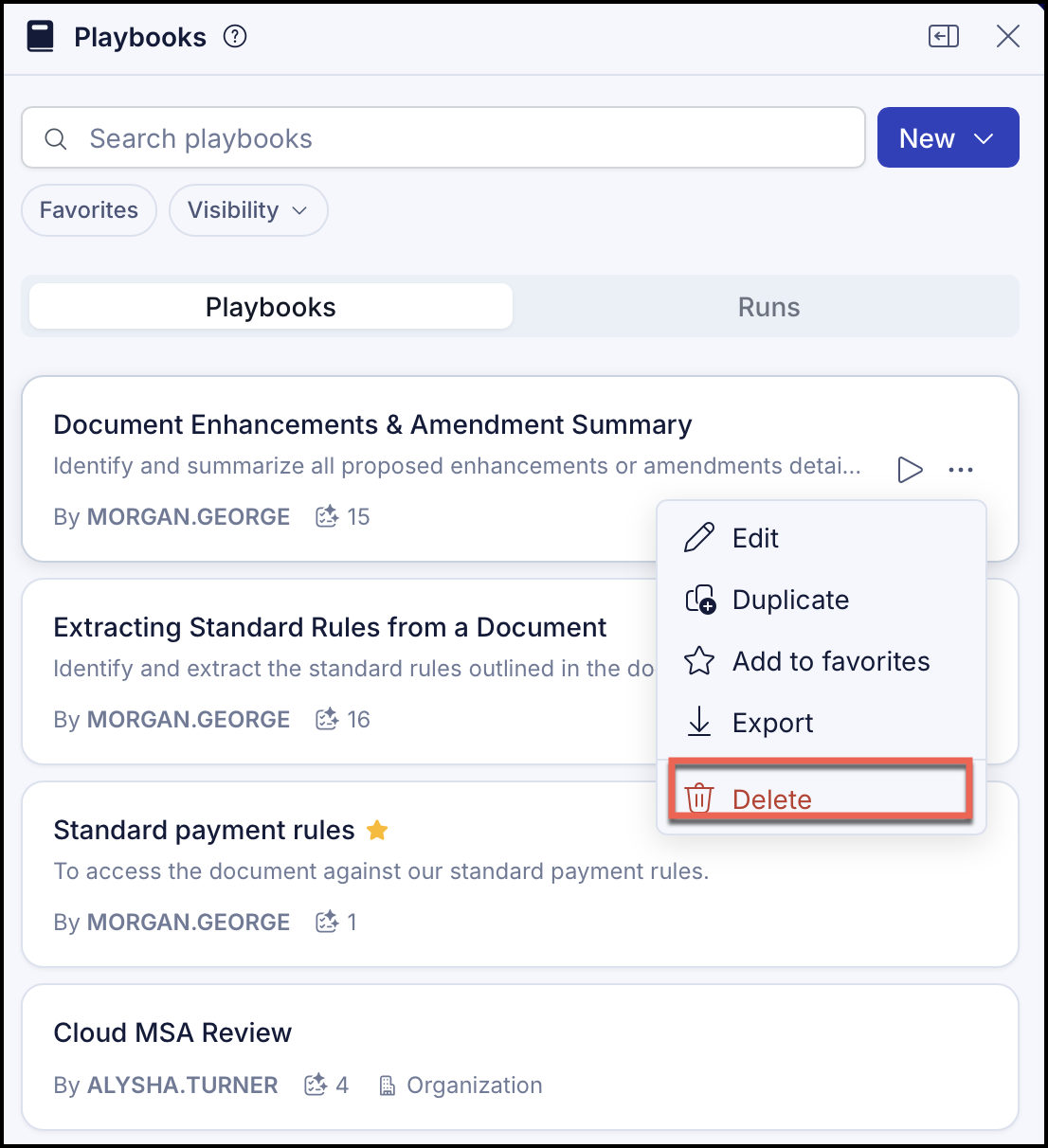
In the confirmation dialog, select Delete to delete the playbook or Cancel to cancel the delete action.
An existing rule, hover over the Playbook and select Edit playbook and select Remove rule to delete the rule. The changes are automatically saved.
An existing position, hover over the Playbook and select Edit playbook. Hover over the rule and select Edit rule. Select
 Remove position to delete the position. The position is removed. The changes are automatically saved.