In the iManage Platform, regular search (also referred to as simple search or keyword search) is the standard, text-based search executed from the unified search box to locate content across your library. You can do a regular search for documents, emails, workspaces, or clients by doing the following:
In the unified search field, enter the name of the client, workspace, email, or document you want to search.
Select Search or press Enter. The results are displayed as shown in the following figure.
Figure: Regular search results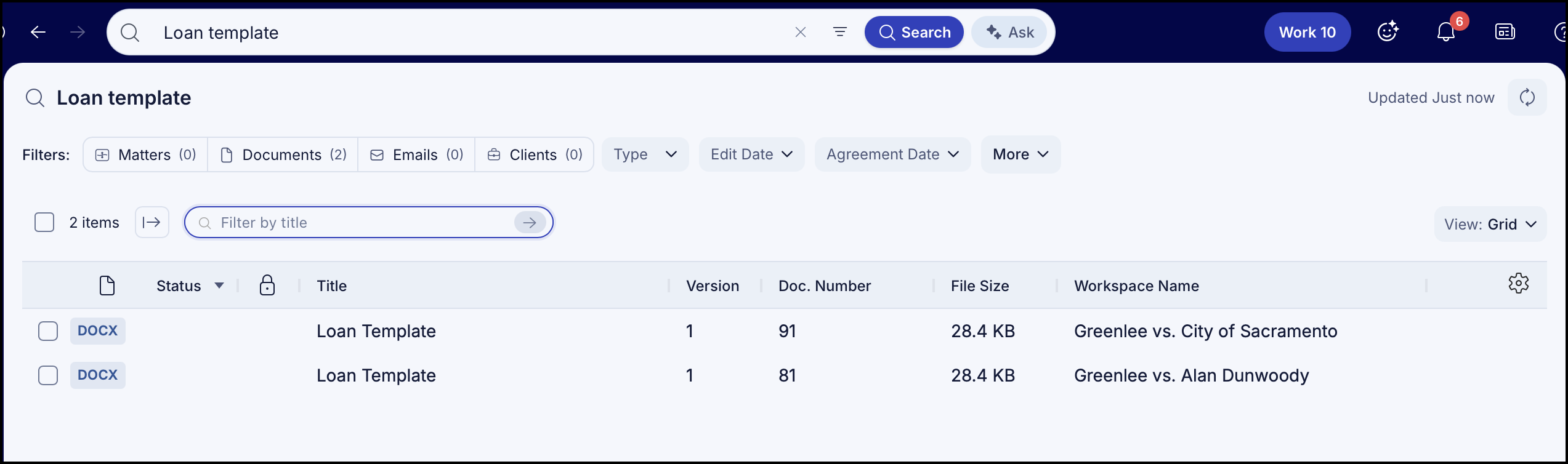
You can also switch to advanced search or natural language search by selecting  Advanced Search or
  Ask respectively.