iManage Threat Manager is engineered to ingest high-volume audit bursts, including sustained peaks of up to 70,000 audits per minute. When rare ingestion issues occur (for example, connectivity, authorization, or database-level faults), details are displayed on Configuration > Settings > System. Use the Task execution errors list to identify the cause and take the corrective action shown for the item.
In this section:
Understanding ingestion status and errors
You can monitor ingestion activity and investigate any detected issues from Configuration > Settings > System.
Library ingestion status section
The Library ingestion status section shows the last ingestion date for each library, based on the time zone of the user’s browser. The Last ingestion date refers to the most recent time when audits were pulled from iManage Work. This date shouldn't be more than two hours behind the current time.
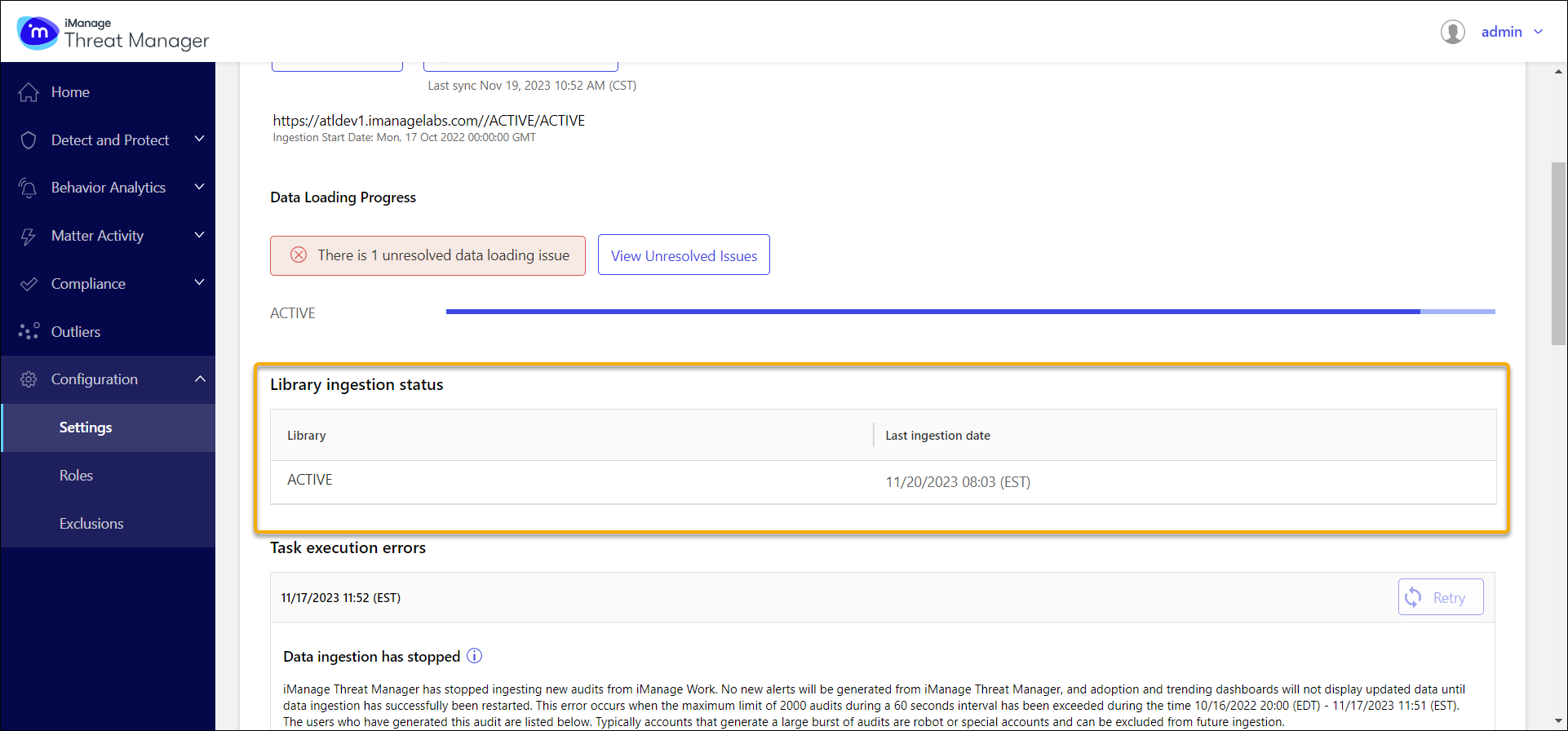
Task execution errors section
The Task execution errors section lists items that require attention (for example, transient connectivity or configuration issues) and shows the recommended action. The most recent item is displayed at the top with a message describing the issue and the recommended action.
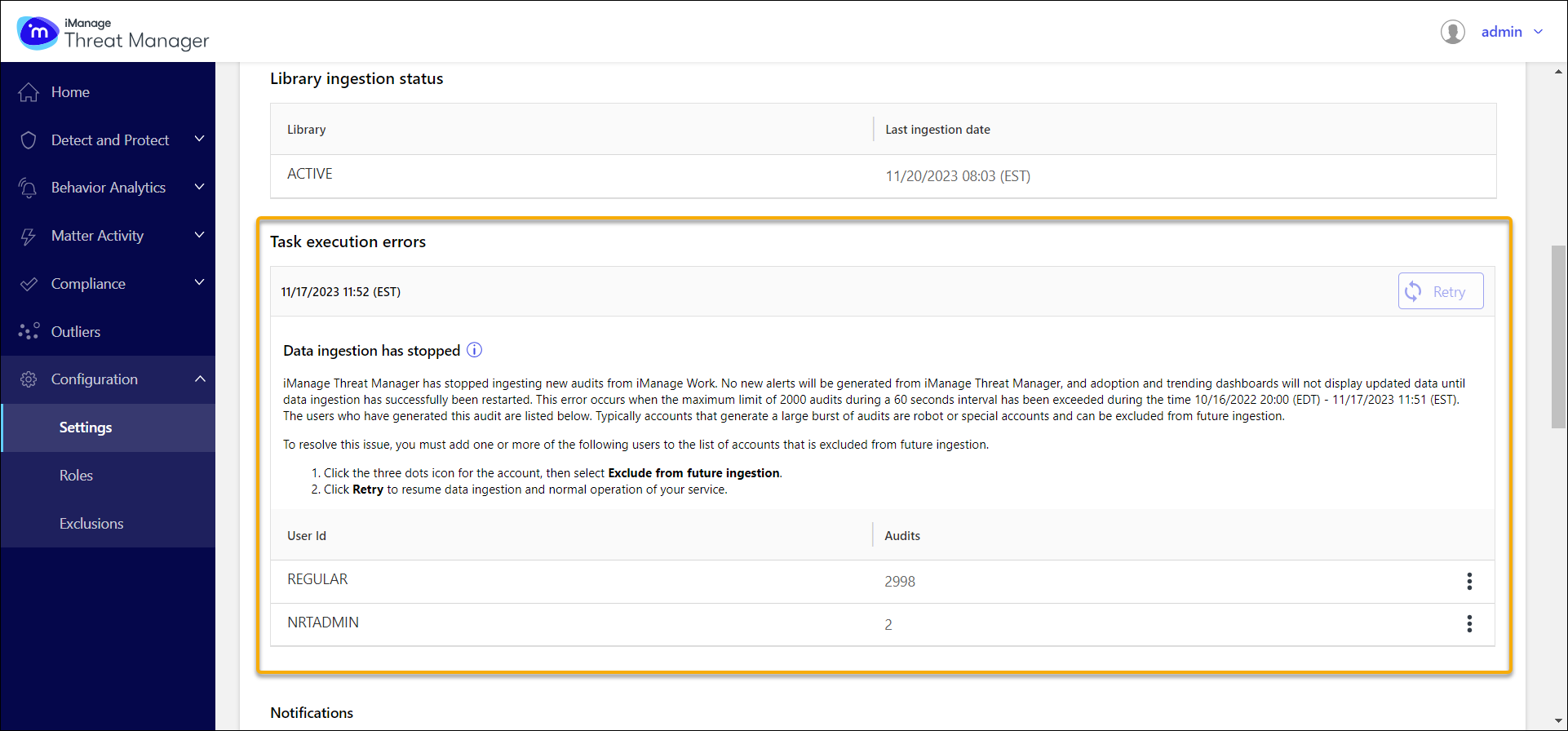
Resolving ingestion failures
To resolve an ingestion issue, perform the action listed for the item (for example, verify credentials, confirm the database is available, or select Retry). Use exclusions only for robot or service accounts whose activity may distort analytics baselines or alert signal quality.
You can view all accounts excluded from future ingestion on Configuration > Settings > Exclusions. This list should be limited to robot or special accounts that generate unusually high activity in short bursts.
NOTE: Accounts excluded from future ingestion don't generate alerts, as their audits aren't captured by iManage Threat Manager. Exclusions aren't required for normal high-volume activity that remains within supported capacity.