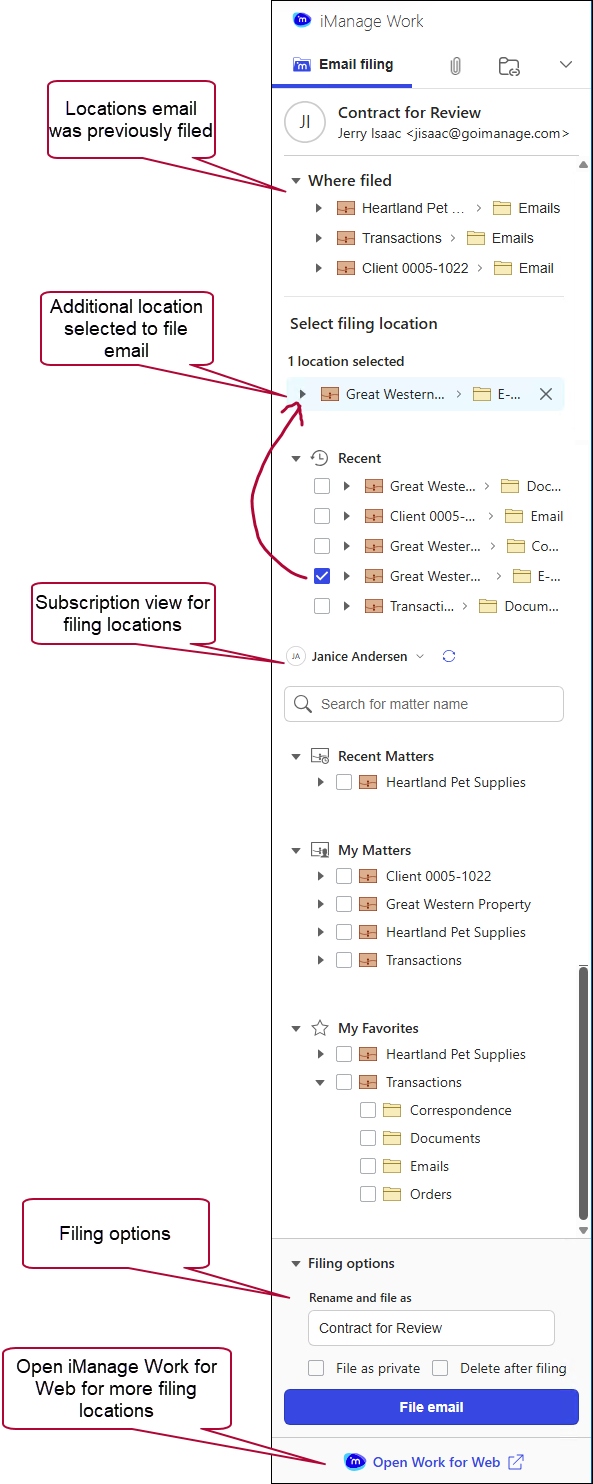
Use this view of the iManage Work task pane to refile an email or find and select additional locations to file the email from within the message view itself. You can also search for a workspace to refile the email by entering keywords in the search box from the expanded task pane.
Open the iManage Work task pane from the  icon on the Home ribbon or on the toolbar in the message view of emails that were filed to iManage Work.
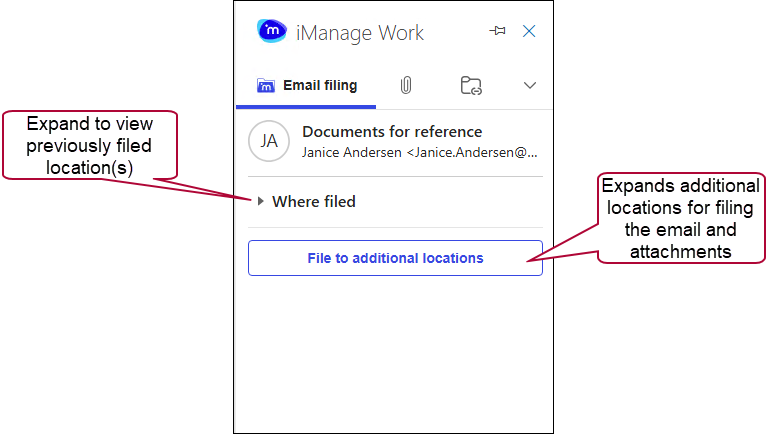
When you first open the task pane, the simplified view provides only the details you need for the selected email including the name of the email and an expandable list of the location(s) where the email is already filed. To add or refile the email, select File to additional locations to see the additional locations and functionality available for filing.
The expanded view provides more information, including the location where the email is filed (displayed in both the Where filed list and the Suggested locations list. Refer to iManage Work task pane view for draft emails for details about the areas within the task pane.
Use the iManage Work task pane to refile an email from within the email message window. You can also search for a workspace to refile the email by entering it in the search field.