You can export the metadata of one or more items in the grid view to a .csv file using the Export option on the toolbar. The metadata exported are basically the column values that you have configured in the Grid view settings.
Figure: Exporting metadata from the grid view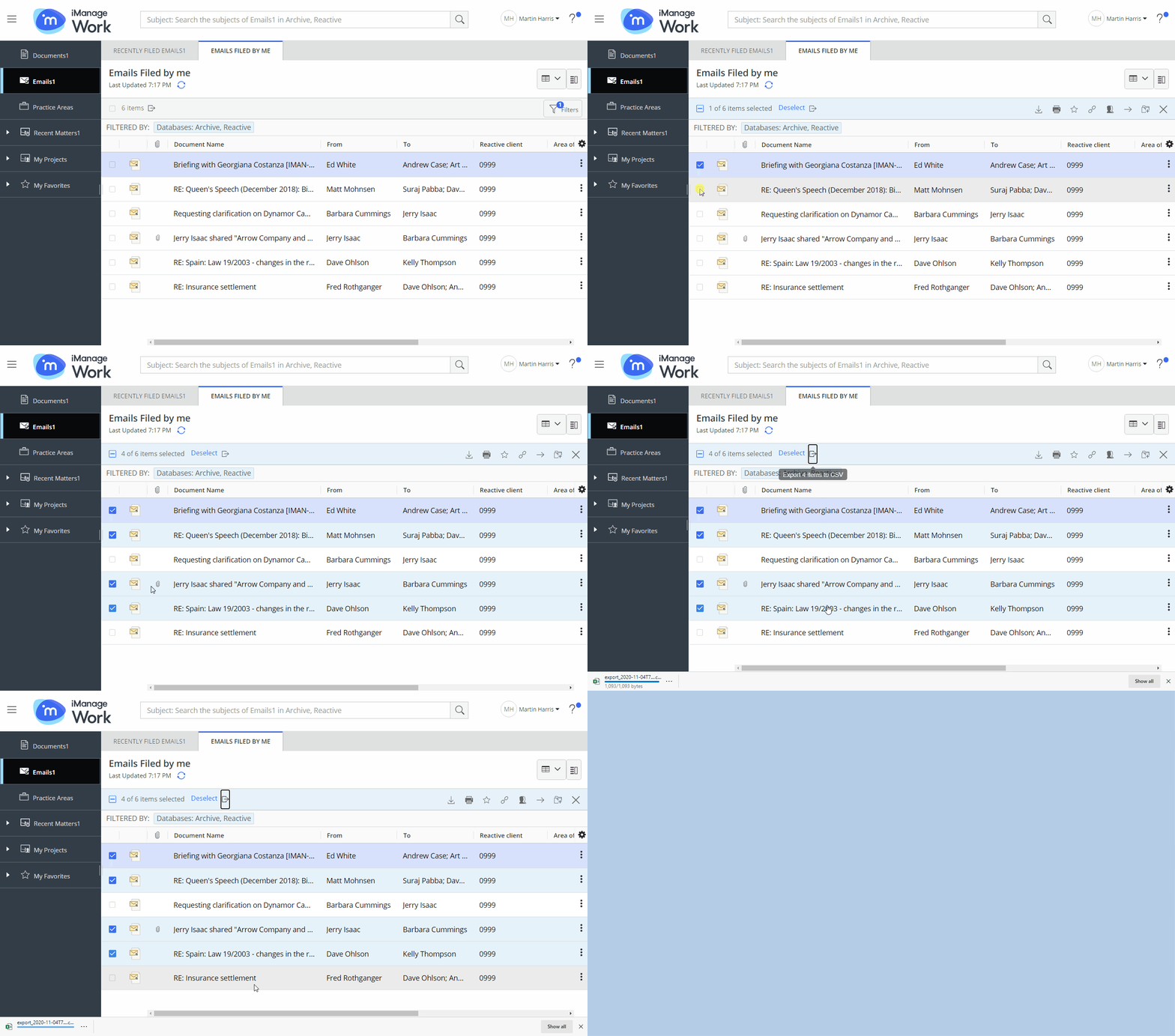
This helps you share the exported file as a report to others within or outside your organization.
Select your preferred container from the side navigation on the tree.
Select Export adjacent to the items count on the toolbar to export the metadata of all items.
(OR)
Select the items whose metadata you prefer to export.
Figure: Prompt to switch the view before exporting metadata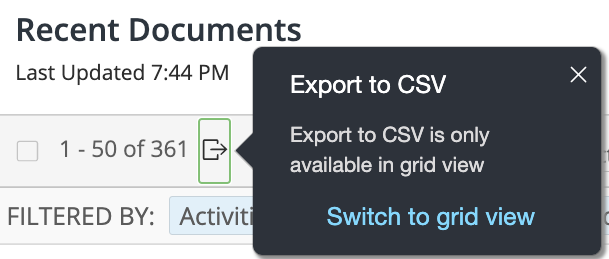
Select Export on the toolbar.
The report is downloaded as a .csv file in theExport-<datetime>.csvname format into the Downloads folder, as per your browser settings.
NOTE: The Export to CSV option is supported only in the Grid View.