- Keyboard functions for operations related to the tree
- Using keyboard shortcuts
- Keyboard accessibility for the filter panel
Enabling keyboard accessibility on Apple Safari browser and iManage Work for Mac
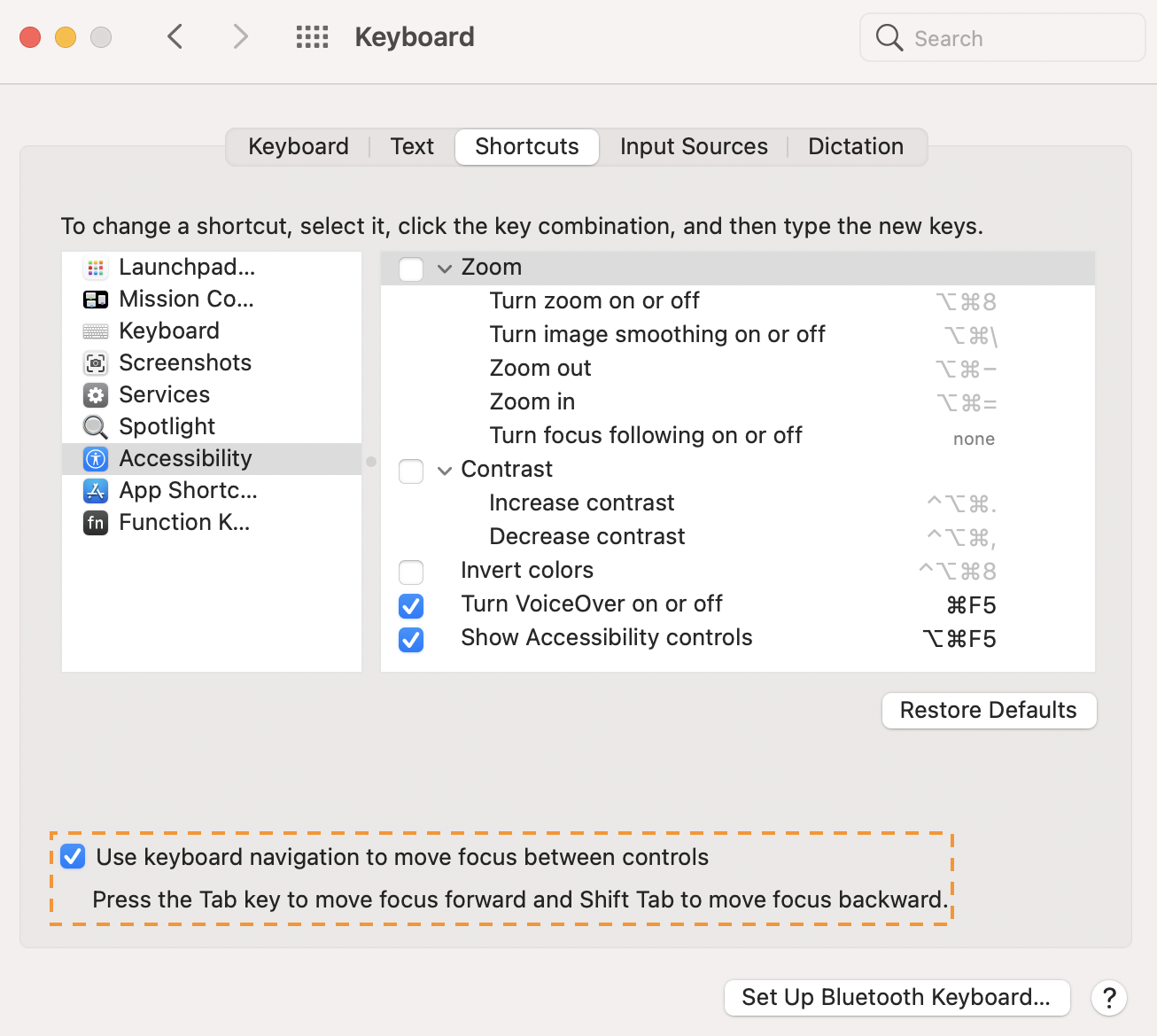
To use Tab key for navigation, the following settings must be enabled:
For Apple Safari:
Launch the Safari browser > Preferences > Advanced > Select the Press tab to highlight each item on a web page check box. 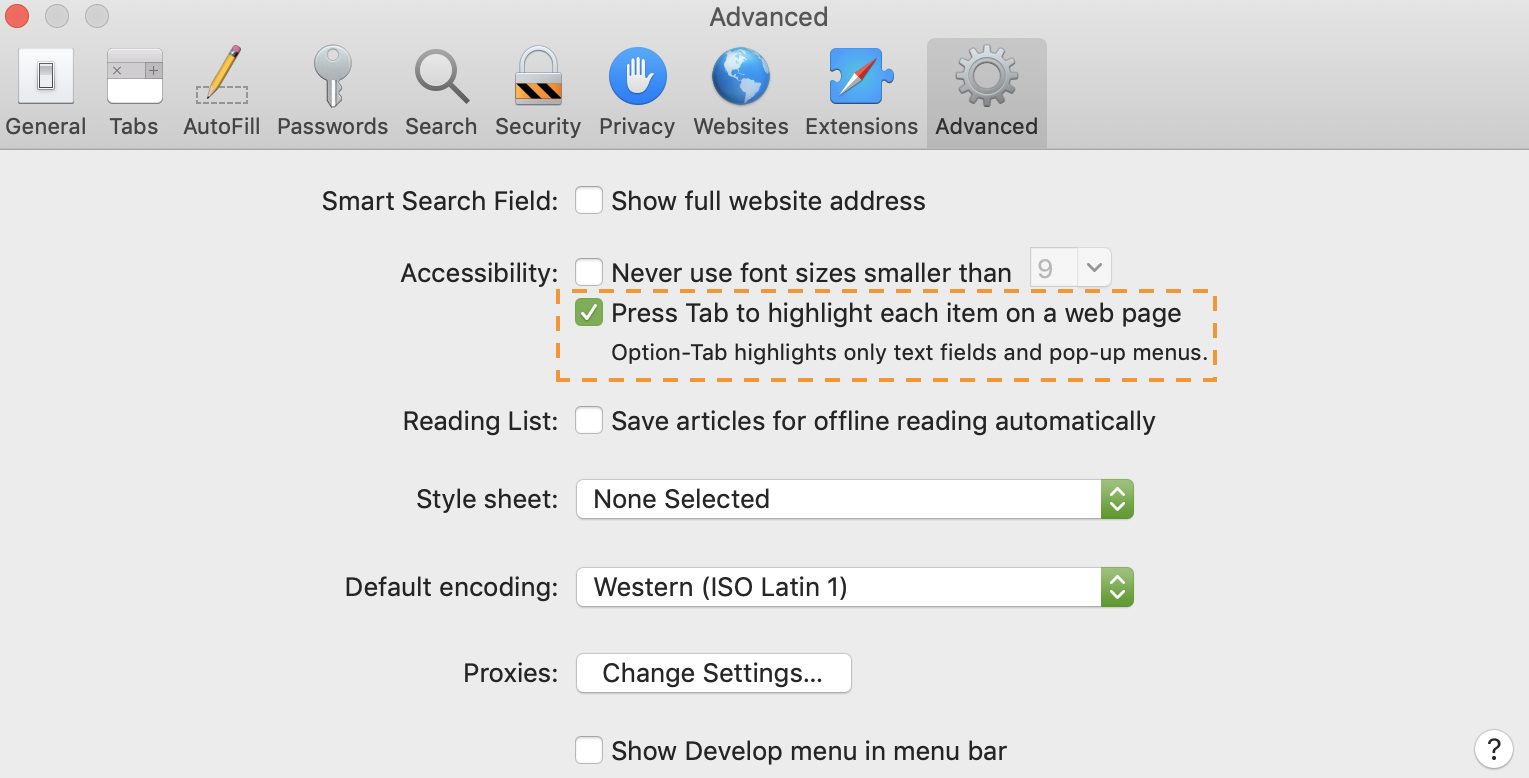
NOTE: You can also use Option + Tab or Option + Shift + Tab to navigate without enabling this setting.
For iManage Work for Mac:
Browse to System Preferences > Keyboard > Shortcuts and then select the check box as highlighted below to enable focus on tab.