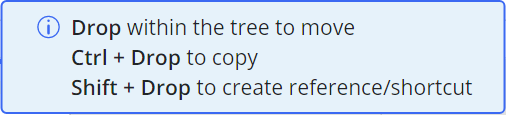
Based on the browsers and operating system used, the behavior and the key used for the operations related to the tree may vary as explained in the following table:
Table: Keyboard functions across browsers
Keyboard Actions | |||||
Browser | Move Operation | Copy Operation | Creating reference/shortcut | ||
|---|---|---|---|---|---|
Operating System | macOS | Safari | Drag and Drop | Drag and Drop with Option (⌥) key | Drag and Drop with Command (⌘) key NOTE: Command key needs to be pressed before starting the drag. |
Other browsers | Drag and Drop | Drag and Drop with Option (⌥) key | Drag and Drop with Shift key | ||
Windows | All browsers | Drag and Drop | Drag and Drop with Ctrl key | Drag and Drop with Shift key | |
Windows Virtual Machine on Mac | All browsers | Drag and Drop | Drag and Drop with Ctrl key | Drag and Drop with Shift key | |
Figure: Helper message while using Safari browser on Mac
Figure: Helper message for all other browsers