Relating documents means creating relations between documents in the same library to keep them together, such as a contract and any addenda to that contract. This helps you build a document pack in iManage Work where there's some common-purpose, theme, or project.
iManage Work supports relating:
Multiple documents to one document.
Figure: Relating multiple documents to one document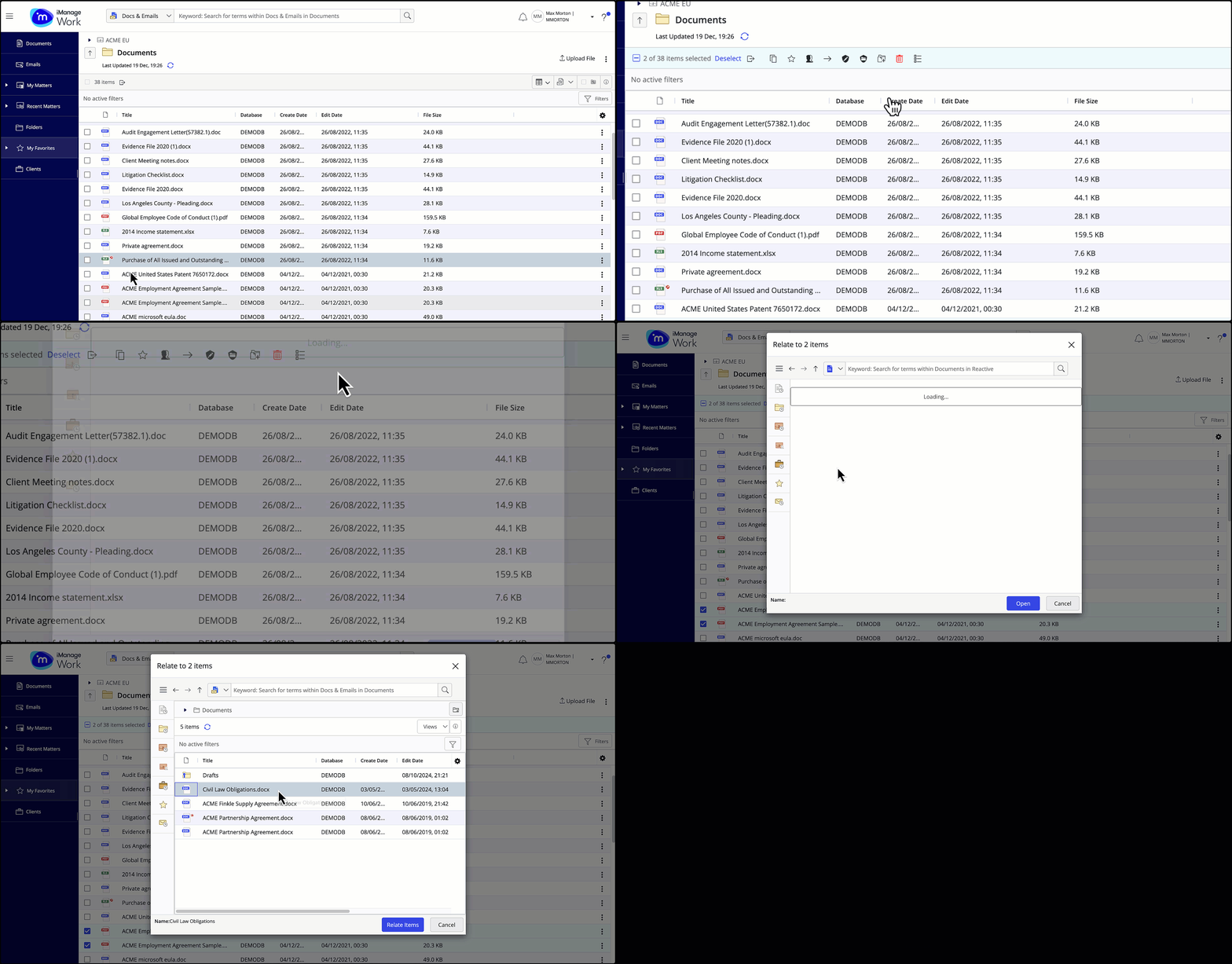
One document to multiple documents.
Figure: Relating one document to multiple documents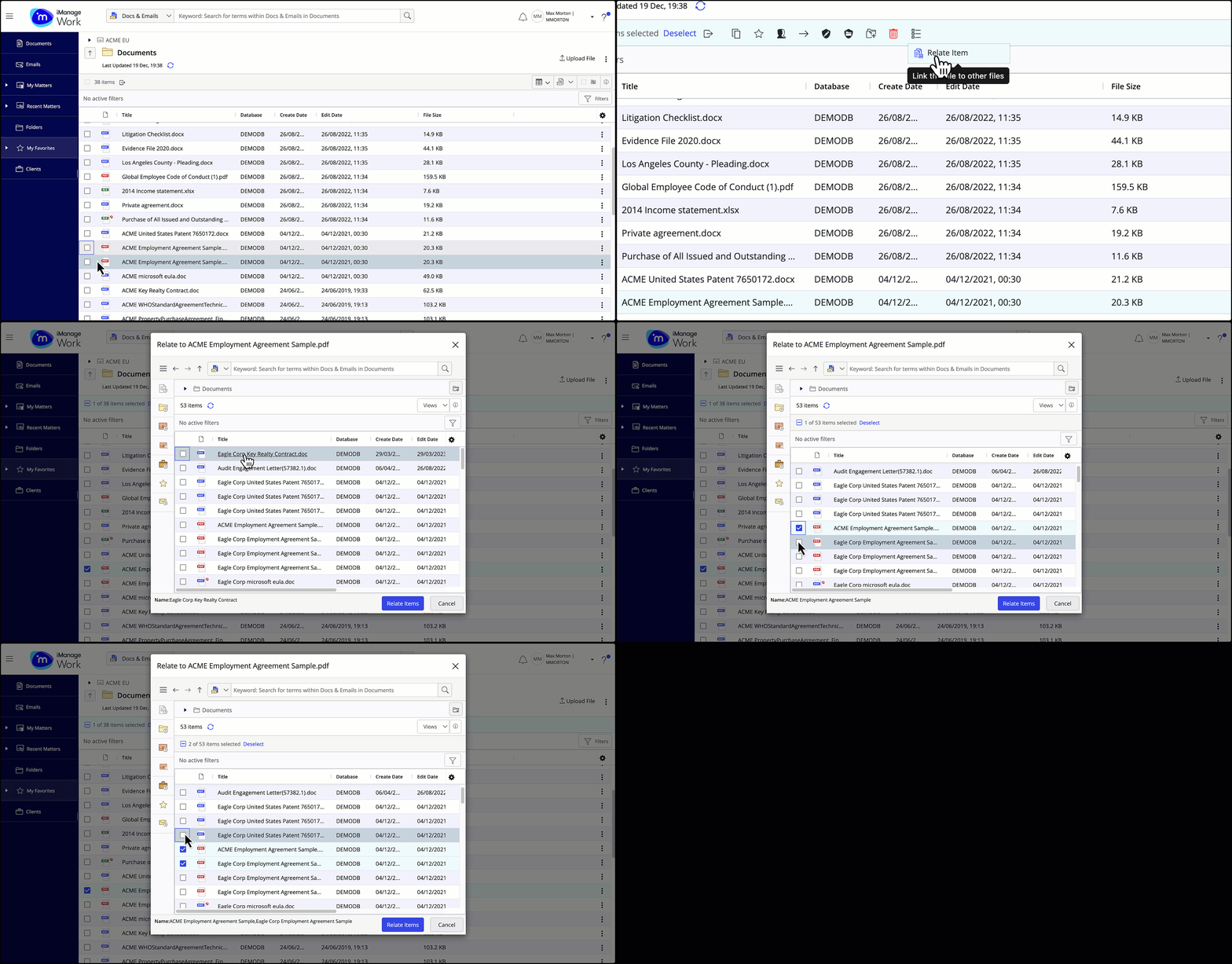
Select one or more document(s) you wish to relate to another document or multiple documents.
To relate, select Relate Item from the toolbar, or from More actions on the context menu.
A file explorer dialog opens letting you select the document(s) with which you wish to relate the selected document(s).Select Relate Item(s).
In the progress dialog, select View relation to preview the related document.
Figure: View relation progress dialog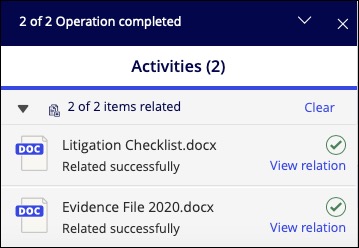
To view the list of related documents, select the Related Documents tab in the Properties panel.
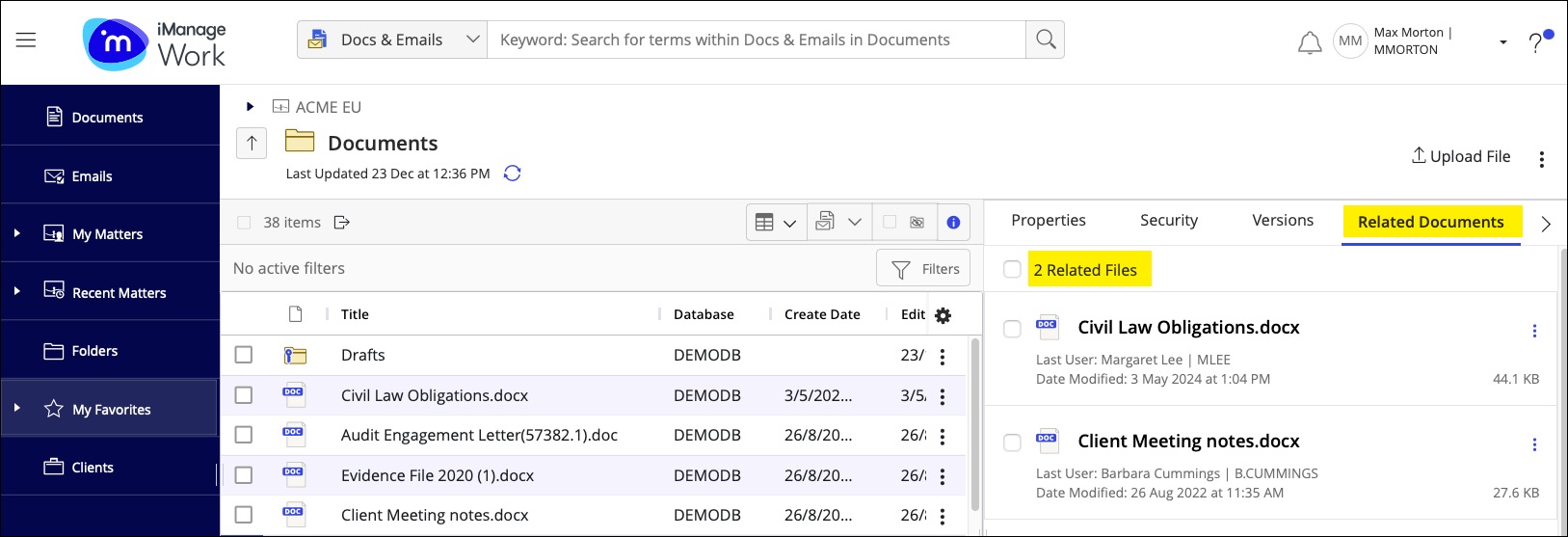
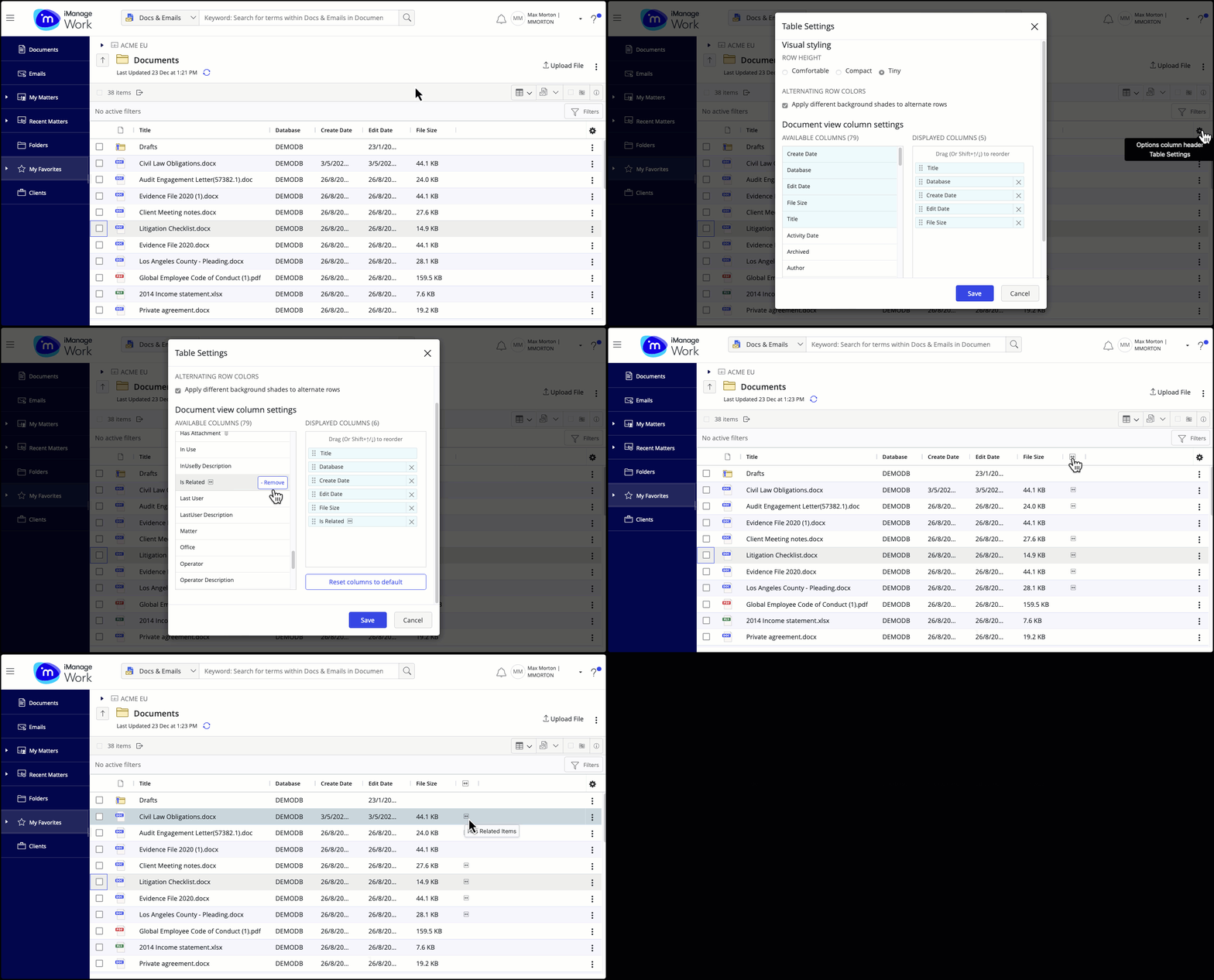
You can also configure the Grid view to display a column to indicate if documents are related.
Select the Options column header Table Settings :gear-filled: icon.
In the Table Settings dialog, under Available Columns, locate Is Related and select Add to grid view.
Select Save.